Track Permit Expiry and Compliance
Identify permits nearing expiry, request or review extensions, and stop work when validity cannot be maintained.
Choose a Monitoring or Audit Task
- Expiry risk: Request or review an extension.
- Audit question: Review permit history, PPE activity, or atmospheric logs.
- Closed or rejected record: Open the archive.
- Low connectivity: Prepare and synchronize supported permit activity.
- Unavailable action: Use permit-execution troubleshooting.
After reviewing or correcting the record, return to the permit list, dashboard, or active permit.
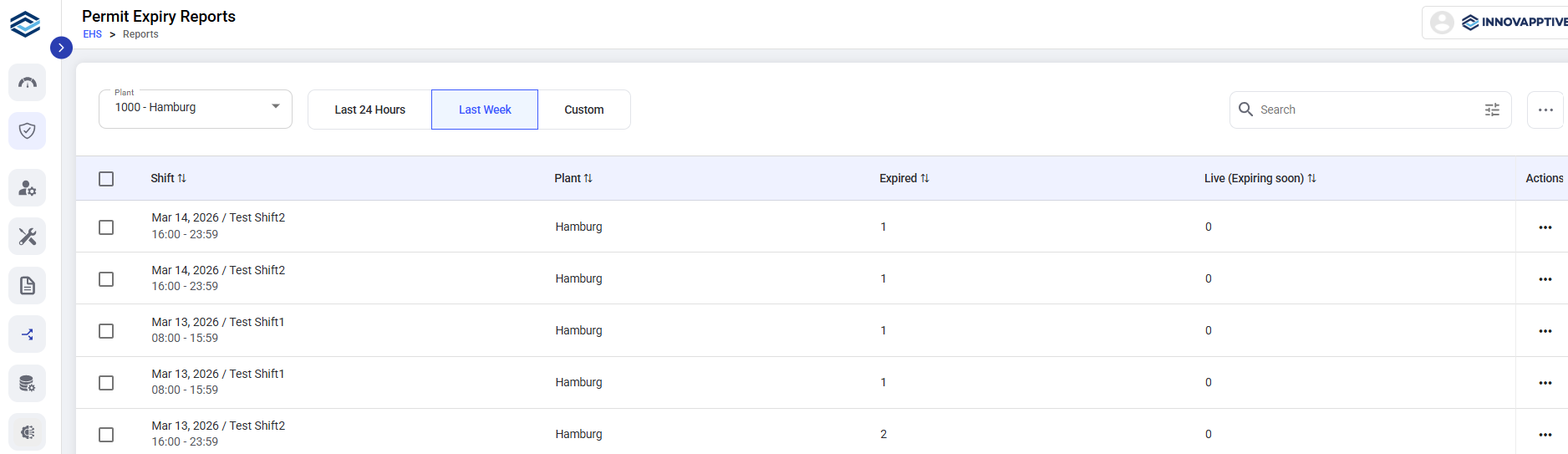
Permit Expiry Reports provide a consolidated view of permits that have expired or are nearing expiry across shifts and plants. This helps supervisors track permit status and identify records that require timely follow-up without opening each permit.
What You Can Do from This Screen
The Permit Expiry Reports screen displays permit status grouped by shift and plant, with counts for expired and expiring permits. You can:
- View permits that have already expired.
- Track permits that are live and nearing expiry.
- Monitor permit status by shift.
- Filter reports by plant and time range.
- Review summary-level information without opening each permit.
- Share the report with stakeholders, for example, by email.
Filters and Controls
- Plant: Select a plant to view permit expiry status for a specific location.
- Time Range: Select Last 24 Hours, Last Week, or a Custom date range.
- Search: Search for specific shifts or entries.
- Sorting: Sort by Shift, Plant, Expired count, or Live (Expiring Soon).