Record Goods Movement into Warehouse Using Purchase Order
A Purchase Order (PO) is a document and first official offer issued by a buyer to a
seller indicating types, quantities, and agreed prices for products or services. It is used
to control the purchasing of products and services from external suppliers.
To record goods movement into warehouse using a purchase order:
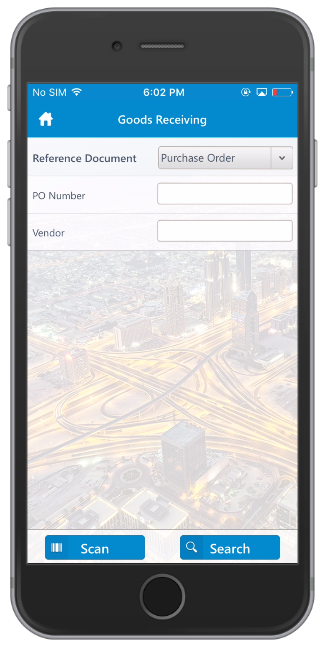
Tap Goods Receiving.
Select Purchase Order from the Reference
Document drop-down.
Tap Done.
Enter PO Number and vendor to
further refine the search.
You can also tap Search without entering the PO Number
and Vendor and select the PO from the search results.
Tap Search.
A list of purchase orders appears. You can further refine the results by
searching by PO number or by scanning the material code.
Figure 1. Goods Receiving Using Purchase Order
Tap the PO from the list.
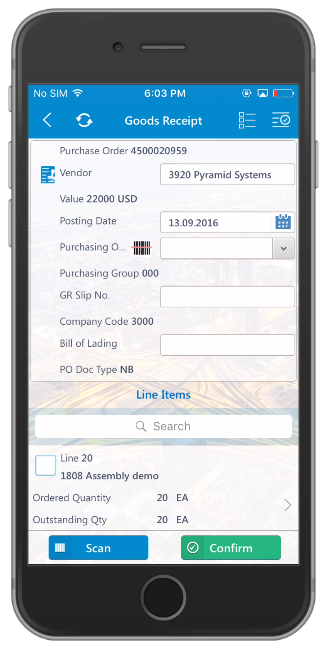
Figure 2. Goods Receipt Purchase Order Details
On the Goods Receipt screen:
Modify the posting date, if required.
Select the line items including quantity.
Tap Account
Assignment on the line item details screen to view the
assets assigned to the line item.
Tap Confirm.
A confirmation message for the
Material Document <number> being posted for Purchase Order
<number> appears.
On the Labels tab, tap the label
to print labels for the line items with the image. Customize the
barcode with the layout of your choice.
Note: To use this feature, configure the image for the barcode layout in
RACE.