
Filter Operator Rounds
You can filter the rounds based on the User Preferences. You can filter the round by User Preferences , Round ID, Round Title, Due Date, and Status.
To filter the operator rounds:
-
Tap the
 icon in
the Operator Rounds list screen to filter the rounds.
icon in
the Operator Rounds list screen to filter the rounds.
Figure 1. Operator Rounds - Filter 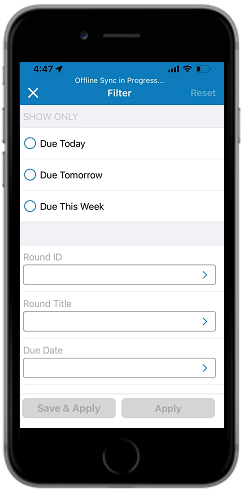
-
Enter the required information in the Filter screen.
You can filter rounds based on Due Today, Due Tomorrow, Due This Weekx, Work Center, Date, and Shift.
- Select the Status field.
-
In the Status screen, select the following status based on the status of the
round:
- OPEN – When the round is yet to be started.
- INPROGRESS – When the round is in progress.
- COMPLETED – When the round is completed.
Figure 2. Operator Rounds – Select Status 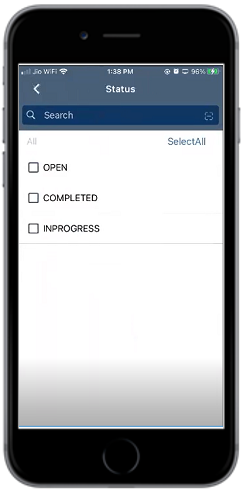
- Tap the back arrow to go back to the Filter screen.
-
Tap Apply to apply the filter.
OR
- Tap Save & Apply to save the filter for future use.
-
Enter a filter name in the Give Filter a Name window.
Figure 3. Operator – Filter Name 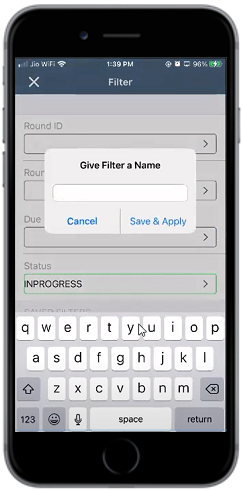
-
Tap Save & Apply.
The filter is saved.Note:To delete the saved filter, swipe the filter and tap Delete.