Configure Preferred Sorting Order by Module
As a Supervisor, you can set the default sort criteria organization wide in RACE to have uniform criteria based on the business processes.
As a Technician, you can sort and view the transactional data (Work Orders, Notification) and master data (EQ, FL, MP).
To configure preferred sorting order for Work Order and Notification modules:
- Click Defaults on the left panel.
-
Click the Add
 icon next to the search
field.
You can also click the Copy
icon next to the search
field.
You can also click the Copy button on the details
pane of an existing Default field to populate the properties in the Create
Default Field section.
button on the details
pane of an existing Default field to populate the properties in the Create
Default Field section. -
In the Create Default Field section of the screen, enter the following
information:
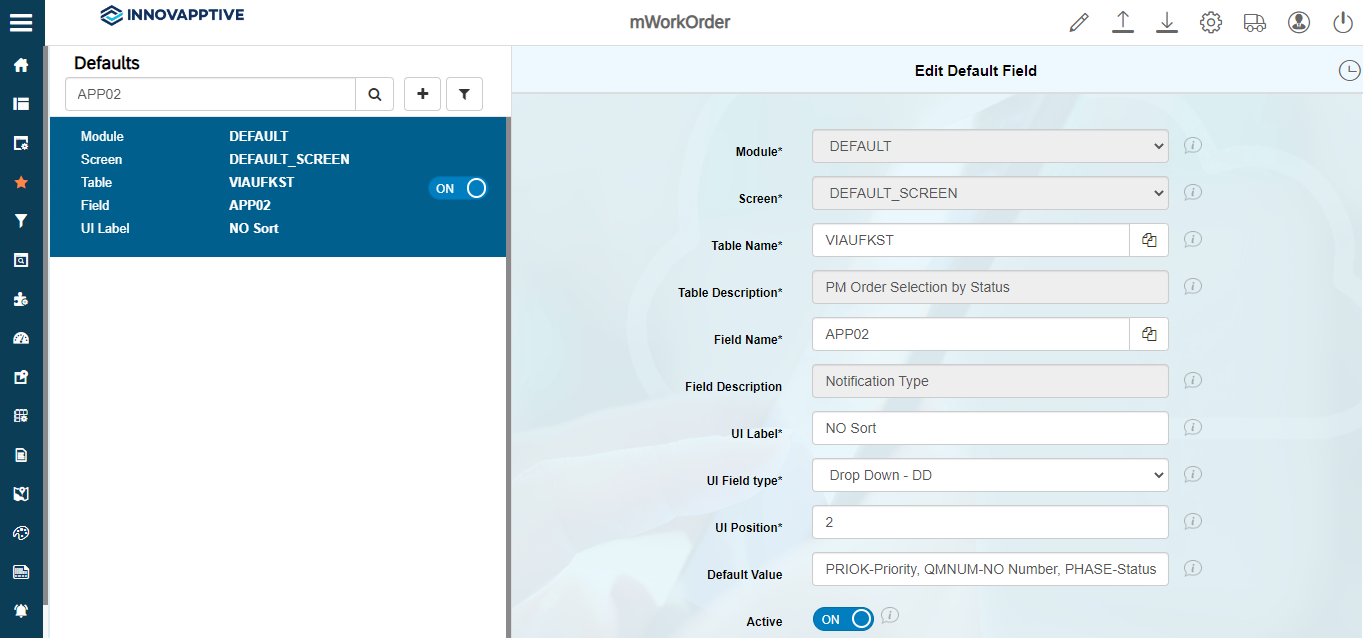
Table 1. Default Field configuration attributes Field Description Work Order Notification Module Defaults Defaults Screen Default Screen Default_Screen Table Name VIAUFKST VIAUFKST Table Description PM Order Selection by Status PM Order Selection by Status Field Name APP01 APP02 Field Description Notification Type Notification Type UI Label WO Sort NO Sort UI Field Type Drop Down - DD Drop Down - DD UI Position 1 2 Active ON ON Default Value PRIOK-Priority, AUFNR-WO Number, IPHAS-Status, TXT04- User Status, ARBPL- Work center, AUART-WO Type, NOTE-WO Description PRIOK-Priority, QMNUM-NO Number, PHASE-Status, QMART-NO Type, QMTXT-NO Description, IWERK-Planning Plant, -
Click Save.
Figure 1. Sorting Order for Work Order 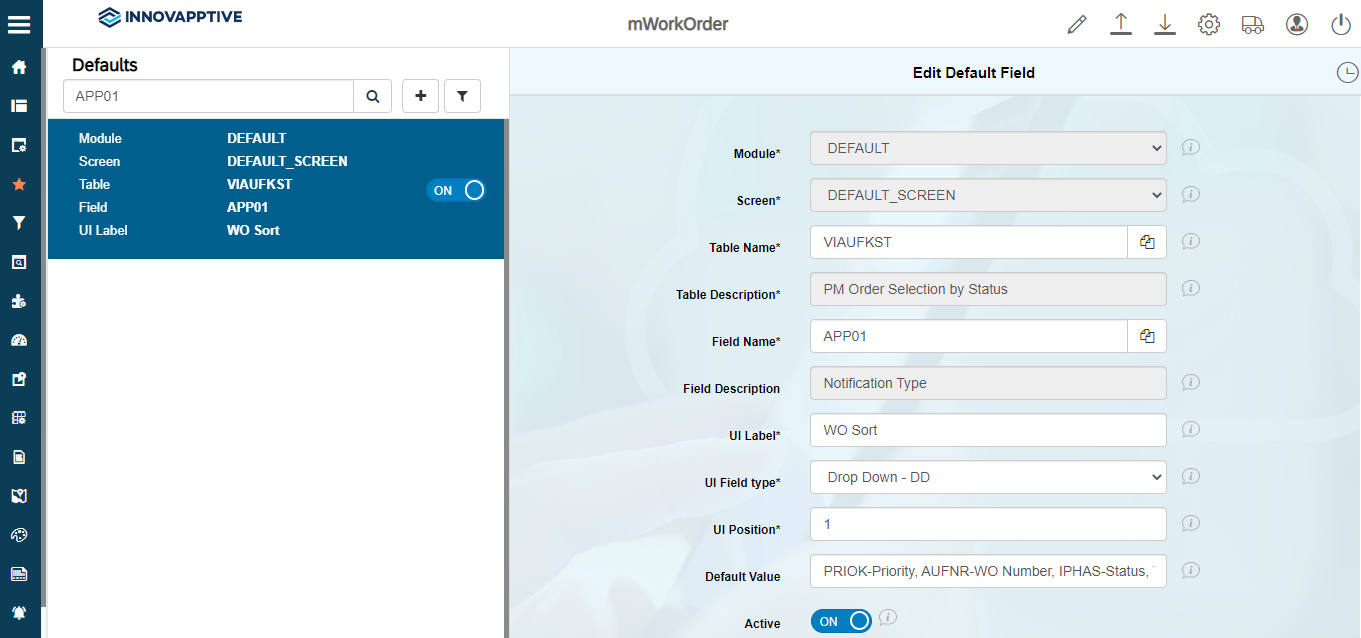
Figure 2. Sorting Order for Notification