Configure On-Premise System Mapping
Map your on-premise SAP system in Cloud Connector so BTP can reach the required internal host and port.
To configure on-premise system mapping:
- Open the Cloud Connector UI in a browser.
- In the Subaccount view, select Cloud To On-Premise
- Click Add System Mapping.
-
Choose the backend system type:
- Select ABAP System (for SAP Gateway/OData).
- or SAP HANA if exposing HANA endpoints.
Figure 1. Choose Backend System Type 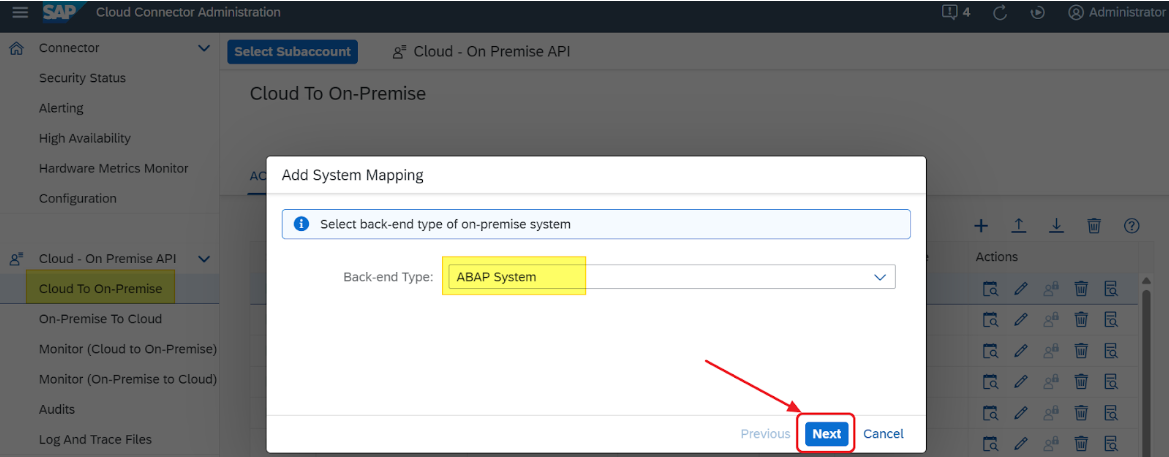
- Select HTTPS as the protocol.
- Enter the internal host/IP address and port of the target RISE with SAP system hosted on the hyperscaler.
-
Define the Virtual Host and Virtual Port. For example:
<Virtual Hostname> <Port>. - Click Next.
- Leave Principal Propagation and System Certificate for Logon disabled unless explicitly required.
- In the Host in Request Header field, select Use Virtual Host.
- Enter Description (optional).
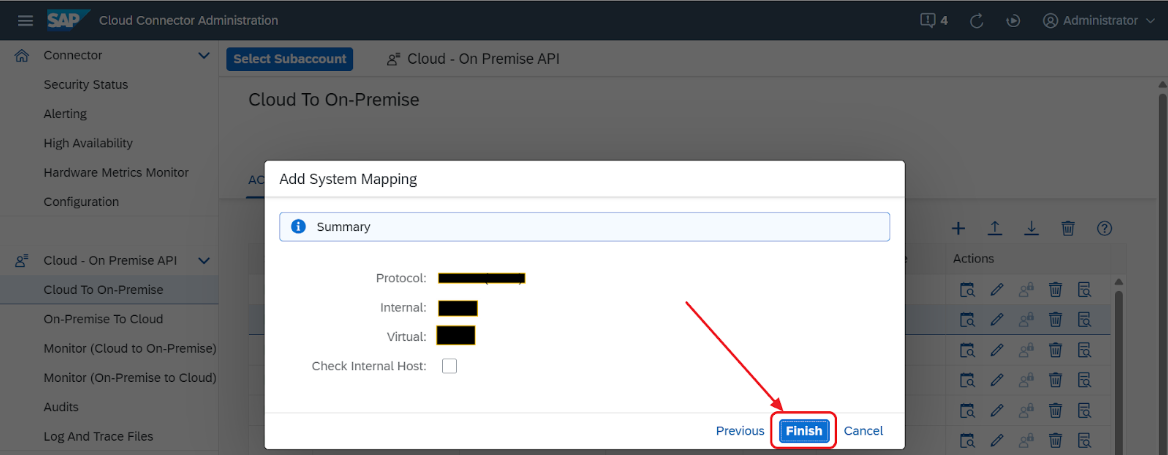
- Review the configuration and click Finish.
-
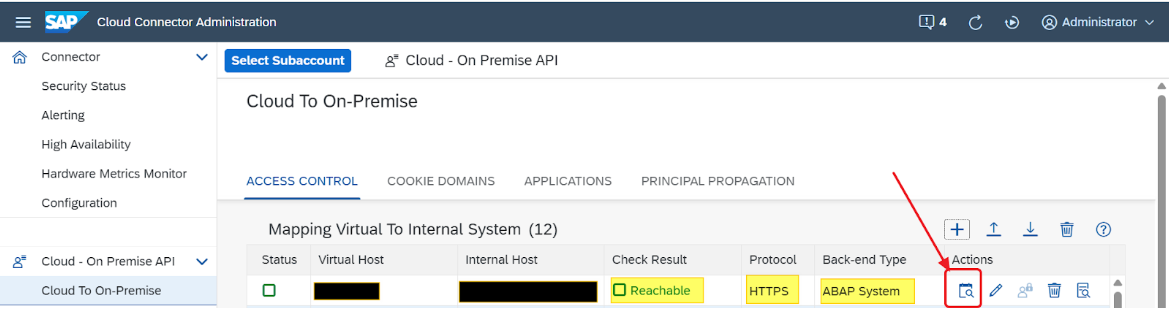
If the configuration is correct, the status shows Reachable.
-
Click the search icon under the Actions column to check if the
system is reachable.