Configure Equipment Search
This configuration allows you to search for unavailable equipment or a functional location in the Equipment search in offline mode then the system retrieves and displays the relevant data from SAP. If needed, you can create a notification. This improves search efficiency, reduces delays, and allows users to create notifications seamlessly.
To configure equipment search:
- Create the Scoping ID (App ID) TECHOP. For more information, see Create Scoping ID.
- Click Performance on the left panel.
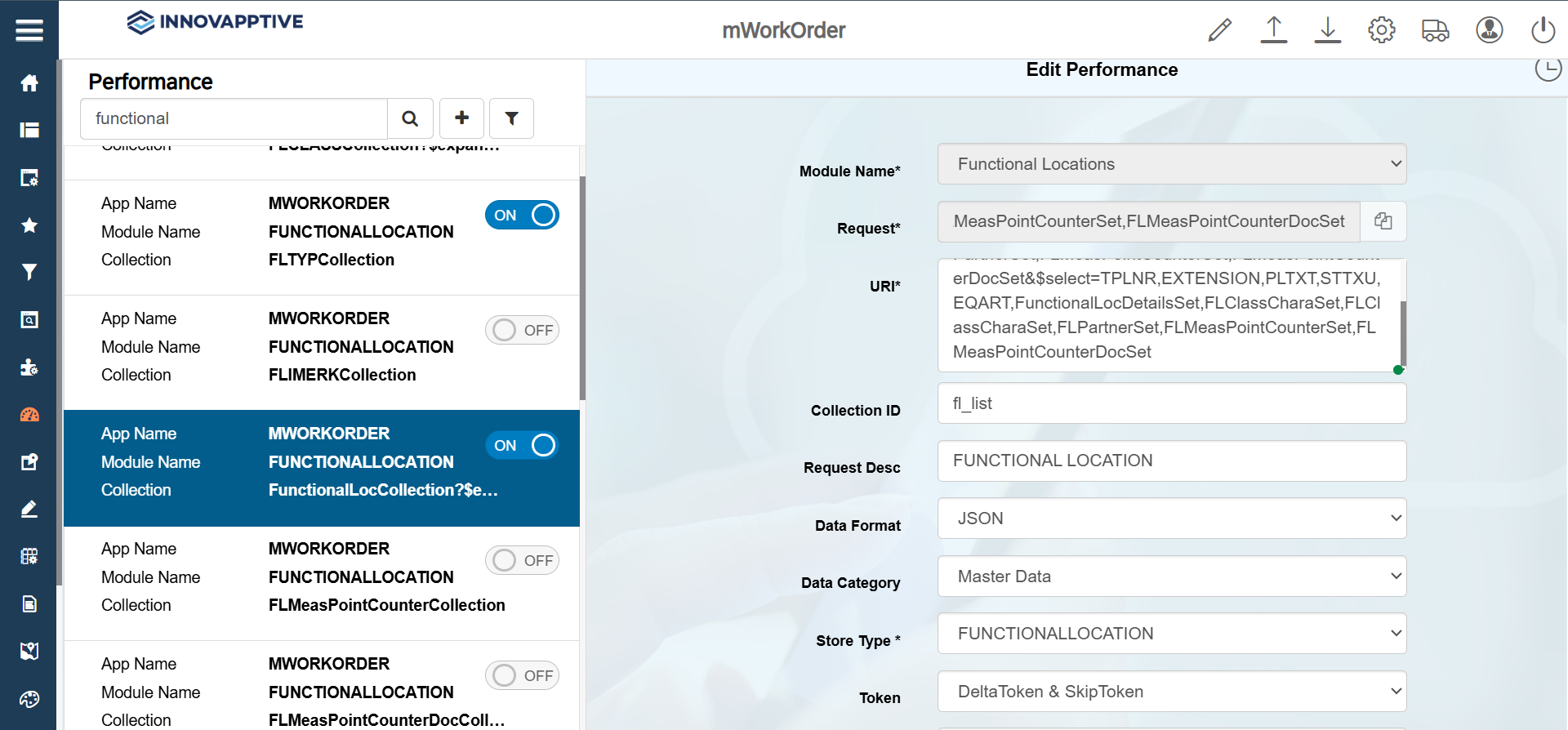
- Search equipment in the Search field.
- From the results, select the record with the Collection name = EquipmentListCollection.
-
In the Edit Performance screen, make the following changes:
Field Description Module Name Equipment Request EquipmentListCollection?$expand=EQPartnerSet,EquipmentDetailsSet,EQClassCharaSet,EQMeasPointCounterSet,EQMeasPointCounterDocSet&$select=EQUNR,EXTENSION,EQKTX,SYST_STATUS_TEXT,EQART,EQPartnerSet,EquipmentDetailsSet,EQHierarchySet,EQHierarchyDetailsSet,EQClassCharaSet,EQMeasPointCounterSet,EQMeasPointCounterDocSetURI EquipmentListCollection?$expand=EQPartnerSet,EquipmentDetailsSet,EQClassCharaSet,EQMeasPointCounterSet,EQMeasPointCounterDocSet&$select=EQUNR,EXTENSION,EQKTX,SYST_STATUS_TEXT,EQART,EQPartnerSet,EquipmentDetailsSet,EQHierarchySet,EQHierarchyDetailsSet,EQClassCharaSet,EQMeasPointCounterSet,EQMeasPointCounterDocSetCollection ID eq_equnr Request Desc Equipments Data Format JSON Data Category Master Data Store Type EQUIPMENT Token DeltaToken & SkipToken Online Skip Token 500 Offline Skip Token 2000 Sync to Offline DB ON Data Access Offline Access Category U-User Group
-
Click Save.
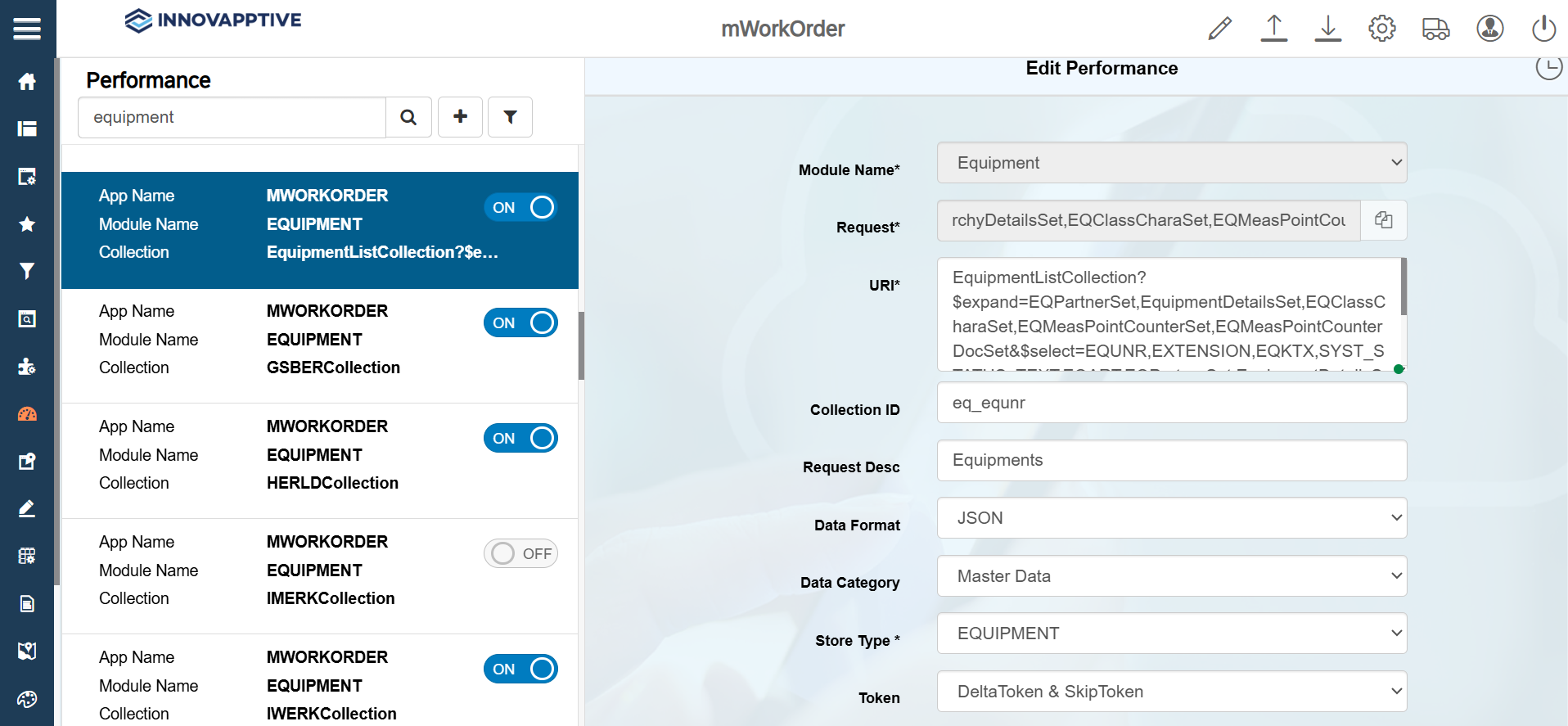
- Search functional in the Search field.
- Select the record with the Collection name = FunctionalLocCollection.
-
In the Edit Performance screen, make the following changes:
Field Description Module Name Functional Locations Request MeasPointCounterSet,FLMeasPointCounterDocSetURI FunctionalLocCollection?$expand=FunctionalLocDetailsSet,FLClassCharaSet,FLPartnerSet,FLMeasPointCounterSet,FLMeasPointCounterDocSet&$select=TPLNR,EXTENSION,PLTXT,STTXU,EQART,FunctionalLocDetailsSet,FLClassCharaSet,FLClassCharaSet,FLPartnerSet,FLMeasPointCounterSet,FLMeasPointCounterDocSetCollection ID fl_list Request Desc FUNCTIONAL LOCATION Data Format JSON Data Category Master Data Store Type FUNCTIONALLOCATION Token DeltaToken & SkipToken Online Skip Token 500 Offline Skip Token 2000 Sync to Offline DB ON Data Access Offline Access Category U-User Group
-
Click Save.