
Raise Standalone Permit
Standalone permits are typically used where no work order exists. In this flow, risk is associated directly with the selected equipment or functional location.
To raise a Standalone permit, follow the steps below:
- Navigate to EHS → Permits from the left navigation panel.
- Select the required plant from the dropdown.
-
Click Raise Permit Manually and select Raise
Standalone from the dropdown.
Figure 1. Raise Standalone Permit 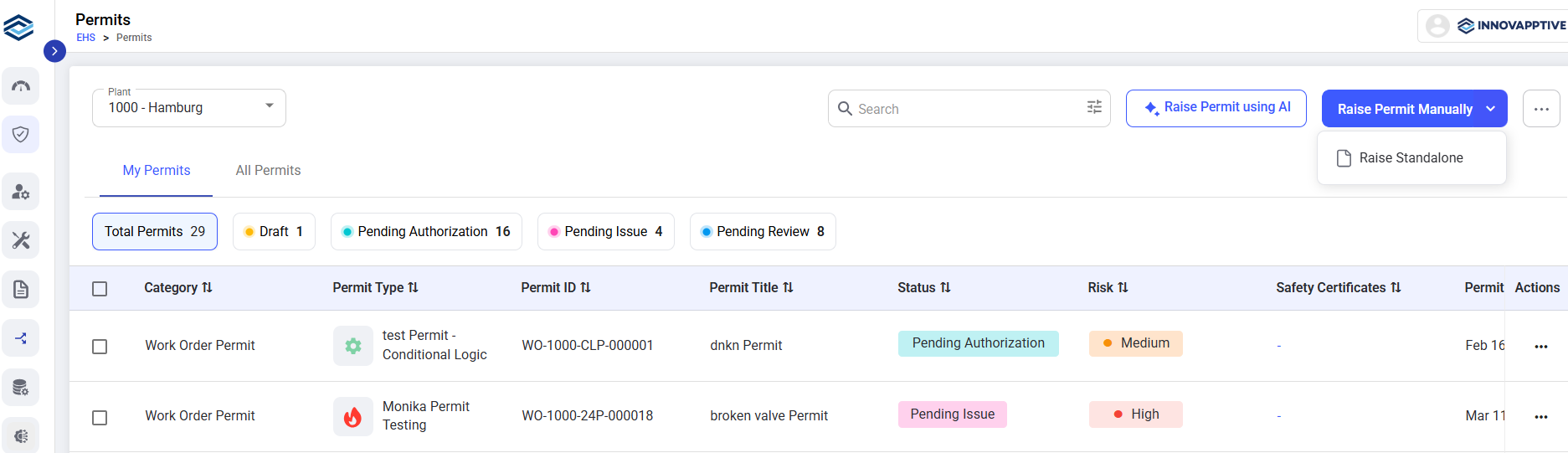
- Select the appropriate Functional Location where the work will be performed to link the permit to the correct plant area or system.
- Select the specific Equipment associated with the chosen functional location on which the activity will be carried out.
- Define the type of work to be performed (e.g., inspection, maintenance, repair, hot work) to ensure accurate risk assessment and approval workflow.
-
Click Continue.
Figure 2. Enter Details 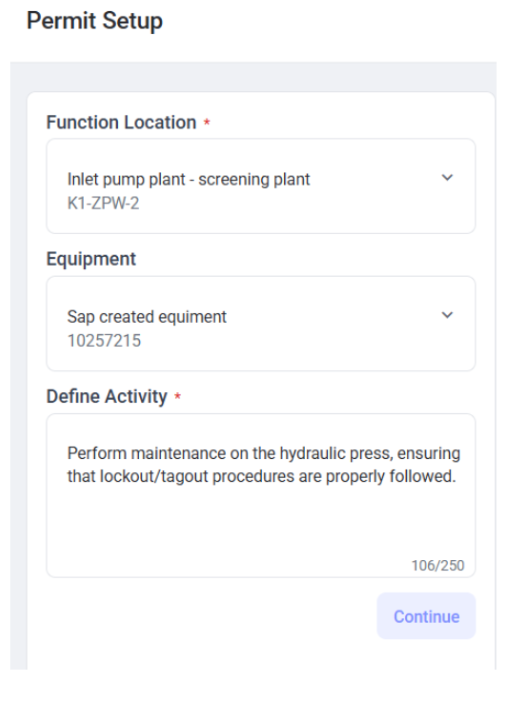
- Continue with the Steps 5 through 12 from Section Raise Permit Manually to complete the permit raise process.