
Add Sub-Operations
Break down a complex operation into smaller sub-operations for easier tracking.
A Work Order for overhauling an industrial air compressor can contain the
following sub-operations:
-
Operation: Dismantle the Compressor
- Sub-Operation 1: Remove external covers and panels.
- Sub-Operation 2: Disconnect electrical connections.
- Sub-Operation 3: Detach motor and compressor unit.
-
Operation: Inspect and Service Components
- Sub-Operation 1: Check bearings for wear.
- Sub-Operation 2: Inspect and replace seals.
- Sub-Operation 3: Clean and lubricate moving parts.
Adding sub-operations makes complex maintenance tasks easier to manage, execute, and track.
To add sub-operations:
-
In the Operations tab, tap the More
 icon next to the operation and select Add Sub
Operation.
icon next to the operation and select Add Sub
Operation.
Figure 1. Add Sub Operation 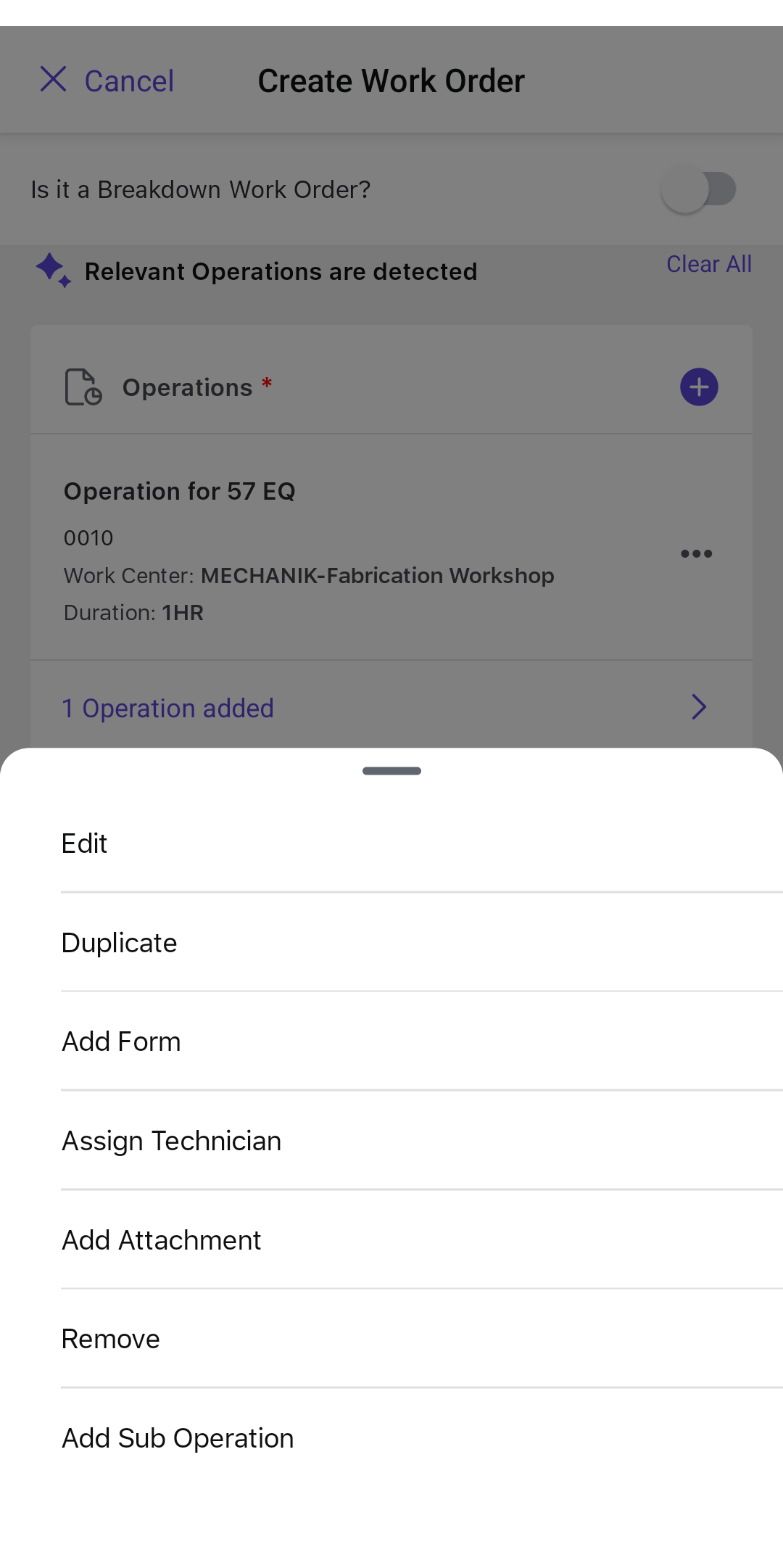
The sub-operation is added under the selected operation.
Next: Return to work-order planning and review readiness after completing the remaining prerequisites.