
Approve or Revert JHA
Once all assigned team members complete field validation and Work Acknowledgement, the JHA moves to the Approve stage.
Role: JHA Owner. Platform: Web.
To approve or revert a JHA:
-
In this stage, the approver can perform the following actions:
- Approve – Approve the JHA if all hazards, control measures, and risk assessments are reviewed and acceptable.
- Reject – Reject the JHA if it is not valid or no longer required.
- Revert – Revert the JHA to the requester if any changes or additional information are required.
Figure 1. Approve JHA 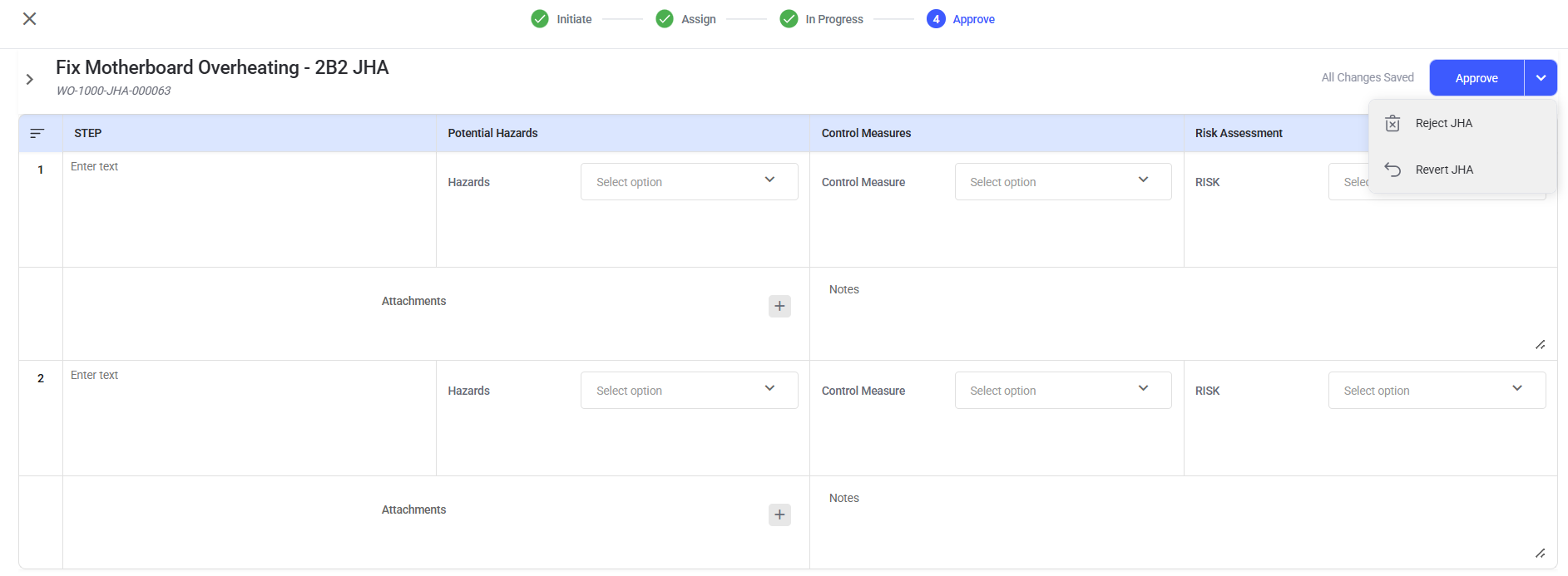
The JHA is approved, and now the linked permit can proceed to the next stage.
The JHA is approved, reverted for correction, or rejected according to the selected action.
Next: After approval, return to the linked permit or work activity.