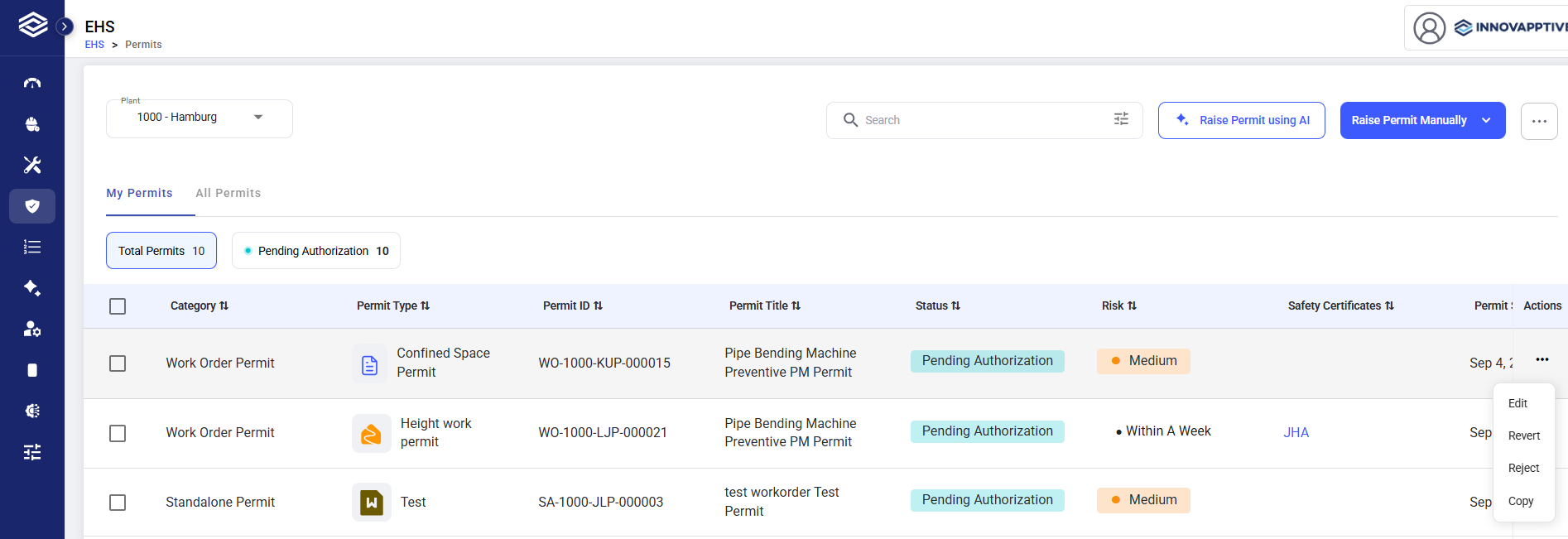
Create a new Draft permit from an existing permit, reusing valid non-business-object
data instead of starting from scratch.
Role: Permit Requester. Platform: Web.
To copy a Permit:
-
Select the permit you want to copy on the My Permits or
All Permits list.
-
Click the More (⋯) icon in the Actions column and select
Copy.
-
Review the new Draft permit — PPE, checklists, and eligible authored questions
are carried over from the original permit.
-
Link the draft to a Work Order or another business object:
- If you link a Work Order, Functional Location, Assets, Risk, Assigned
Crew, and Validity are populated automatically.
- If you link Others, provide Functional Location, Assets, Activity
Details, and required permit form responses manually
-
Complete any remaining mandatory fields.
-
Click Submit to send the permit to the next stage.
The new permit gets a new Permit ID, separate from the original.
The permit is submitted to the configured review stage.