
Authorize the Permit on Web
Perform the authorization checks after review, then authorize the permit for field validation or issue, as configured.
Role: Permit Authorizer. Platform: Web.
Follow the steps below to Authorize the permit:
-
Click All Permits or Pending Authorization tab.
Figure 1. Pending Authorization 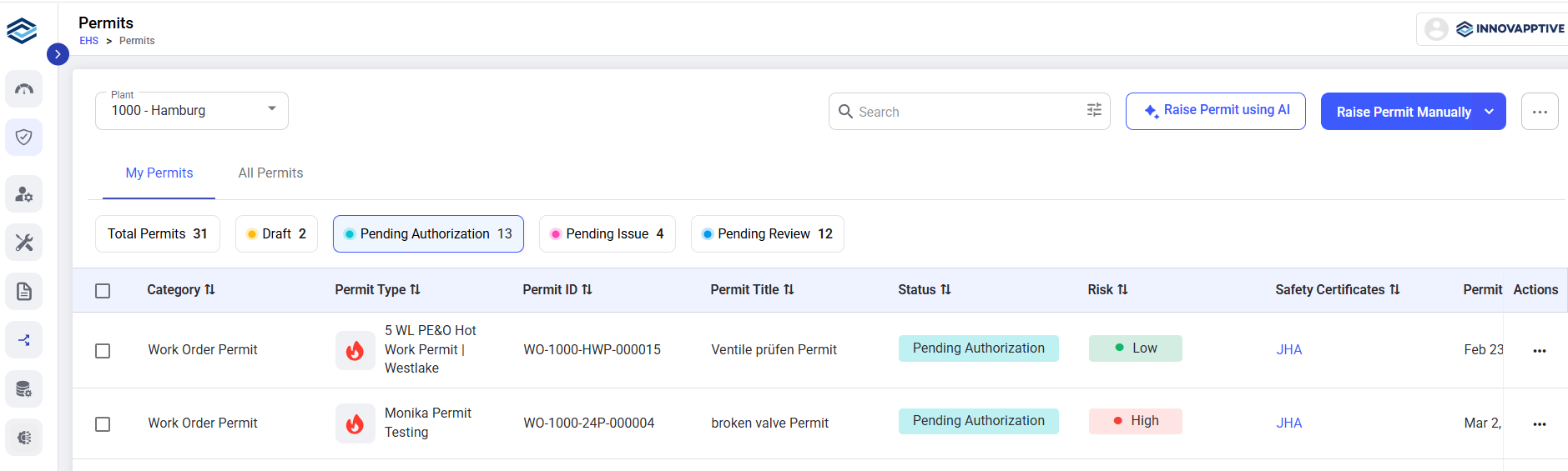
-
If the permit is not required, click the Authorize dropdown arrow and select Reject Permit.
Figure 2. Authorize Permit 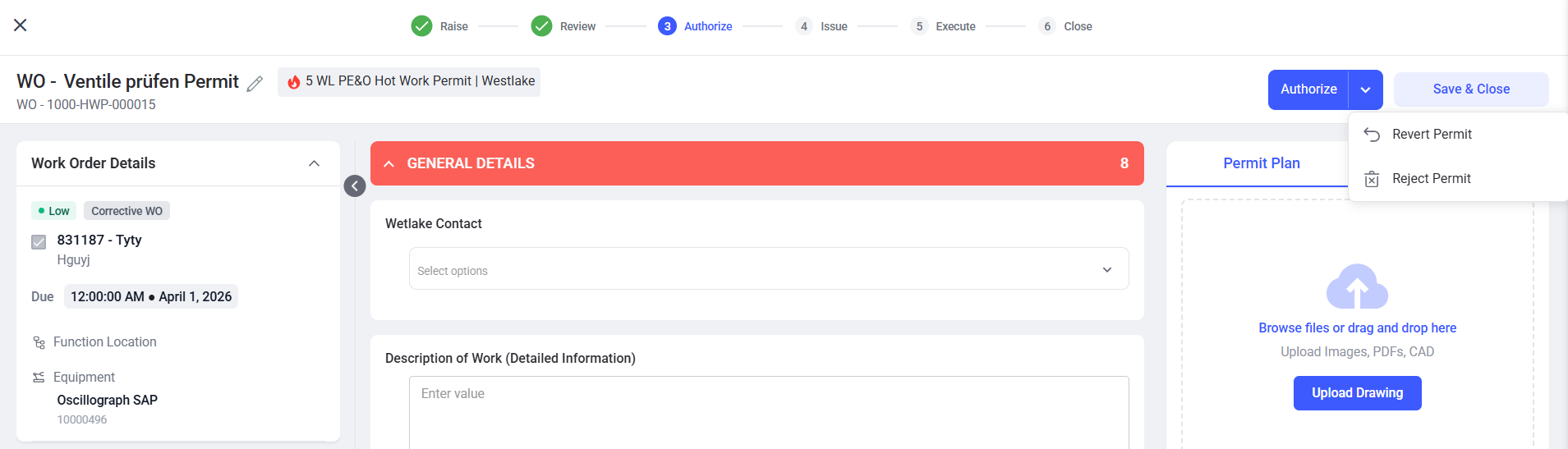
The permit advances to field validation or issue according to its type and configuration.