Configure Pro Glove Scanner
This configuration allows you to connect the Pro Glove Scanner to an iOS device.
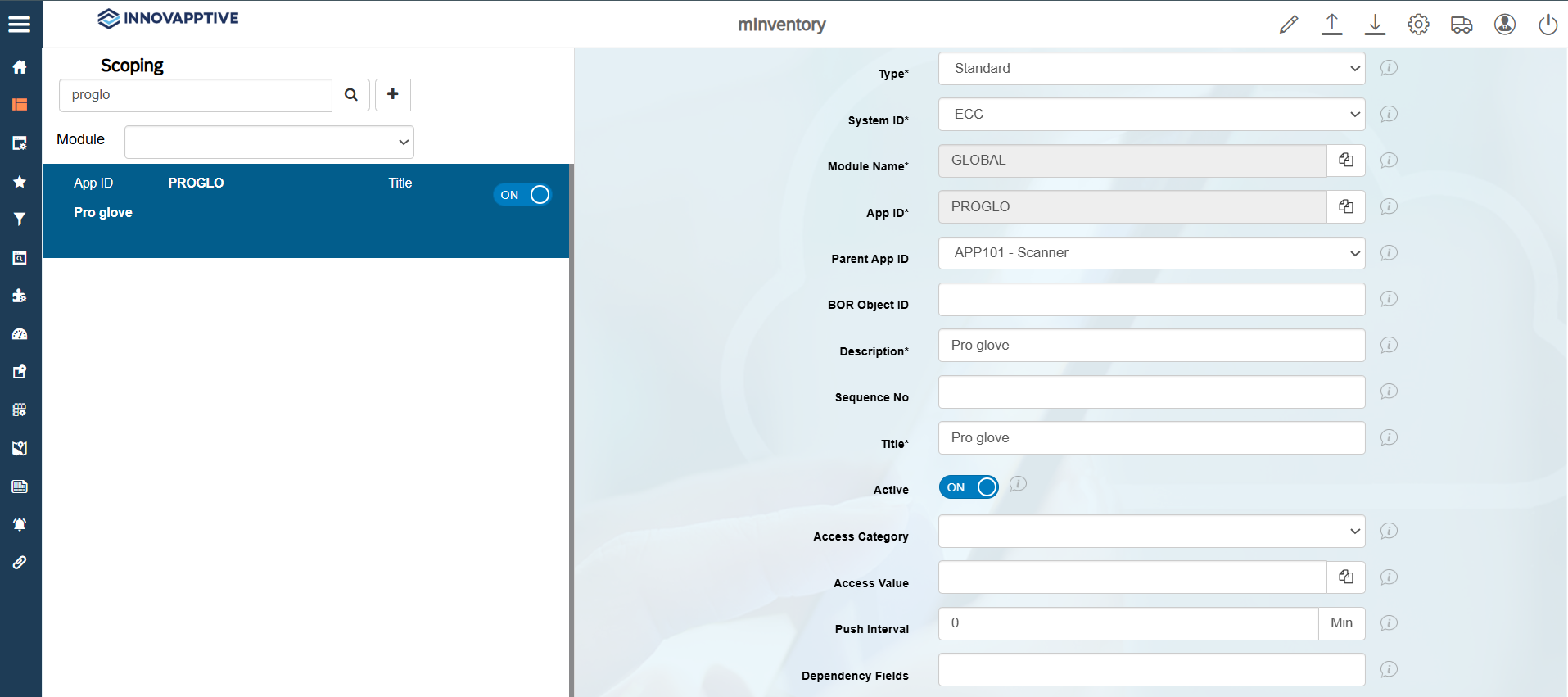
To configure the Pro Glove Scanner:
-
In the Create Scoping section on the right-side, enter the following
details: