Configure Reason for Movement for Offline Access
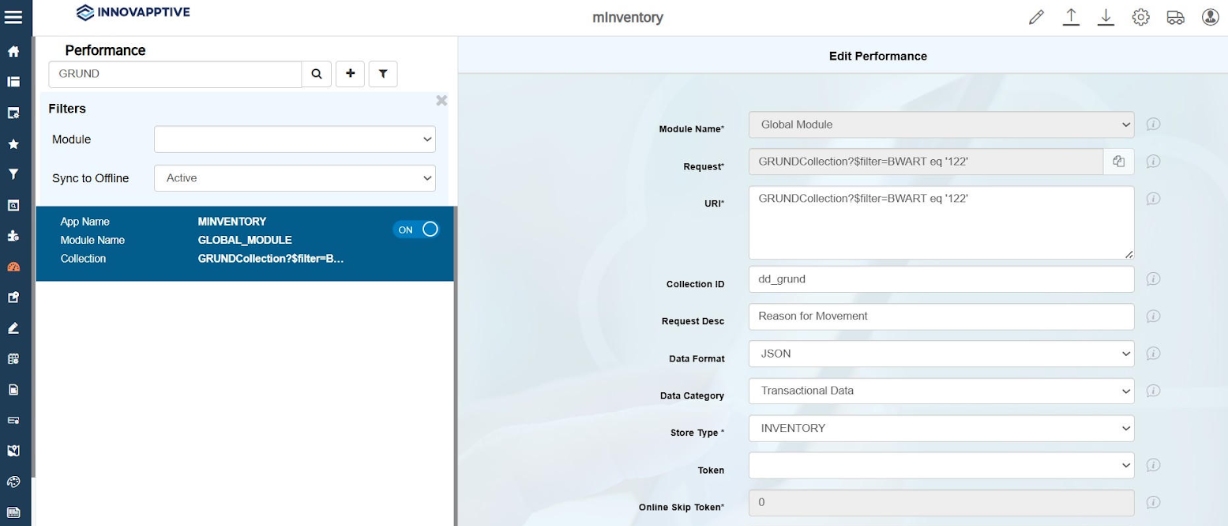
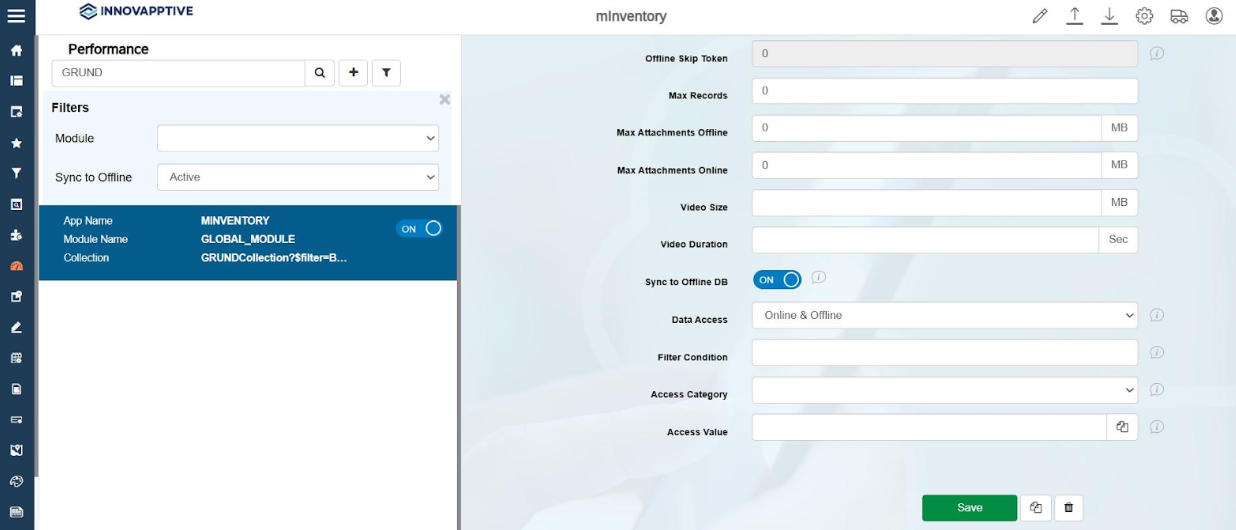
This configuration enables the Reason for Movement drop-down to function in offline mode.
To configure Reason for Movement drop-down offline functionality:
-
In the Edit Performance screen, enter the following information: