
Add Roles to access SAP BTP Development and Operations Cockpit
Once SAML is enabled, you cannot login with S-User ID. All services and applications are redirected to ADFS for SAML Authentication. Hence, roles added to SAP BTP Development and Operations help users from ADFS to login for administration or development tasks.
To add roles:
-
Select
Administrator and click
Add
User under
Individual Users.
Note:If your user ID is username@domain.com, add only username. If it does not work, you must add full details username@domain.com.
Figure 1. SAP BTP Roles 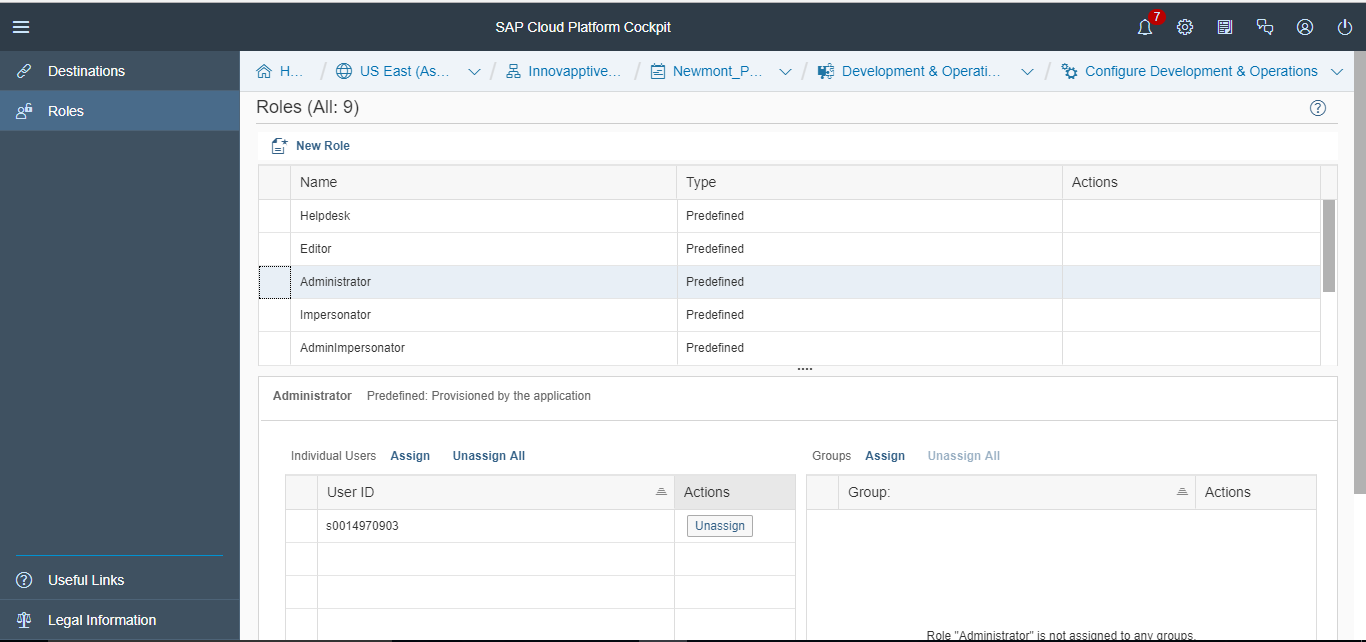
Repeat the same process with other roles such as Developer, Helpdesk, Impersonator, and Notification User based on your access requirements for User IDs.