
Create BgRFC Destination for Outbound Queues
Create a background remote function call (bgRFC) destination for communications in an outbound queue.
To create BgRFC Destination for the outbound queue:
-
On the Special Options tab, select the Transfer Protocol as
"Classic with BgRFC"/ "Classic Serializer" with “Convert outbound
bgRFC to qRFC”.
Figure 1. RFC Destination - Special Options tab 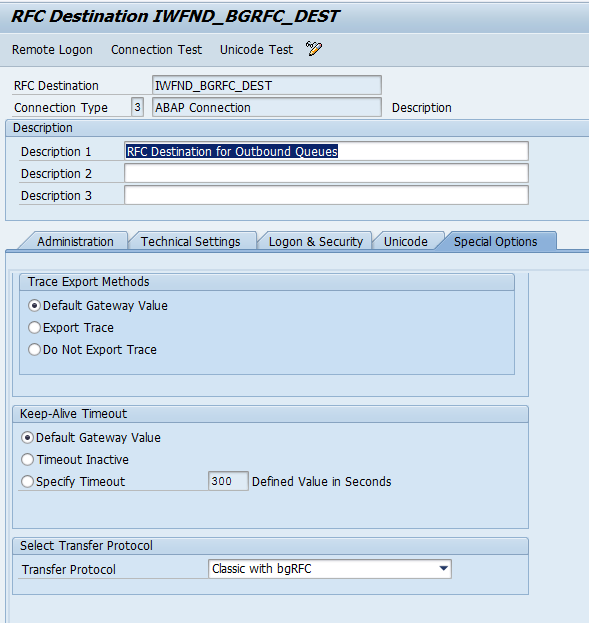
For new SAP versions, find Classic with BgRFC, select the Convert outbound bgRFC qRFC.
Figure 2. RFC Destination - Special Options tab 