
How to unassign In Progress rounds
If you are not able to work on the round tasks assigned to you, you can unassign the round and free it to other operators to pick it up and execute.
To Unassign an In-Progress round:
- In the Rounds screen, tap the My Rounds tab.
- Tap the round with the In Progress status.
- In the Round Details screen, tap Resume Round.
-
Tap the More
 icon on the top right of the screen and select
Unassign Round.
icon on the top right of the screen and select
Unassign Round.
Figure 1. Unassign In-progress Round 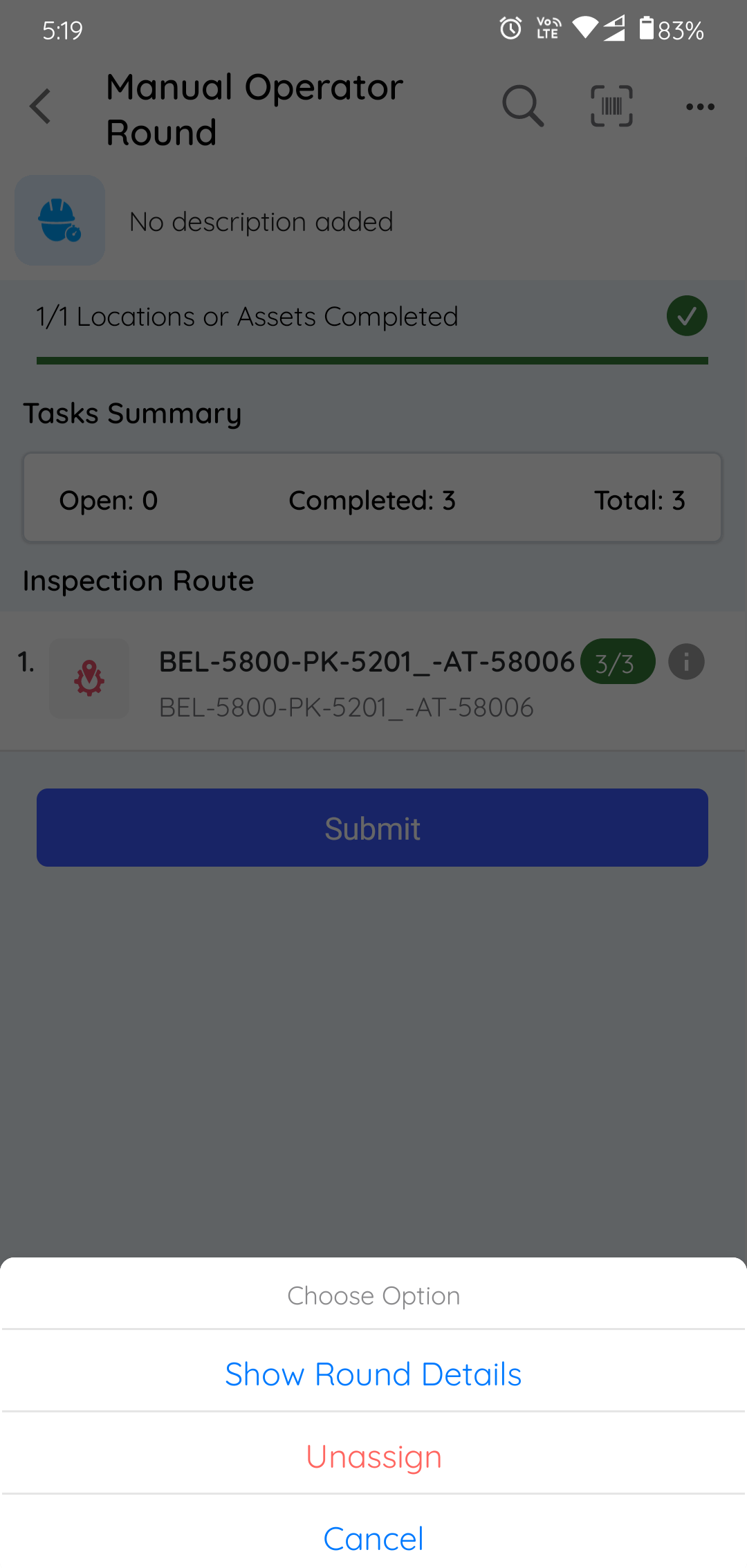
A message "Are you sure you want to Unassign the round?" is displayed.
-
Tap Unassign.
The round is unassigned and moved from the My Rounds tab to the Open Rounds tab and it is displayed with Partly Open status with the name of the operator who worked on it earlier.