
Unassign In Progress Rounds
If unable to work on assigned rounds, you have the option to un-assign them, allowing other operators to take over and complete the rounds.
To un-assign an In-Progress round:
- In the Rounds screen, tap the My Rounds tab.
- Select the round with the In Progress status.
- In the Round Details screen, tap Resume Round.
-
Tap the More
 icon on the top right of the screen and select
Unassign Round.
icon on the top right of the screen and select
Unassign Round.
Figure 1. Unassign In-progress Round 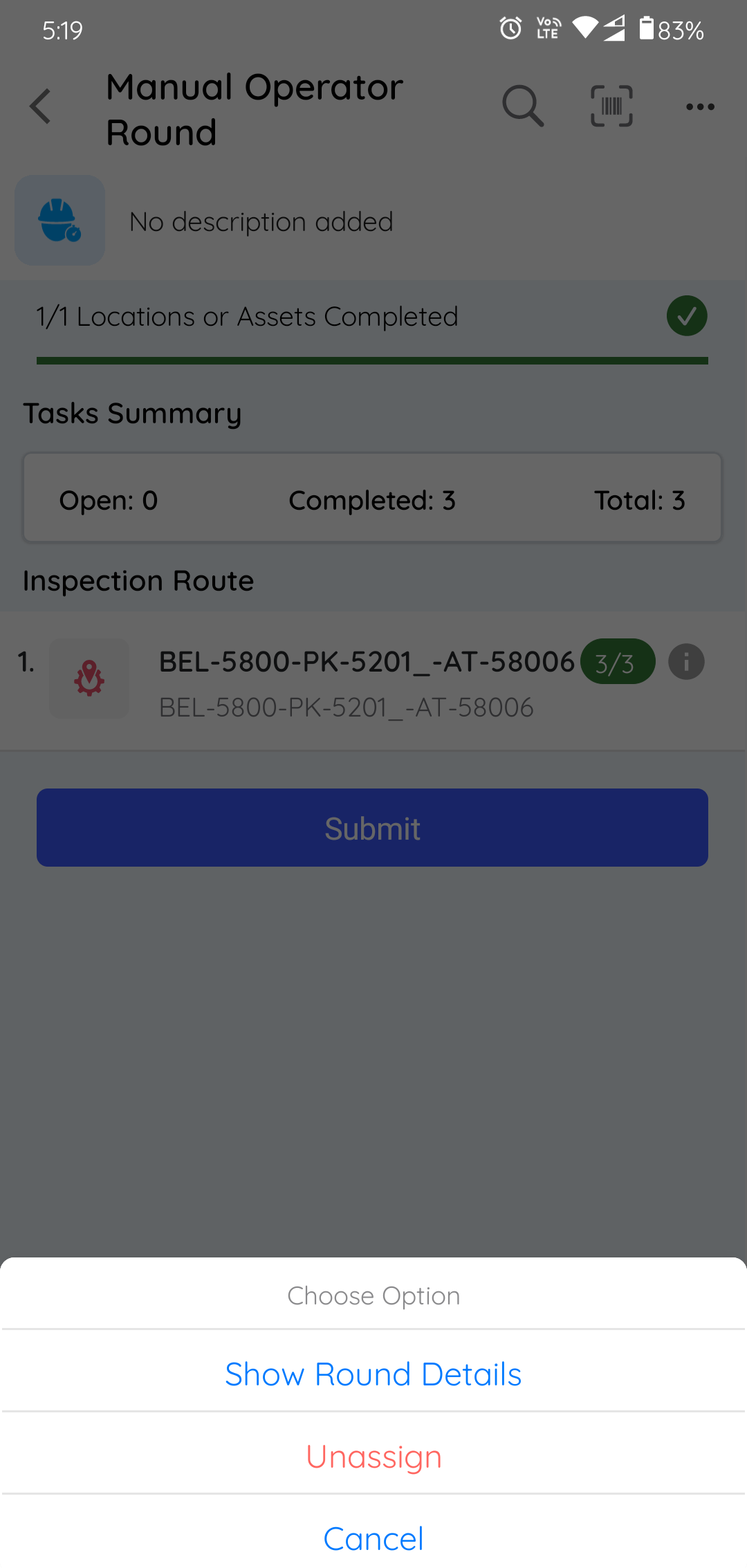
A message "Are you sure you want to Unassign the round?" is displayed.
-
Tap Unassign.
The data that is recorded till then is saved and the round is displayed with Partly Open status. The round is marked incomplete and is made available for others.