
Custom Dashboard
The Custom Dashboard allows supervisors to create and manage plant-specific dashboards. Each dashboard is associated with a single plant and displays data only for that plant.
Supervisors can customize their experience by configuring widgets on the dashboard to display the most relevant data for their tasks. Configurable widgets enable improved task monitoring and more efficient data analysis. Widgets can be downloaded or exported in PDF and Excel formats, or shared via email, streamlining collaboration and reporting. For more information, see Create Custom Widgets.
To view the Custom Dashboard:
- Open the mRounds Web Application.
- Expand the Operator Rounds module and click Custom Dashboard on the left-side pane.
-
Click Custom Dashboard.
The Custom Dashboard opens with a list of dashboards that you have access to.
Each dashboard shows:- Dashboard name
- Associated Plant
- Number of widgets
Figure 1. Custom Dashboard 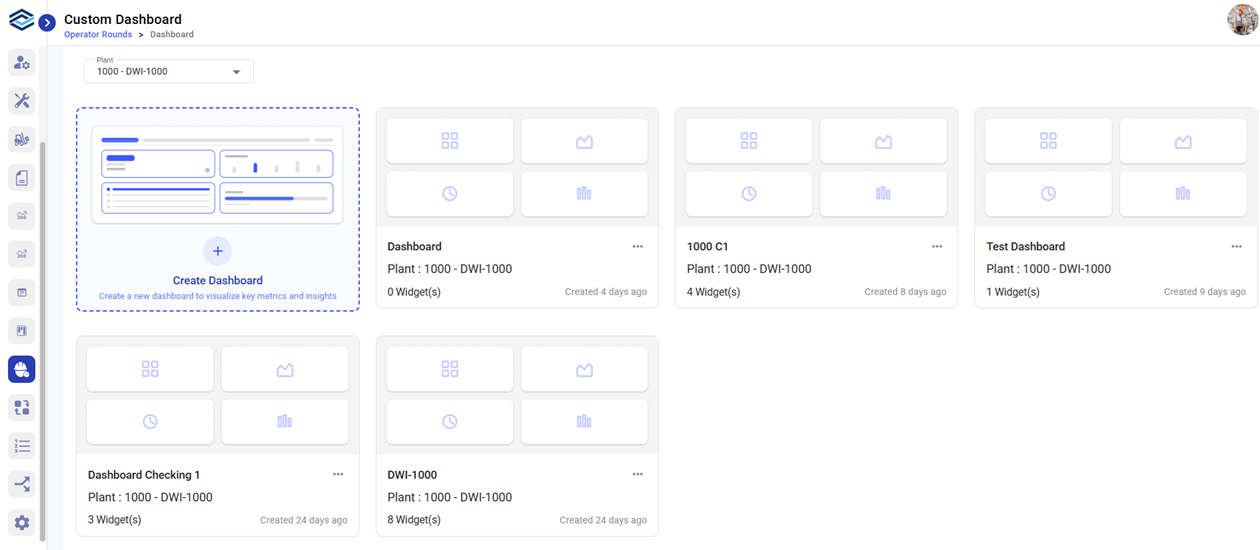
Create a Plant-Level Dashboard
To create a dashboard:
- Expand the Operator Rounds module on the left-side pane.
- Open Custom Dashboard.
- Click Create Dashboard.
- Provide below details in the dialog box:
- Enter a Title.
- Select a Plant from the Plant dropdown.
- Click Create.
The dashboard appears as a card under the selected plant.
NOTE: Dashboards are always associated with one plant
.