
Modify Round Plans
Modifying round plans allows you to update the tasks, schedules, or assigned operators in response to changing priorities or new information.
To edit a round plan:
-
Click the Round Plans section on the left-side
pane.
The Round Plans screen with the list of draft and published round plans is displayed.
-
Click the More
 icon > Edit for the
selected round plan.
icon > Edit for the
selected round plan.
Figure 1. Edit Rounds 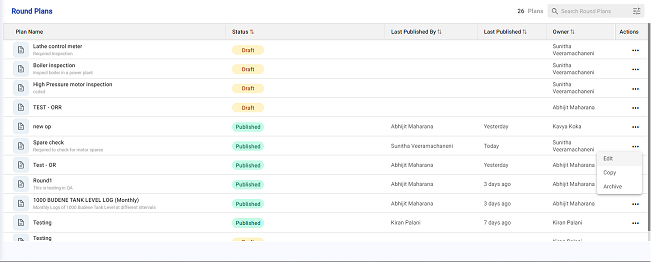
- Update the round plan details as required.
- When you modify a round plan, the changes are saved as a draft, creating a new version of the round plan.
- Enforce asset scanning by choosing the Enable Barcode Scanning option.
- Click Publish to re-publish the round.