
Create Roles and Assign Permissions
Roles and Permissions define who can access what within the system, ensuring secure and efficient workflow management. By assigning roles such as Super Admin, Admin, Supervisor, Manager, Operator, and Technician, you can control user access based on job responsibilities.
Each role is granted specific permissions, allowing access to relevant modules and functions. For example, a supervisor may have permissions to create and assign rounds, while an operator may only have access to view and execute assigned tasks. Configuring roles and permissions ensures that users have the right level of access, enhancing security and maintaining an organized workflow.
To create a role and assign permissions:
-
Expand the User Management module and select Roles and
Permissions on the left-side menu.
Figure 1. Roles and Permissions Screen 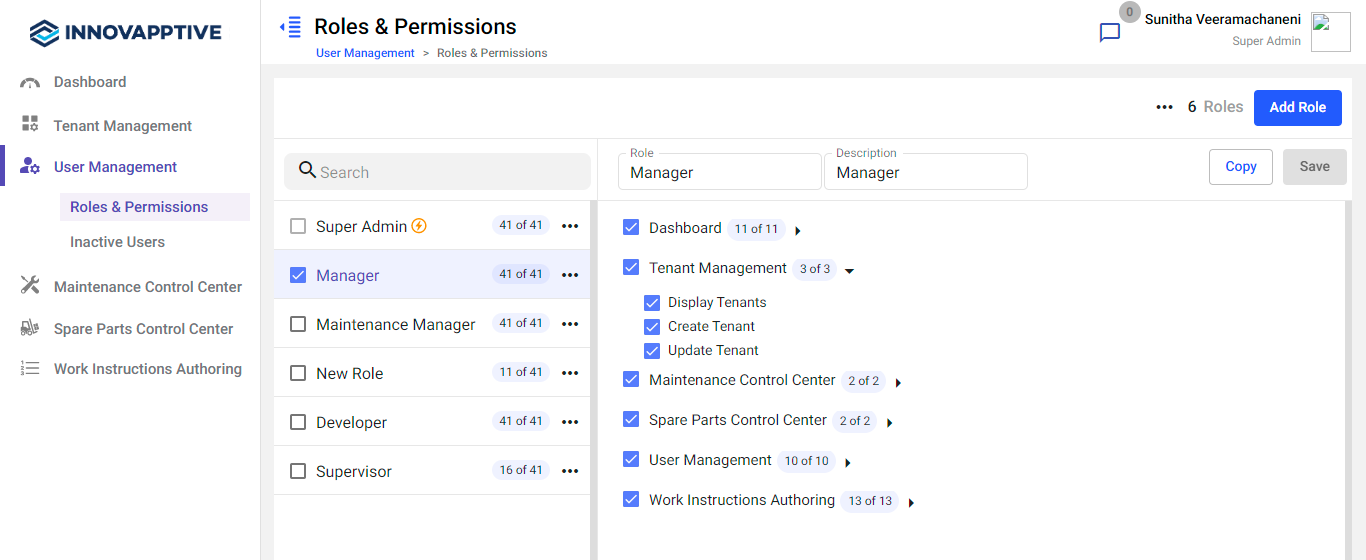
-
Do the following in the right section:
- Enter the role name in the Role field.
- Enter the description of the role in the Description field.
- Select the modules that are required for the role.Expand the down arrow icon to select the sub-modules.
Figure 2. Add Role Details 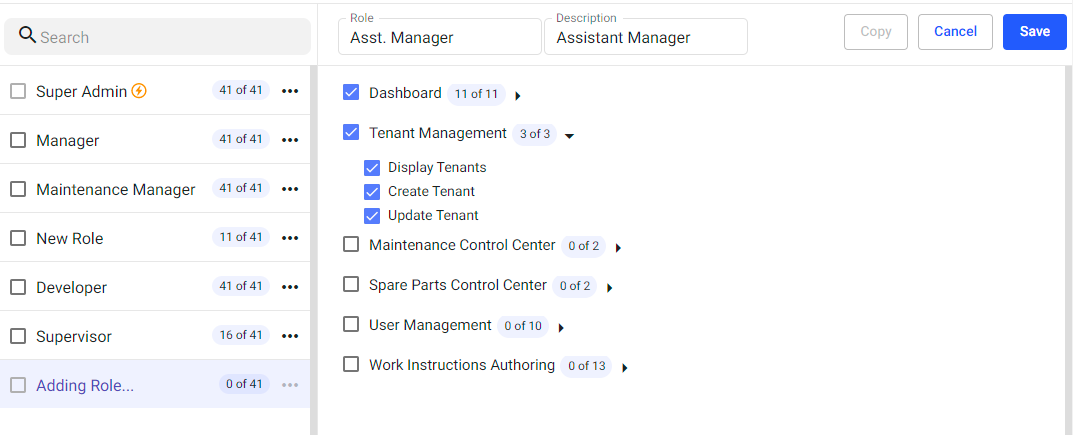
-
Click the Save button.
The role is created and you can see it on the left section.In this sub module, you can,
- Search the roles using the Search bar on the left-side section.
- Copy the role using the More
 icon > Copy option to create a new role from the existing
role on the left-side section.Note:You can even select the Copy option on the right-side section to copy.
icon > Copy option to create a new role from the existing
role on the left-side section.Note:You can even select the Copy option on the right-side section to copy. - Delete the role using the More
icon > Delete option on the left-side section or you can
delete all the roles at a time by selecting the check boxes and then
selecting the More icon > Delete option on the
right.Note:
- You cannot edit or delete the Super Admin role. You can only copy.
- You cannot delete the role which is already assigned to the user.
- Add a role using the Add Role button on the right side.
- Edit the role details or permissions on the right side.