Raise a permit for a work order or selected operations, then submit it for the configured review stage.
Role: Permit Requester. Platform: iCWP Web.
Use an operation-level permit when the permit applies to one operation. Use a Combined Permit when the same permit applies to multiple operations under one work order. Use a Consolidated Permit when more than one permit template must be represented in the same permit.
-
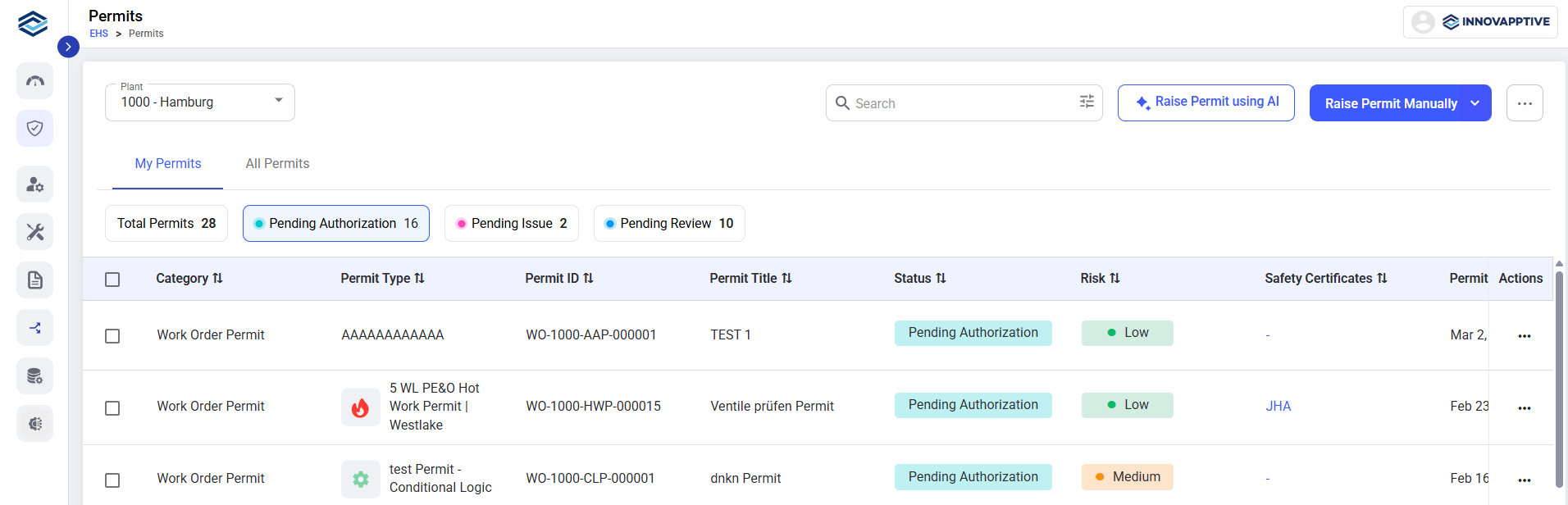
Open EHS → Permits.
-
Select the required plant.
The list contains only plants available to your user account.
-
Click Raise Permit Manually.
-
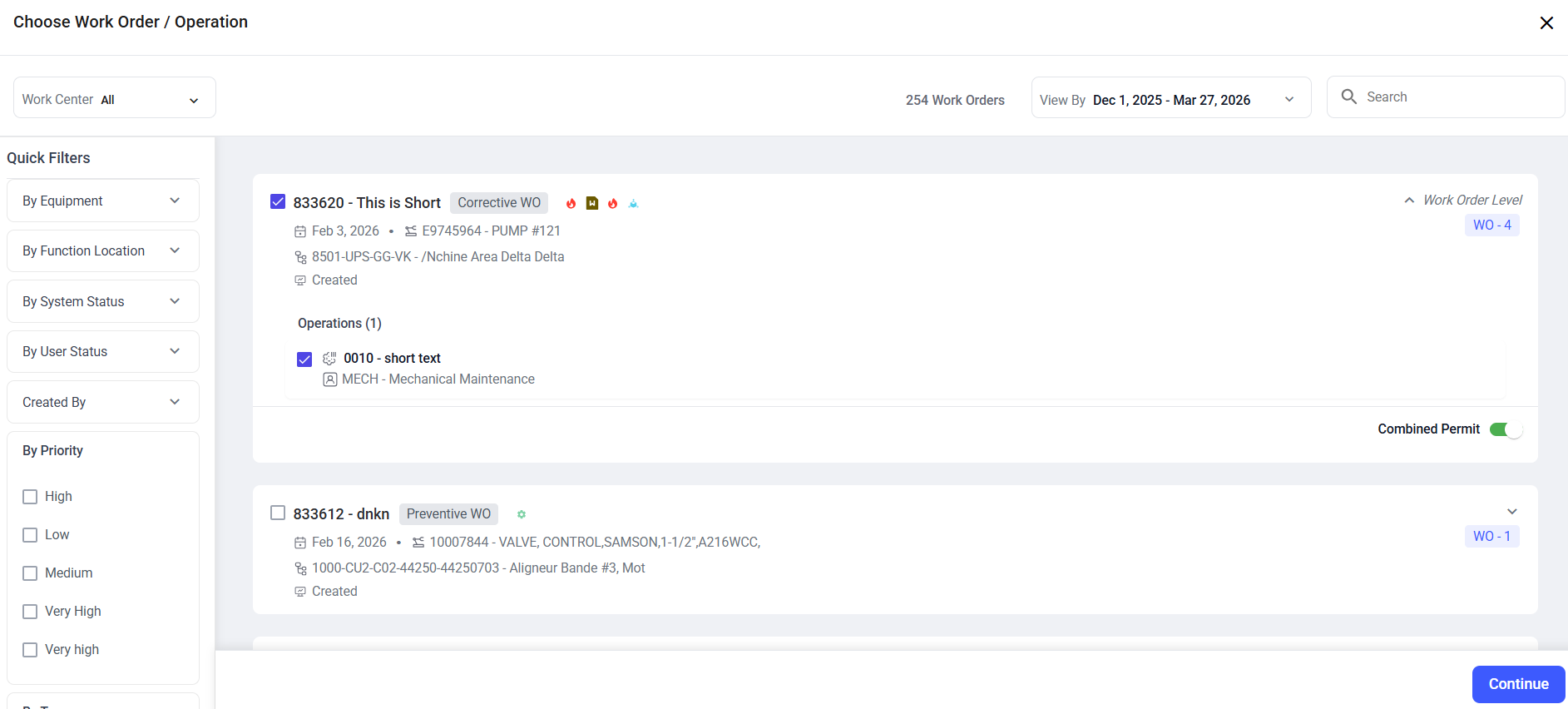
Select the required work order.
-
Select the applicable operation or if the work order contains multiple
operations, select the operation(s) that require the permit.
Use the available date, work center, functional location, priority,
work-order type, and creator filters to narrow the list.
-
If the same permit applies to multiple operations within the selected work order, enable Combined Permit.
-
Click Continue.
-
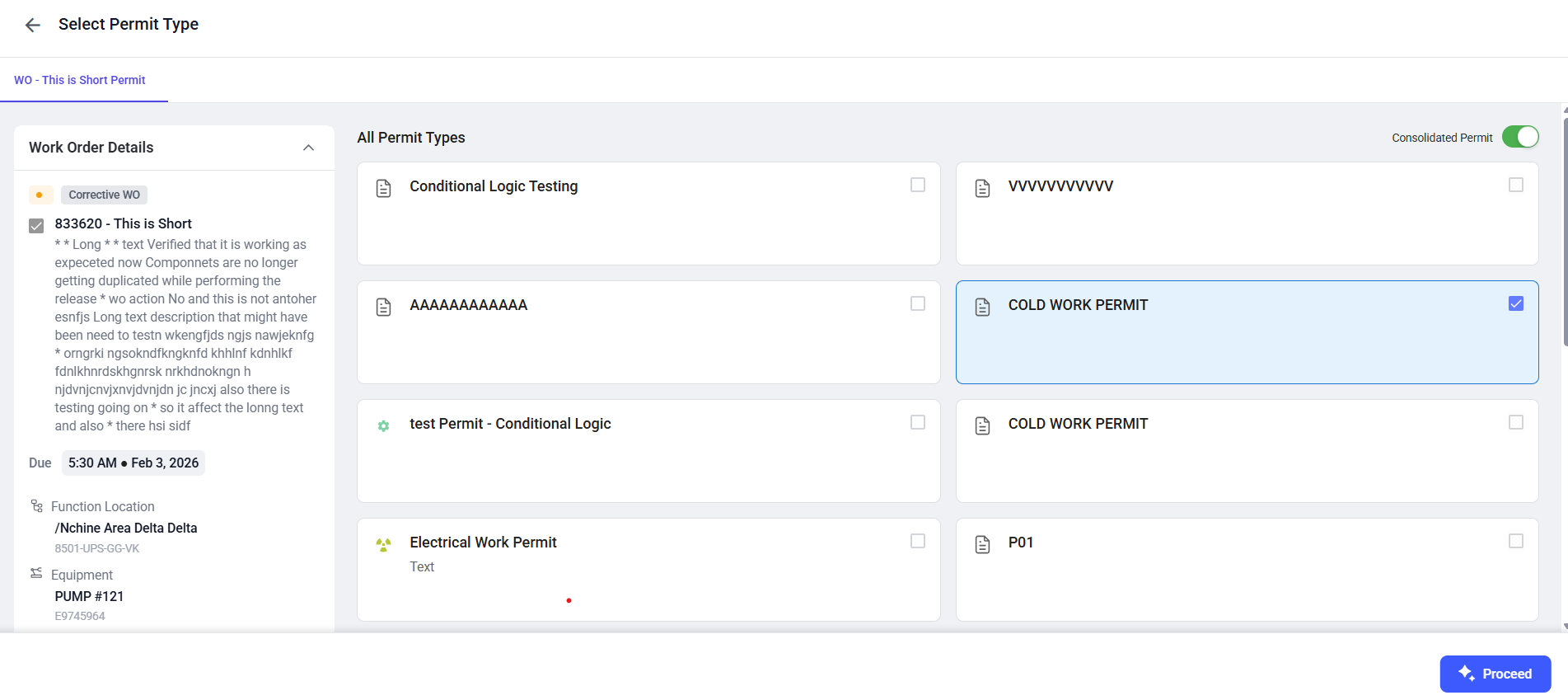
Select the required Permit Type.
-
Enable Consolidated Permit only when the work requires
multiple permit templates to be managed under a single permit.
-
Click Proceed.
-
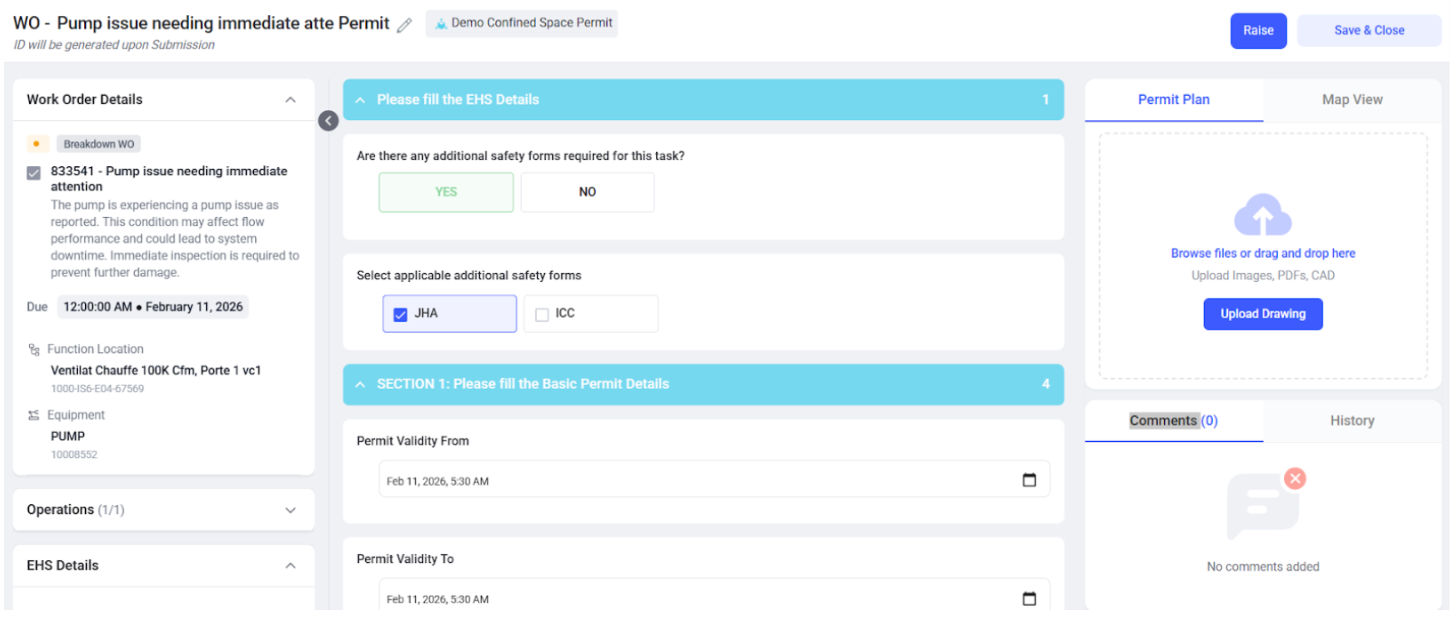
Complete the fields defined by the selected permit template.
Review the work scope, validity, risk, crew, PPE, JHA requirement, hazards,
controls, additional forms, and attachments shown for the permit.
Note: The Permit Validity From value cannot be earlier
than the current date and time.
-
Upload the permit plan when the work location, isolation points, or hazard
zones need to be shown on a drawing or layout. To upload:
- Click Upload Drawing in the Permit Plan Tab.
-
Verify all entered information before submitting the permit.
-
Select JHA and/or ICC under Additional Safety Forms, if required for the
permit. If ICC is selected, enter the Reason for Isolation.
-
Click Raise to submit the permit for review.
When the permit requires a JHA or ICC, the configured JHA or ICC request is
initiated as part of the permit workflow.
The permit is submitted to the configured review stage and remains linked to the selected work order or operations.