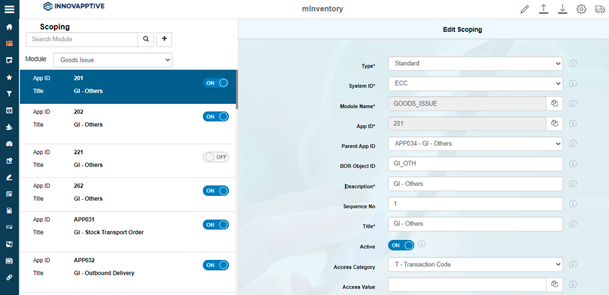
Configure Sub Module as Main Module
This configuration helps you to configure to view the sub modules as main modules and directly process the transactions from the Home screen. For example, you can access the Goods Issue Other - 201 sub module in the Home screen instead of navigating into the Goods Issues module.
To configure sub module as main module:
-
Click Save.
Figure 1. Add Submodule as Main Module