
Configure Goods Transfer between Warehouse and Inventory
This configuration enables the transfer of goods from Warehouse Management storage locations to Inventory Management storage locations with Storage Unit Management functionality.
To configure the transfer of goods between warehouse and inventory:
- Click Extensions on the left panel.
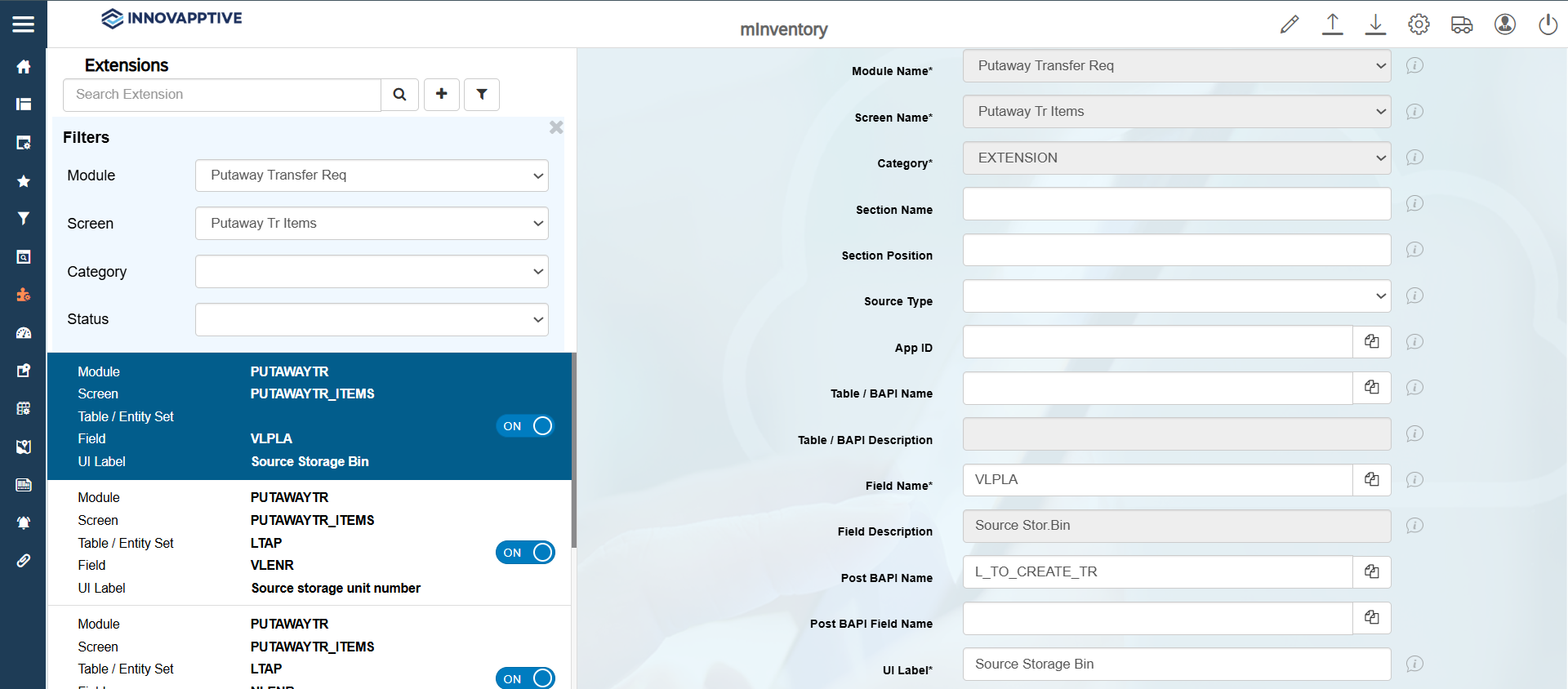
- Click the Filter icon and select the Module as Putaway Transfer Req and the Screen as Putaway Tr Items.
- Select the record with the Field name = VLPLA.
-
In the Edit Extension section, update the following information:
Field Description Module Name Putaway Transfer Req Screen Name Putaway Tr Items Category Extension Field Name VLPLA Field Description Source Stor.Bin Post BAPI Name L_TO_CREATE_TR UI Label Source Storage Bin Field Type SF – Scan Field Active ON Overview ON Default UI Position 8 Mandatory OFF Parent Table /INVMIM/TR_ITEMS_TO_S -
Click Save.
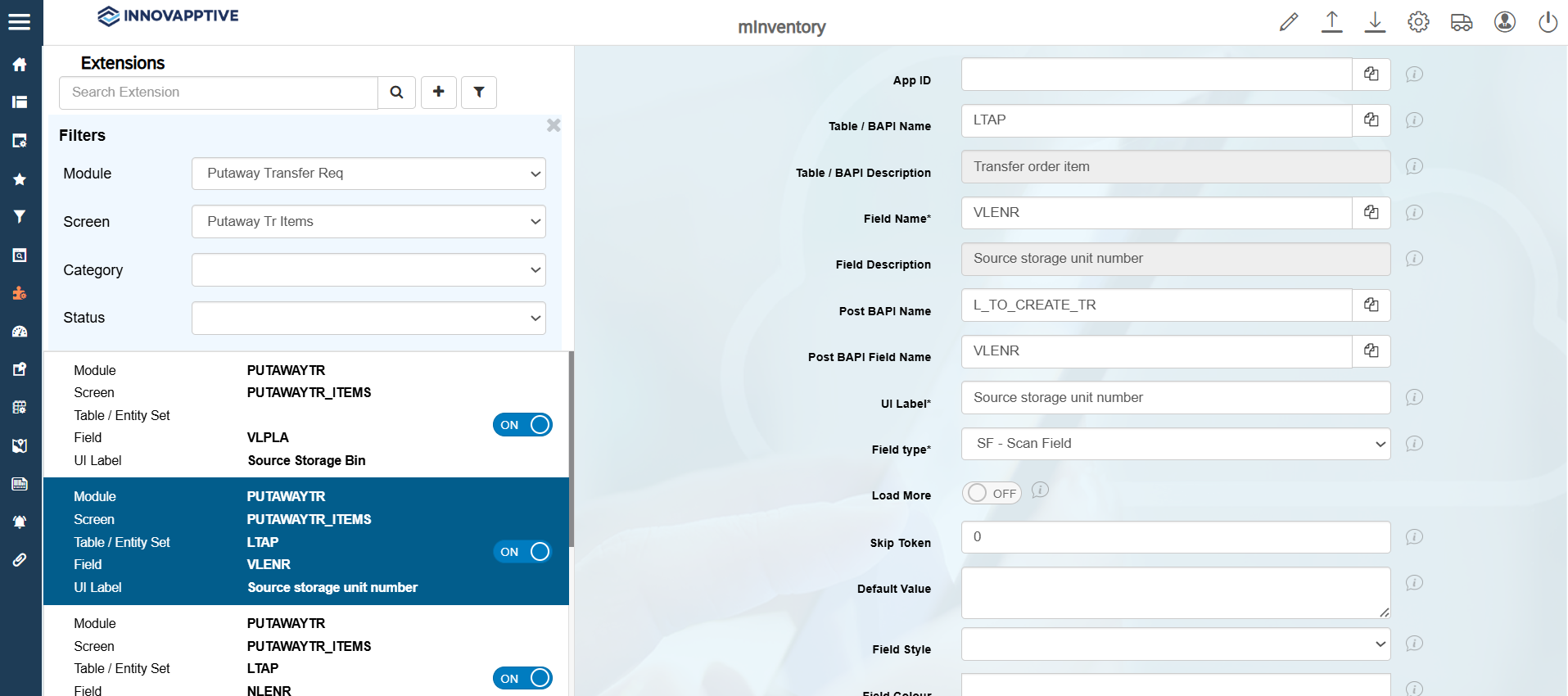
- Select the record with the Field name = VLENR.
-
In the Edit Extension section, update the following information:
Field Description Module Name Putaway Transfer Req Screen Name Putaway Tr Items Category Extension Table / BAPI Name LTAP Table / BAPI Description Transfer order item Field Name VLENR Field Description Source storage unit number Post BAPI Name L_TO_CREATE_TR Post BAPI Field Name VLENR UI Label Source storage unit number Field Type SF – Scan Field Active ON Overview ON Overview UI Position 9 Detail ON Detail UI Position 9 -
Click Save.
- Select the record with the Field name = NLPLA.
-
In the Edit Extension section, update the following information:
Field Description Module Name Putaway Transfer Req Screen Name Putaway Tr Items Category Extension Table / BAPI Name LTAP Table / BAPI Description Transfer order item Field Name NLPLA Field Description Destination Storage Bin Post BAPI Name L_TO_CREATE_TR Post BAPI Field Name NLPLA UI Label Destination Storage Bin Field Type SF – Scan Field Active ON Overview ON Parent Table /INVMIM/TR_ITEMS_TO_S - Click Save.