Configure Storage Location Field and Material Search
This configuration makes the Storage Location field case-insensitive and enables the Material search to retrieve results by material number first, followed by description in the Stock Transfer – Transfer Posting module.
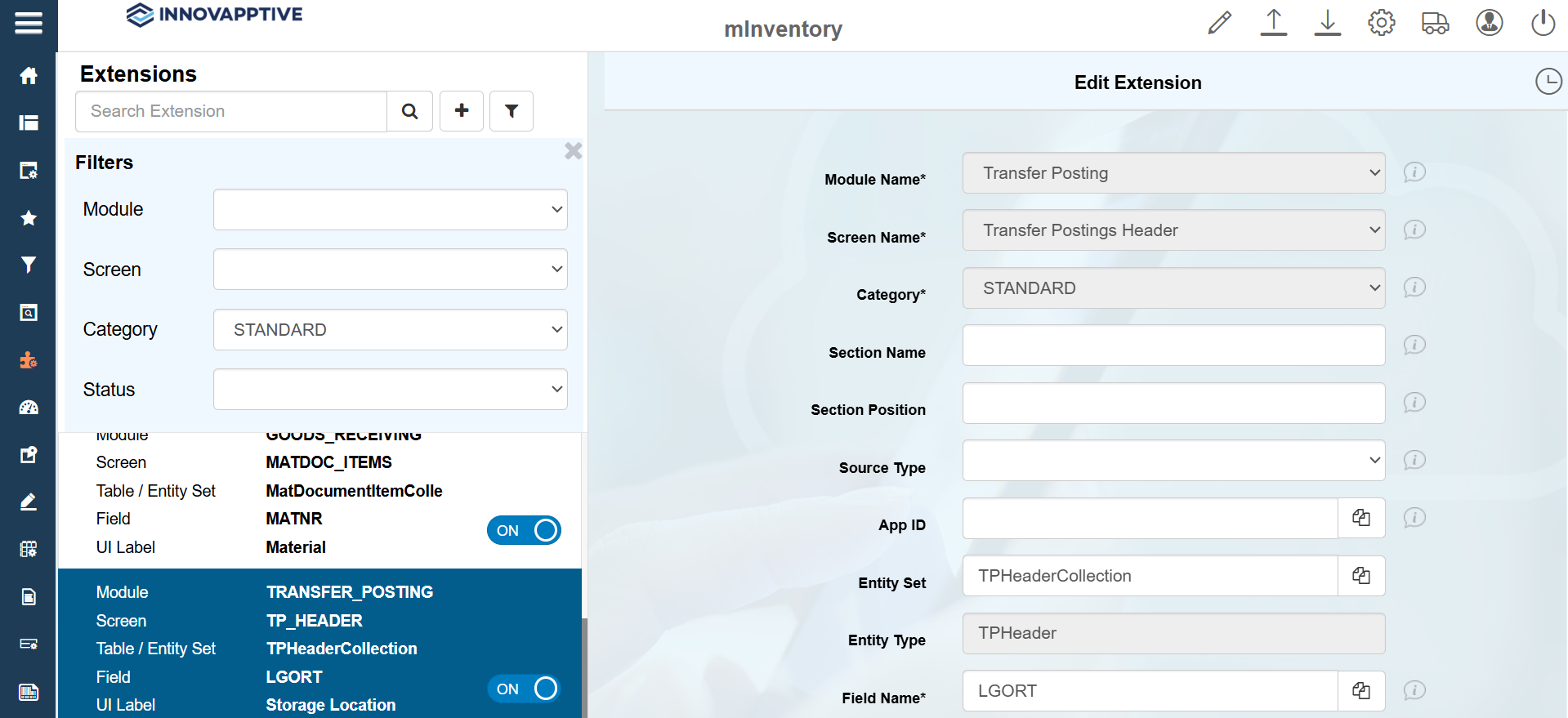
To configure the Storage Location and Material fields:
- Click Extensions on the left panel.
- Search the Storage Location in the Search bar.
- Select the record with the Module name = TRANSFER_POSTING.
-
In the Edit Extension section, update the following information:
Field Description Module Name Transfer Posting Screen Name Transfer Postings Header Category Standard Entity Set TPHeaderCollection Entity Type TPHeader Field Name LGORT UI Label Storage Location Field Type ID – Input Dropdown UI Position 4 Case Sensitive Upper Case Active ON Overview ON Detail ON Mandatory OFF -
Click Save.