
Access Instructions at Task Level
To access the work instructions at the task level:
- In the Rounds screen, tap the My Rounds tab.
- Select the assigned round.
- Tap the Start Round button.
- Tap Location or Asset.
-
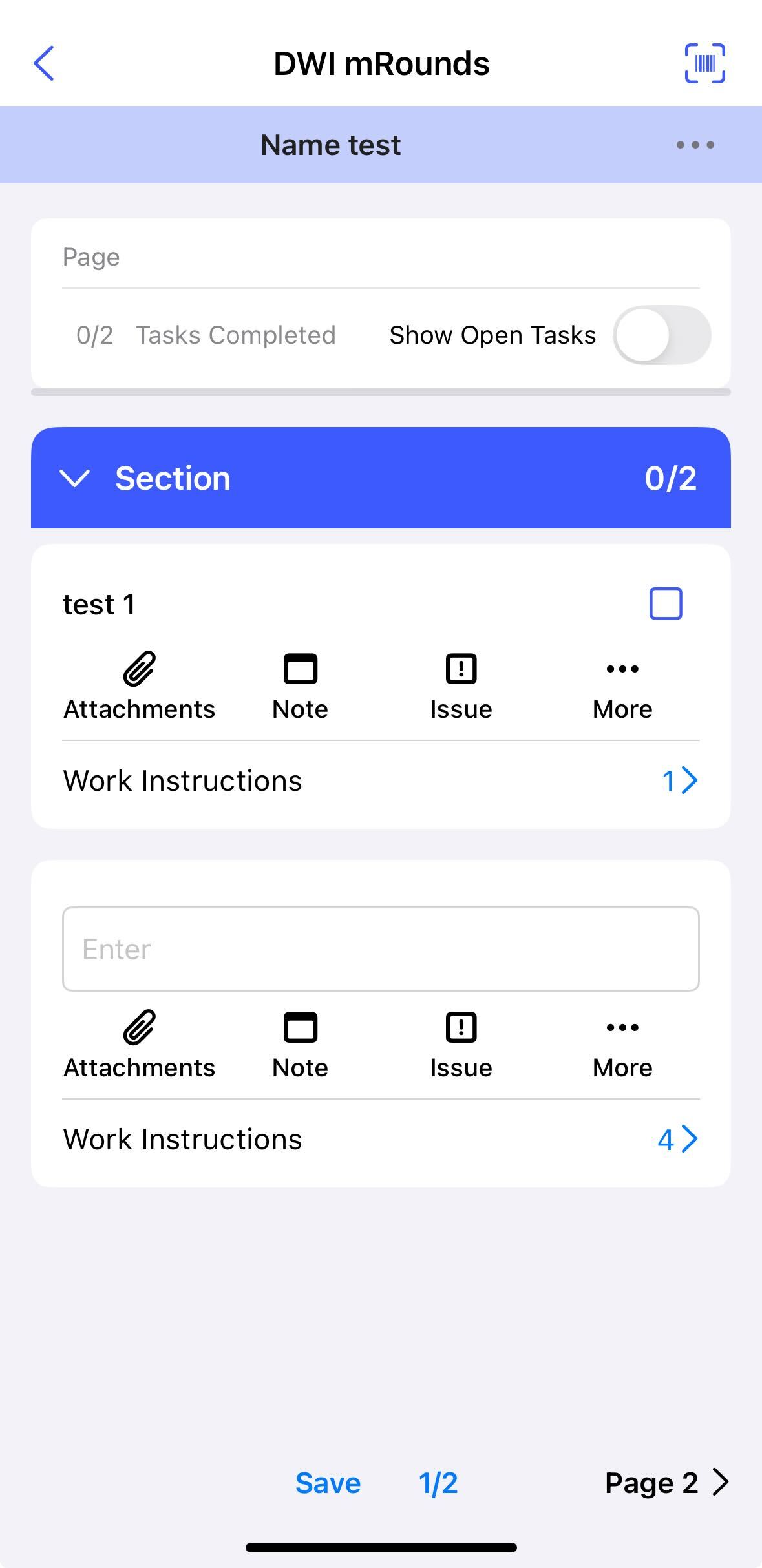
Tap on Work Instructions (if available) to view the instructions
associated with the task.
-
Tap the instruction tile to open it.
You can view the following two sections:
- Steps: Tap on a step to view instructions and other details, such as hints, warnings, feedback, and other relevant information.
- Instruction Details: It displays an overview of the round operation.
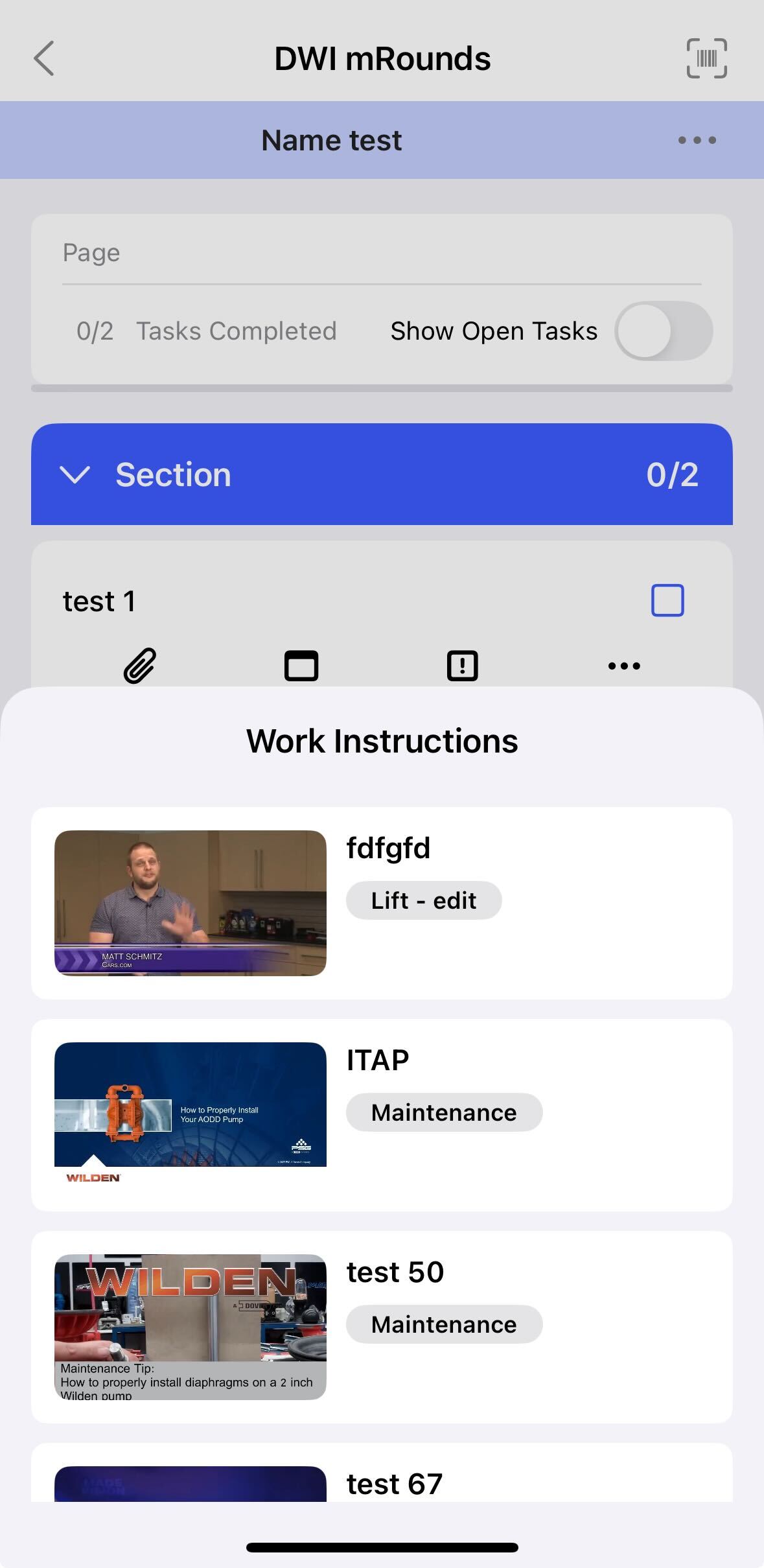
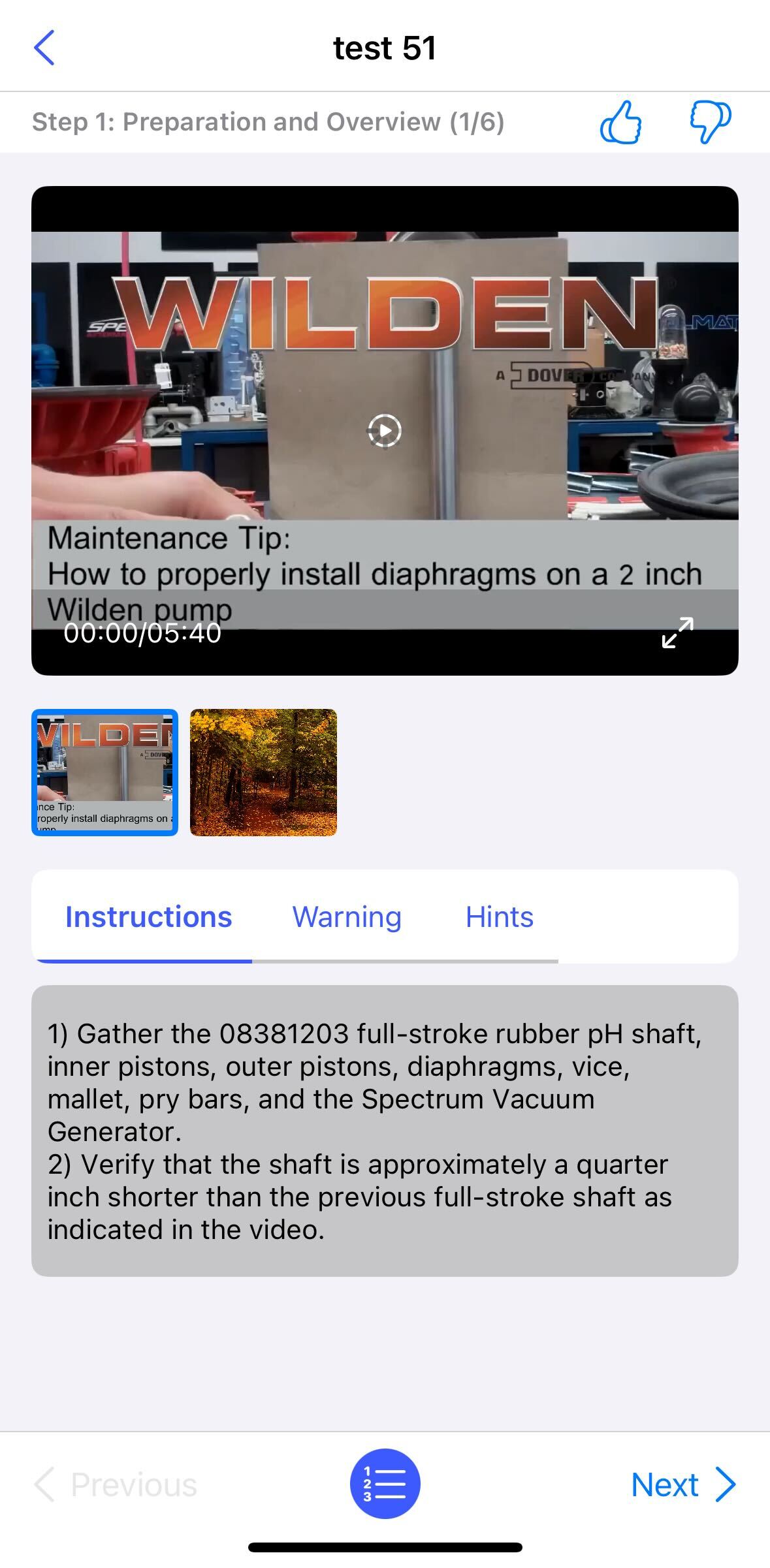
- Tap on a step to view detailed instructions, as well as any warnings, hints, or feedback, if available.
-
On the Instructions page, tap Next or Previous to navigate
through the steps. Tap the Step List at the bottom center to view an
overview of all steps.
-
Tap on the Thumbs Up or Thumbs Down button at the top right
corner to give feedback accordingly.
Note:Not all operations have instructions. If this section is empty, complete the job using your normal process.