
Explore the Home Screen
This section helps you get familiar with the layout of the platform and how to access various modules efficiently.
After logging in, you are directed to the Home Screen, which serves as the central hub for iPermits activity. From here, you can:
- View permit summaries and system insights.
- Track permit status across plants or areas
- Access dashboards and reports.
- Use the left-hand navigation panel to quickly open modules such as Permits, JHA,
Authoring etc. under Environment Health Safety.
Figure 1. Home Screen 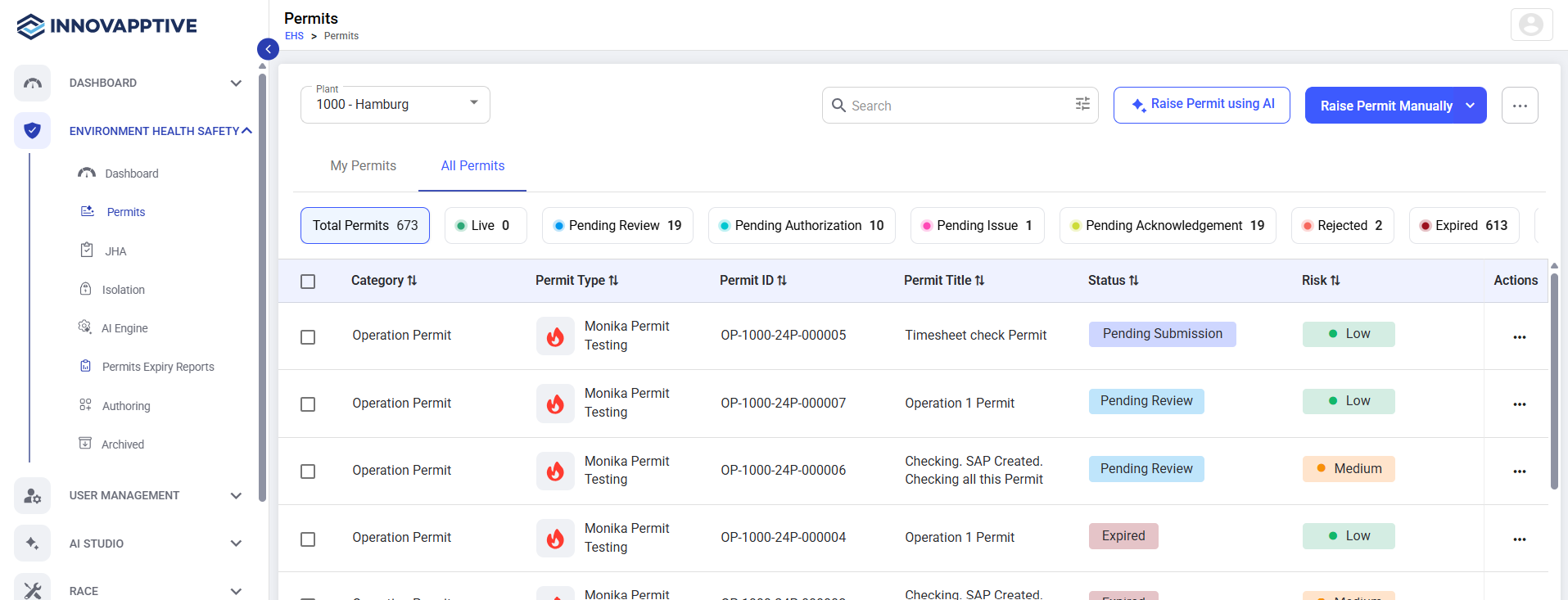
The layout is designed for ease of use, with consistent elements across modules for a smoother user experience.