Establish a Connection with ODBC for Database Integration
The ODBC (Open Database Connectivity) connector allows mRounds to directly interface with external databases. This connection is crucial for exporting rounds data to an organization’s internal databases, enabling further analysis and integration with other systems like reporting tools or custom dashboards.
- Direct Database Integration: Streamlines the process of transferring rounds data from mRounds to external databases.
- Support for Custom Analytics: Facilitates integration with custom reporting tools and dashboards by allowing direct access to mRounds data.
To create a connection for ODBC connector:
-
Click the Add button in the Connections section on the left side.
Figure 1. Add ODBC Connection 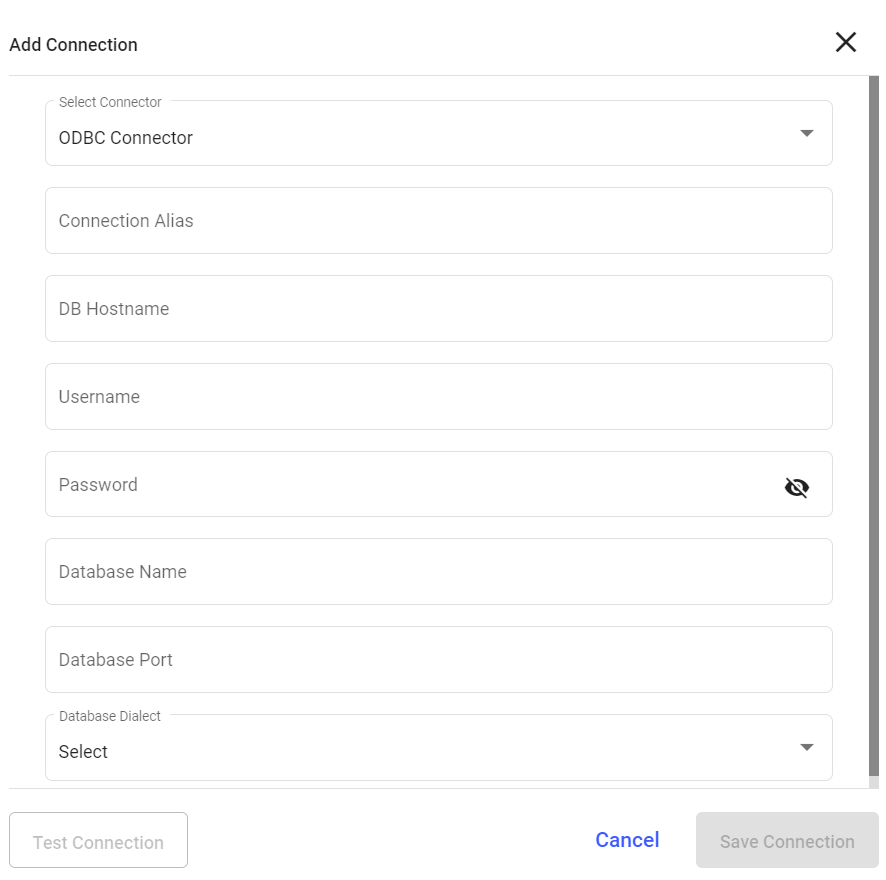
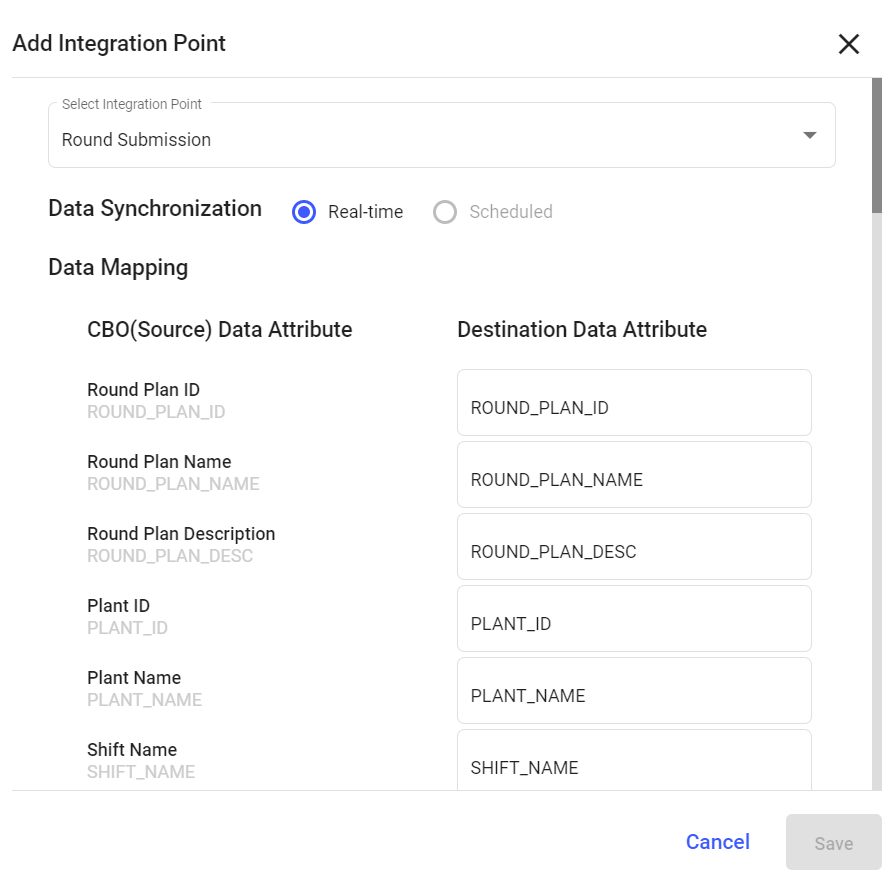
Configure Data Export to ODBC for Database Storage
Once the ODBC connection is established, you can configure mRounds to export data directly into your organization’s external database. This allows for real-time synchronization between mRounds and your database for further analysis or reporting.
- Automated Data Synchronization: Keep your internal database up to date with real-time rounds data from mRounds.
- Enable Advanced Analytics: Export data to external databases where advanced analytics can be performed.
To add an integration to ODBC connection:
-
Click Add Integration on the right side.
Figure 2. Add Integration Point