
Review and Prepare Isolation Plan
Review the submitted isolation plan to verify the isolation details and return the ICC to the ICC Owner when corrections are required.
Role: ICC Reviewer. Platform: Web.
The normal path is Review → Approve → Approve De-Isolation → Verify
De-Isolation.
- Revert: Return the ICC to the ICC Owner for correction. At the Approve stage, the ICC can also be returned to an earlier stage.
- Reject: End the lifecycle for that ICC with the reason retained. At the Approve stage, a rejected ICC goes back to the ICC Owner for rework.
- Hold: Pause the de-isolation when issues or further checks prevent it from going ahead. The ICC Owner can't execute the de-isolation while it's on hold.
- Revert De-Isolation: Return an incorrectly executed de-isolation to the ICC Owner to be done again.
To review the Isolation Plan:
-
Click Review to approve the Isolation Plan and move the
ICC to the Approve Iso stage.
Figure 1. Review Isolation 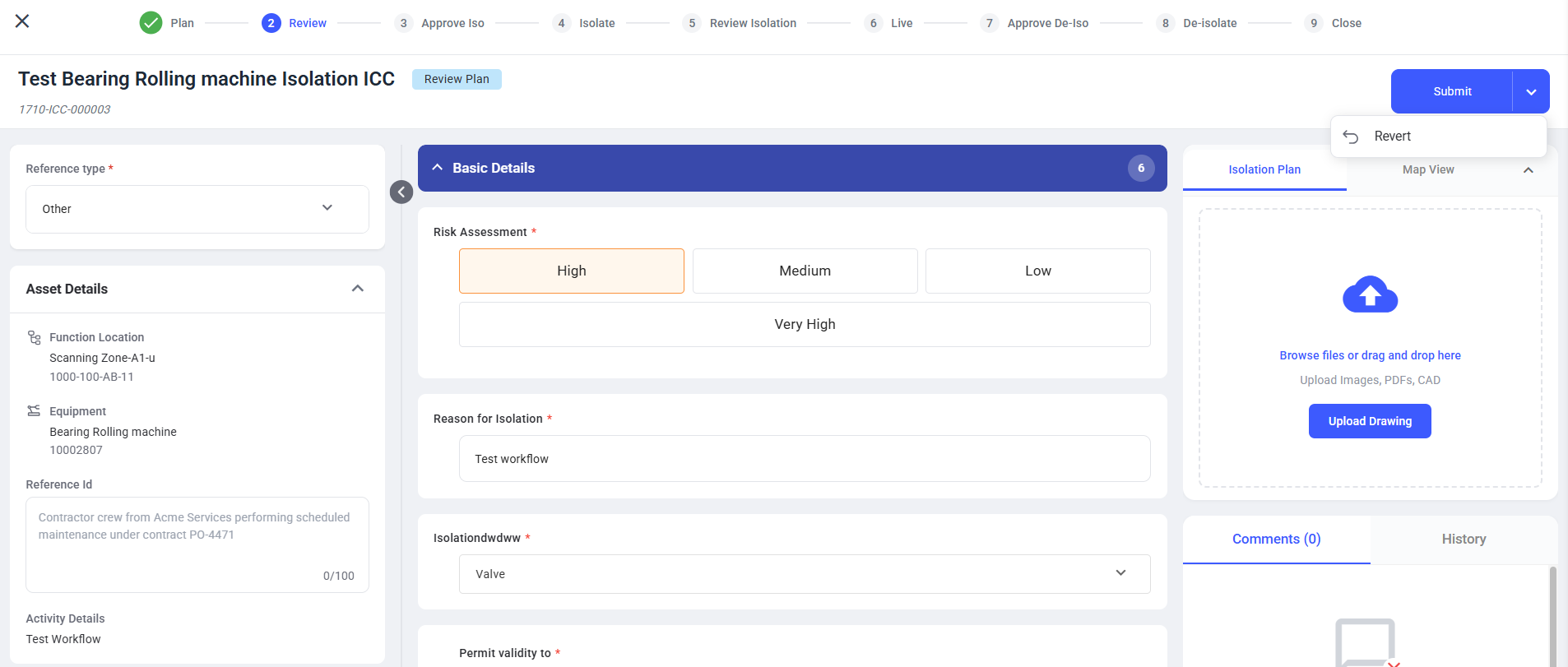
The ICC either advances to the Approve Iso stage or returns to the ICC Owner for correction based on the selected action
Next: Approve Isolation Plan