Modify Units of Measurement
Update an existing unit of measurement and its units.
-
In the Unit of Measurement screen, click the More
 icon against
the UOM that you want to edit and select Edit.
icon against
the UOM that you want to edit and select Edit.
Figure 1. Select Edit 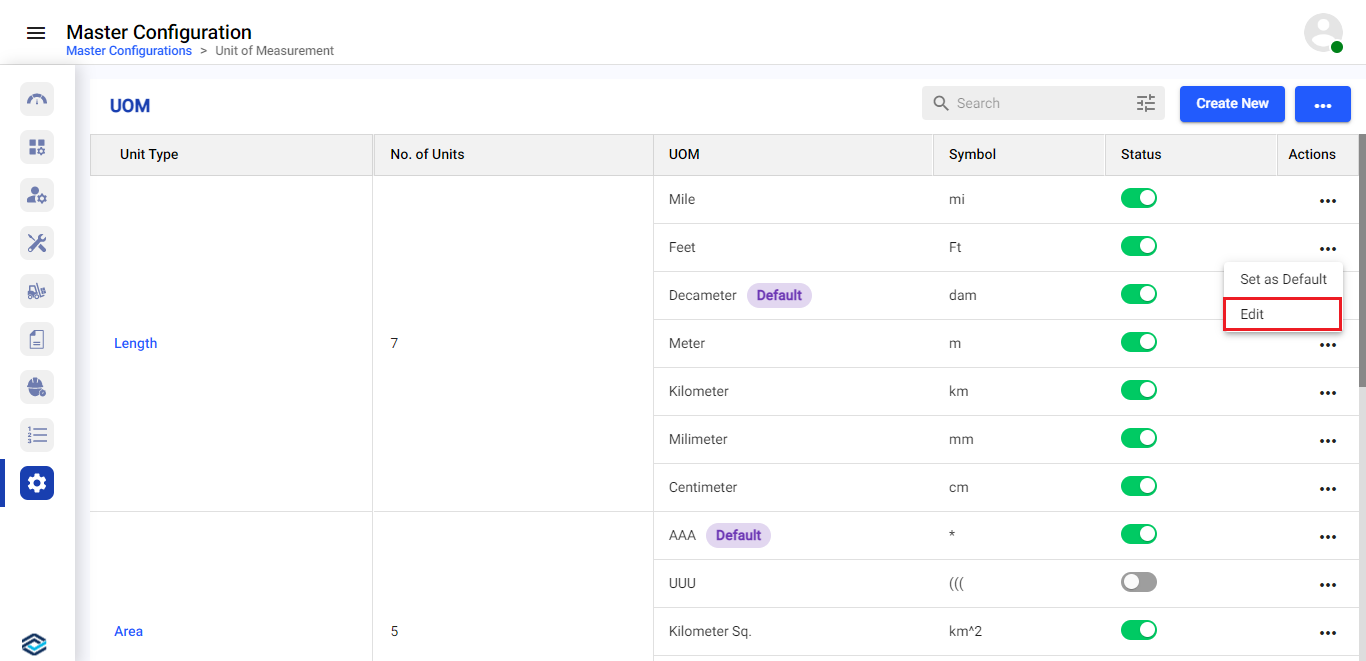
-
In the Edit UOM window, update the details as required and click
Done.
Figure 2. Update UOM Details 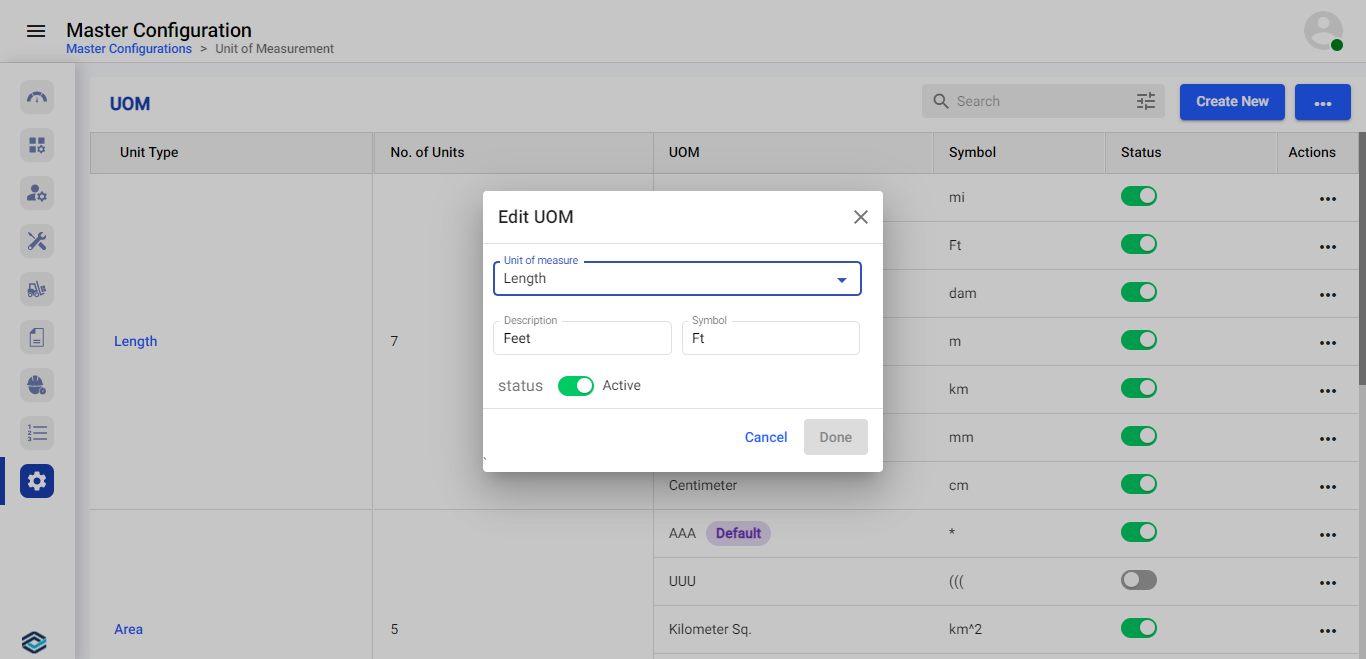
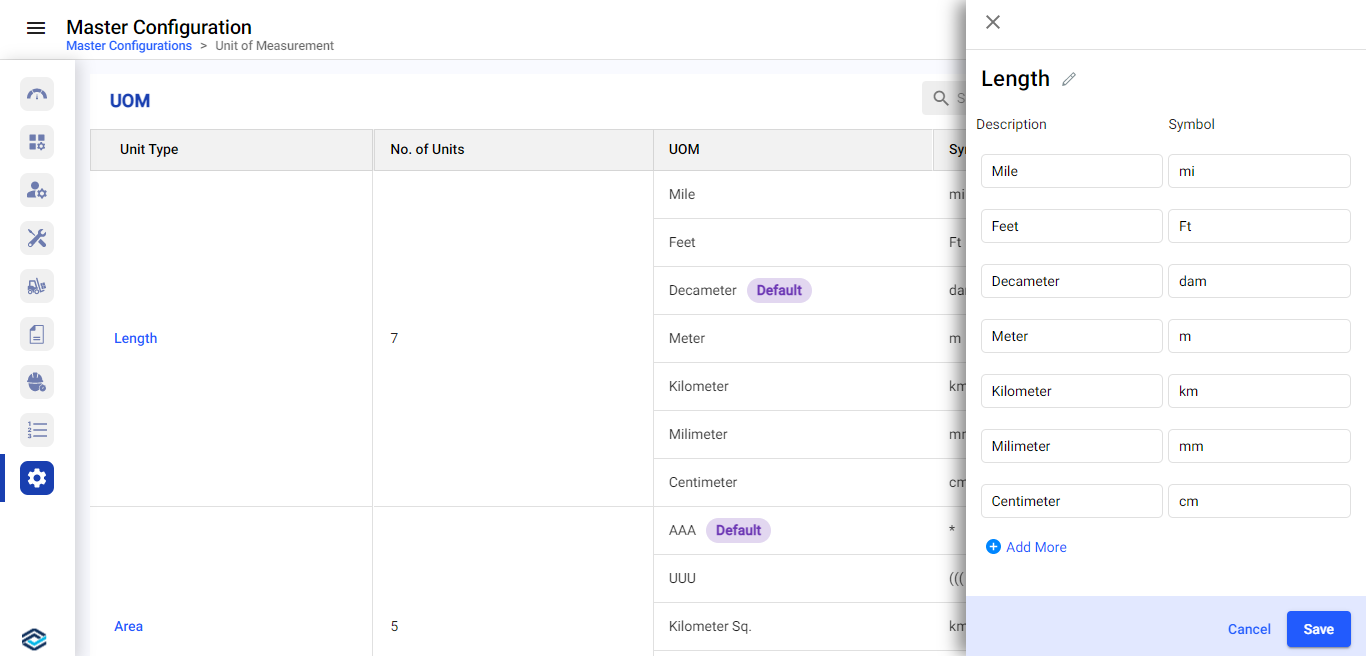
Note:To update Unit Type, click on the unit type, update the required details on the right-side window, and click Save.Figure 3. Update Unit Type