
View and Restore Version History
You can view version history to review changes and restore a previous version when needed to ensure accuracy and continuity.
To view and restore version history:
- Open the work instruction.
-
Click the More icon next to the Proceed button and select Version
History.
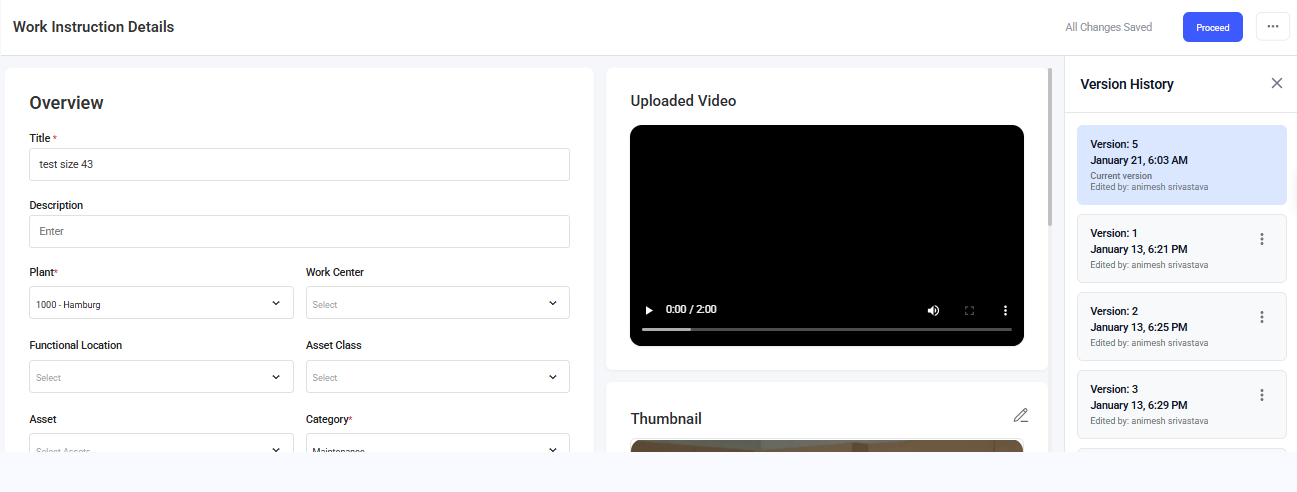
The current and previous versions are displayed on the right-side. -
Click the More icon on the previous version and select Restore to
restore the previous version.
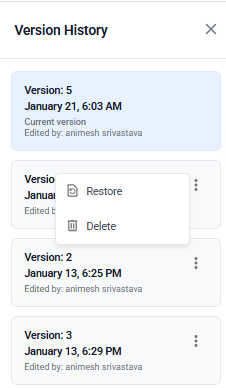
OrSelect Delete to delete the previous version.