Configure KPI Reports
This configuration allows you to get and view the required KPI reports, such as percentage of kitted jobs, kits issued, and kits returned, material value, total operations vs kitted components, average materials for kit, backlog kits, and materials kitted but not picked on the dashboard.
To configure KPI reports:
- Click Searches on the left panel.
- Click the Filter icon and select the Module as Kitting dashboard.
-
From the results, select the record with Field name = KPP01 and
make the following changes to view the Percentage of Kitted Jobs.
-
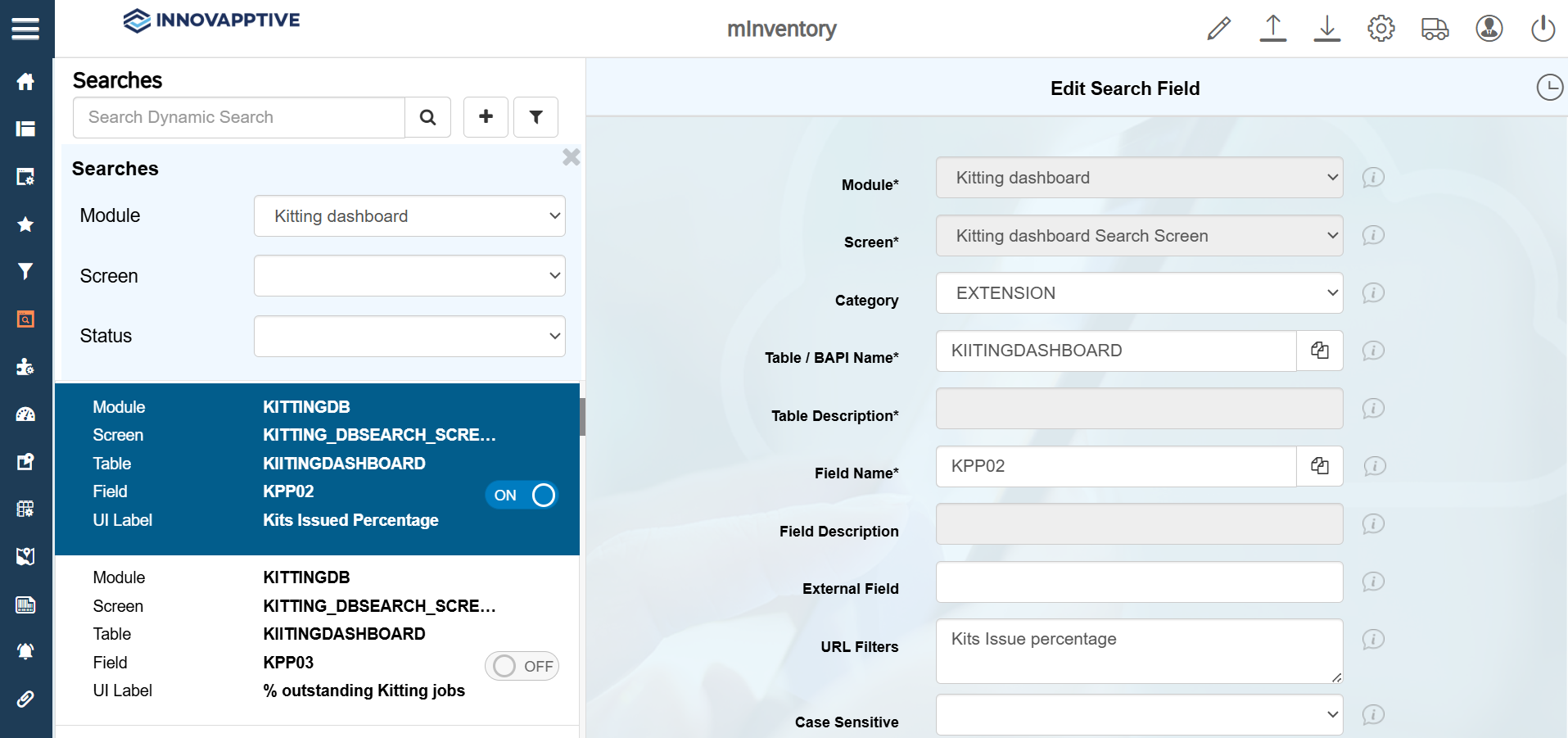
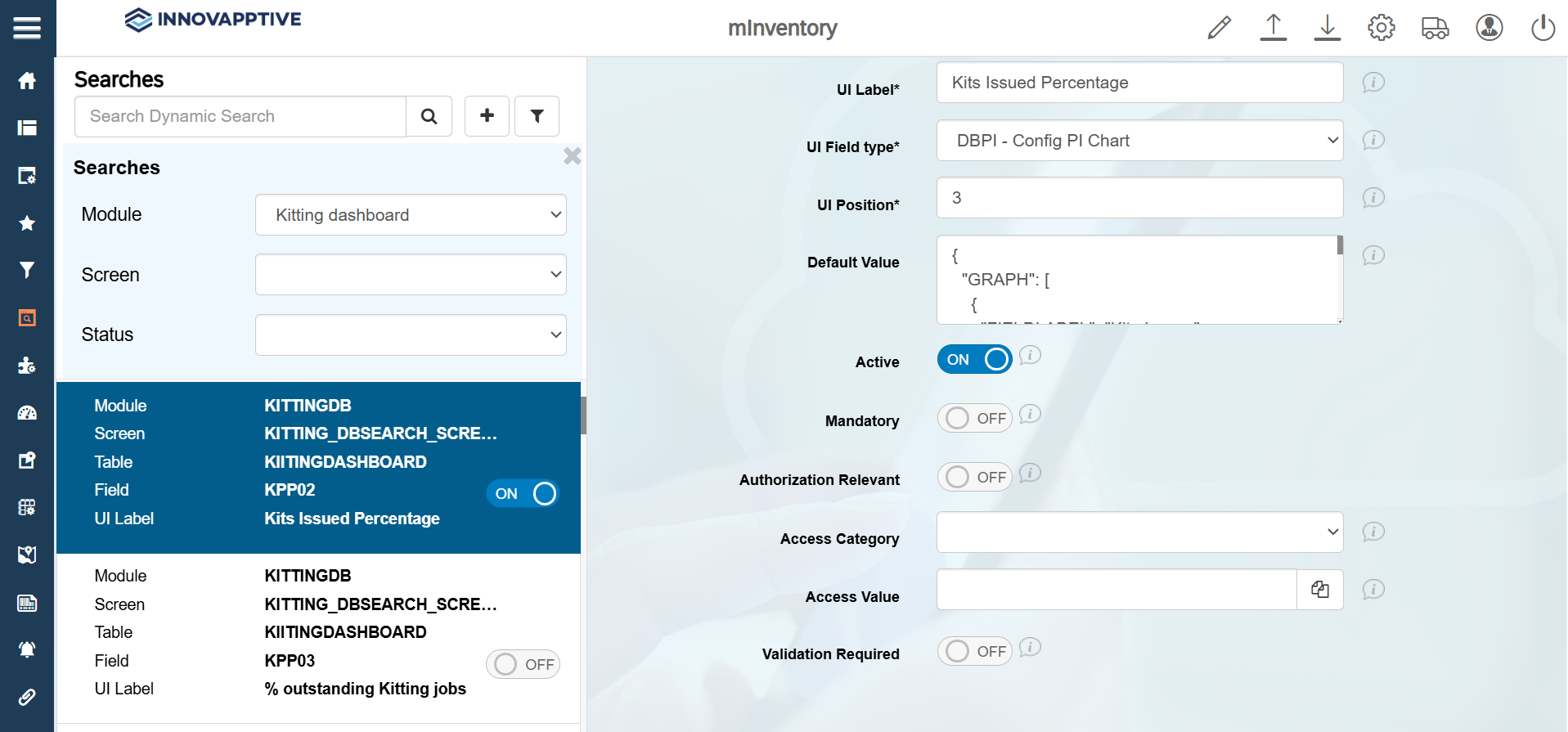
Select the record with Field name = KPP02 and make the following
changes to view the Percentage of Kits Issued.
-
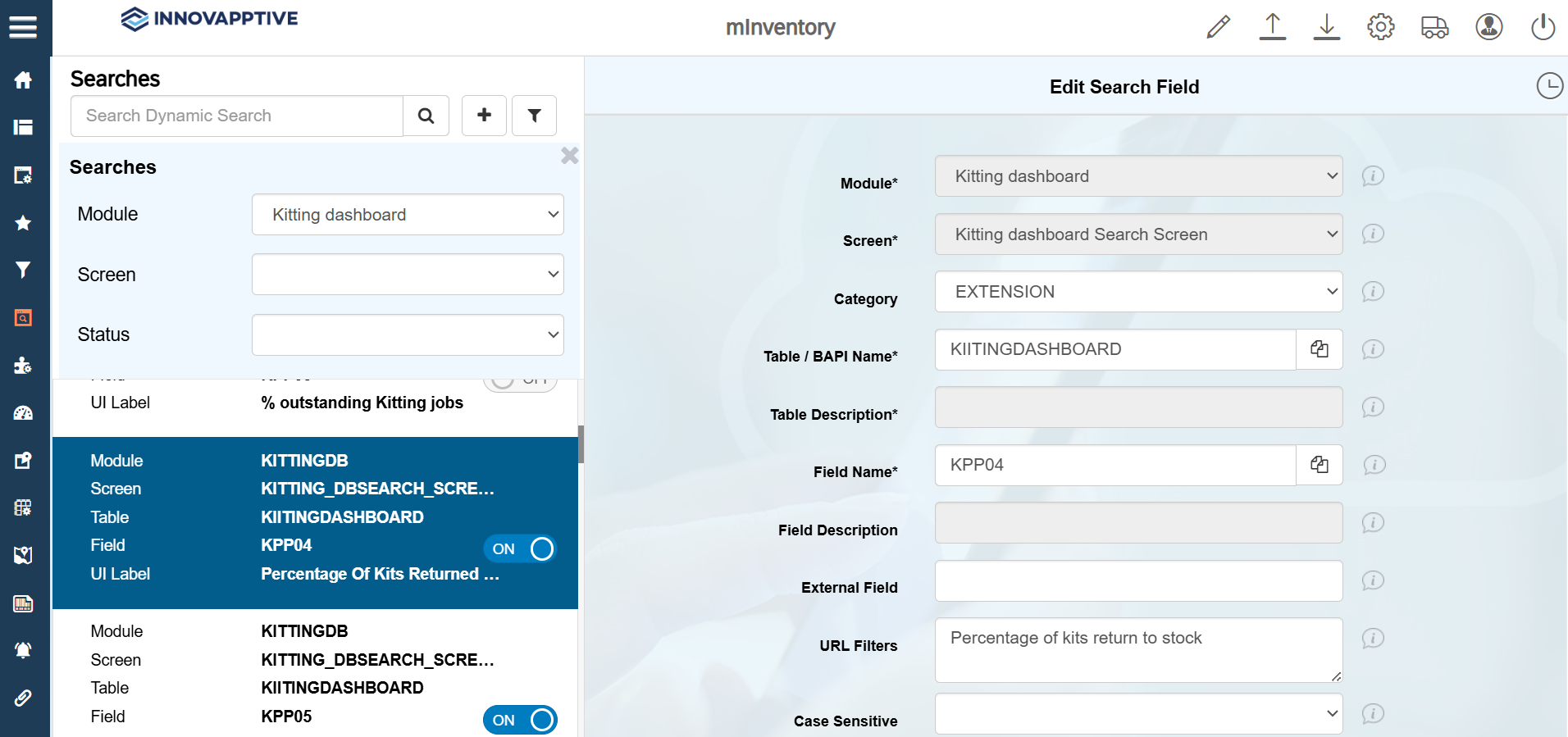
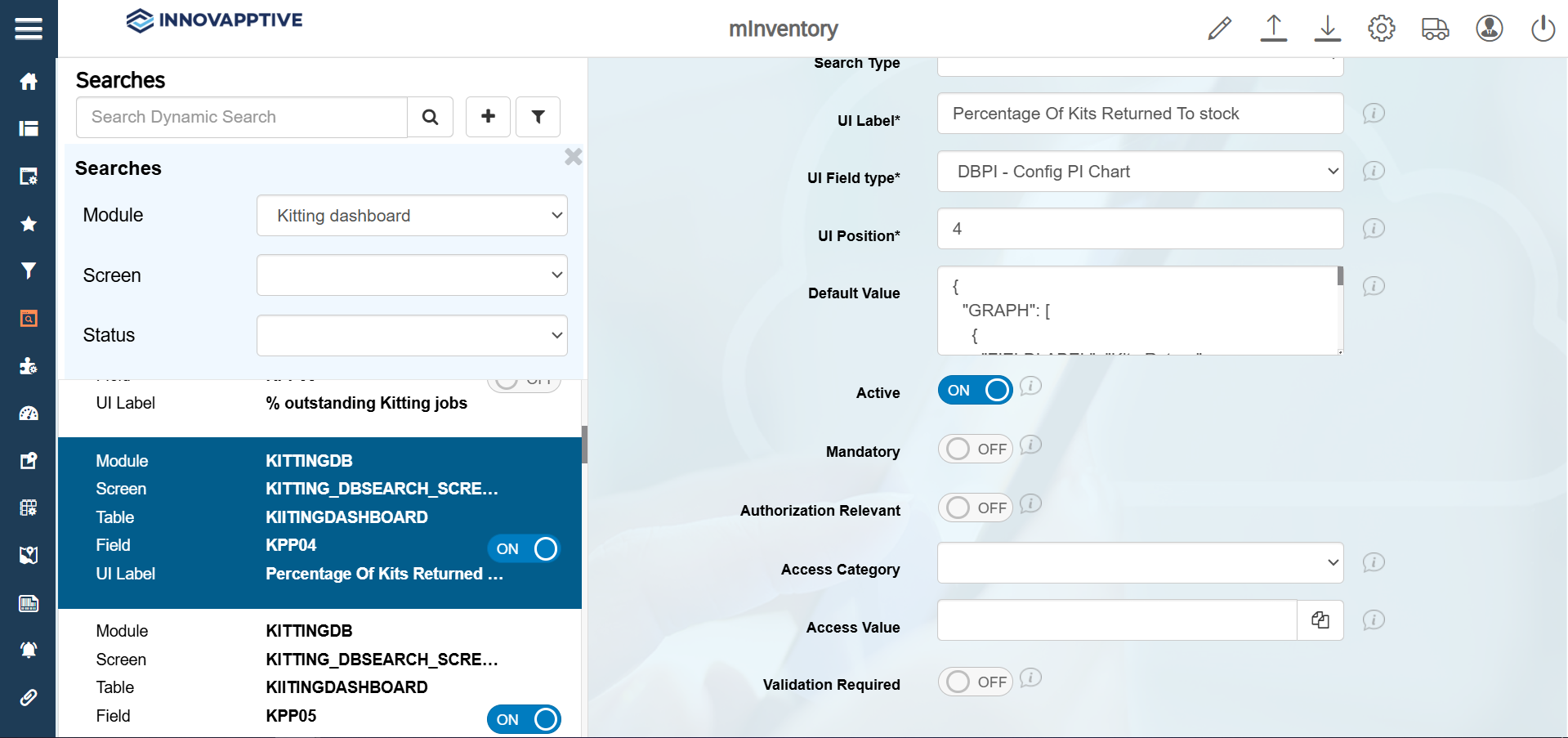
Select the record with Field name = KPP04 and make the following
changes to view the Percentage of Kitted Returned to Stock.
-
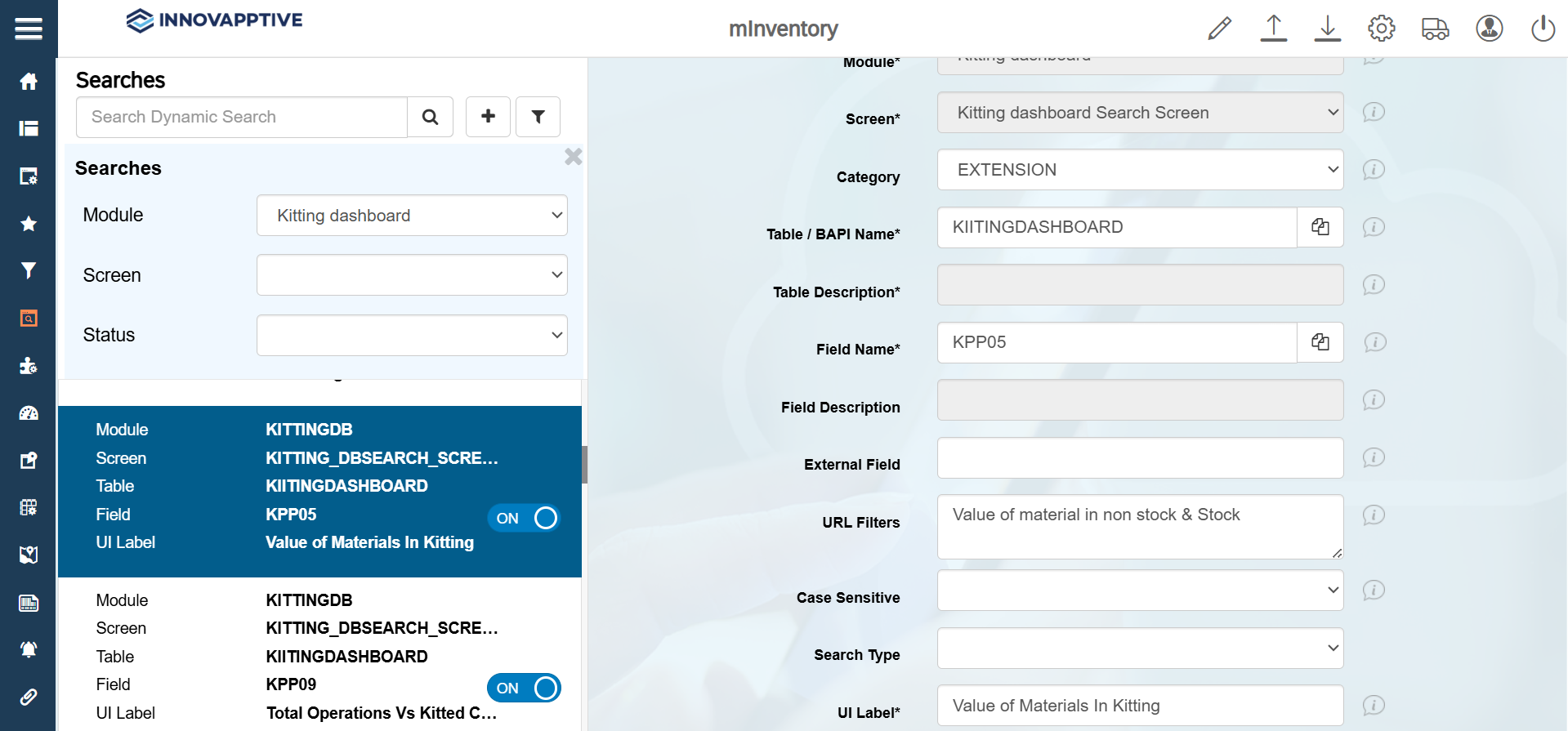
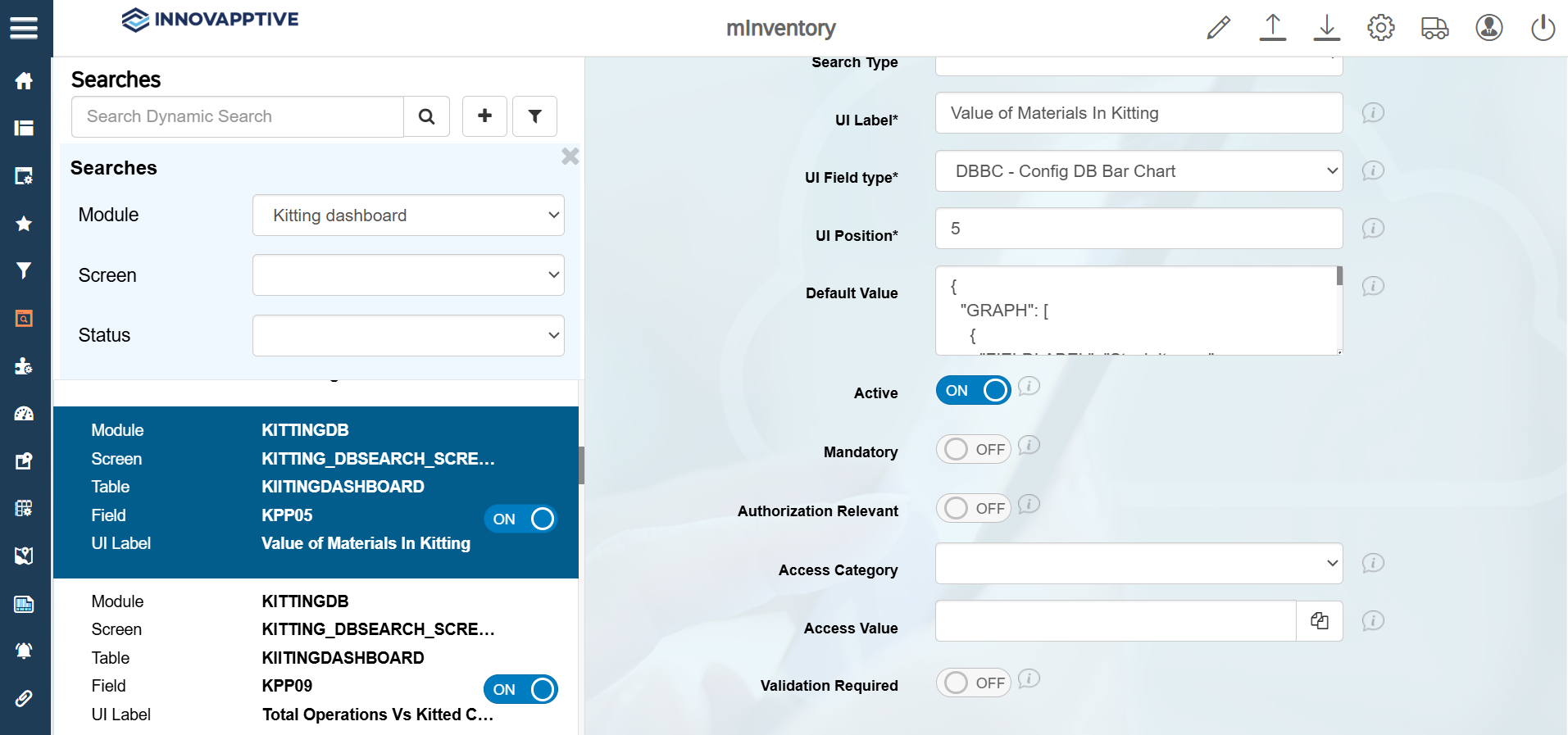
Select the record with Field name = KPP05 and make the following
changes to view the Value of Materials in Kitting.
-
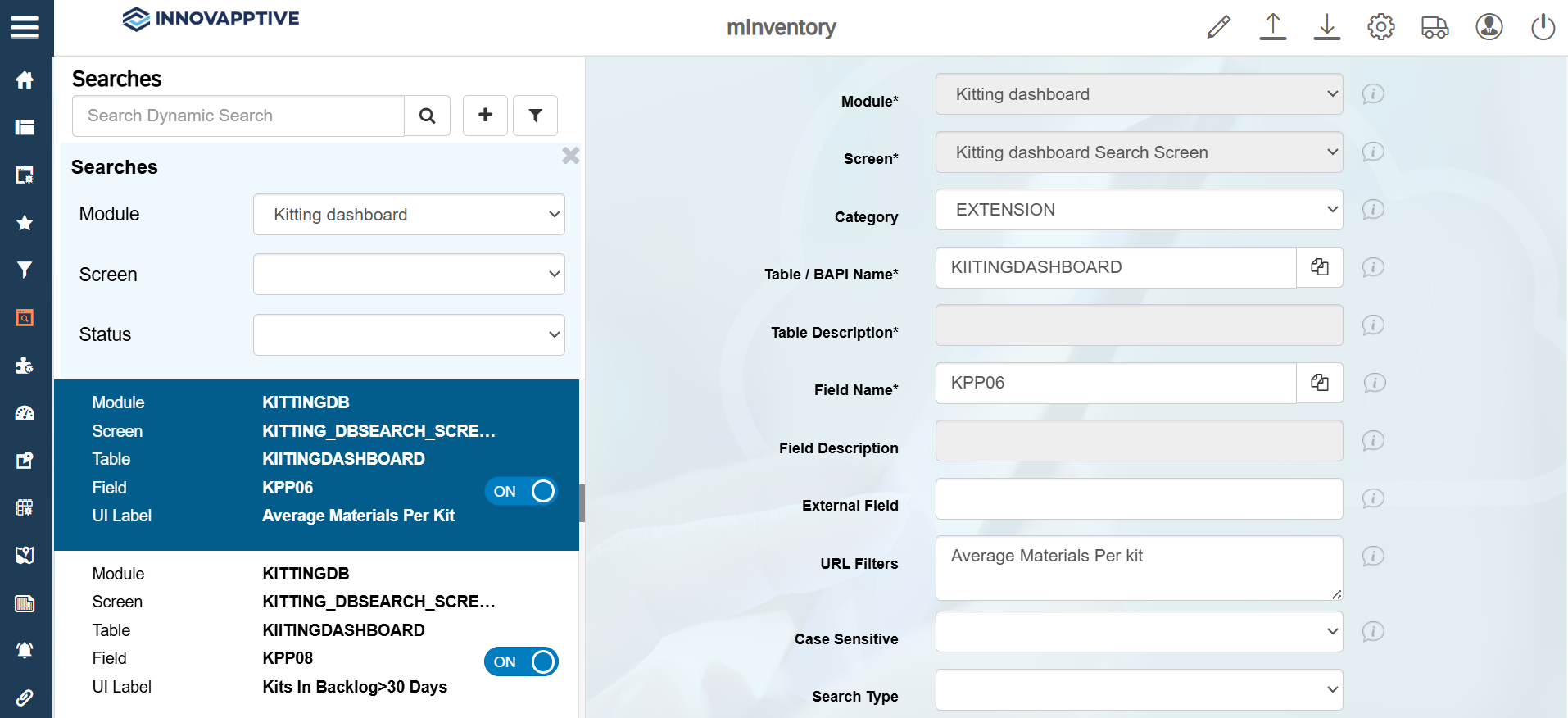
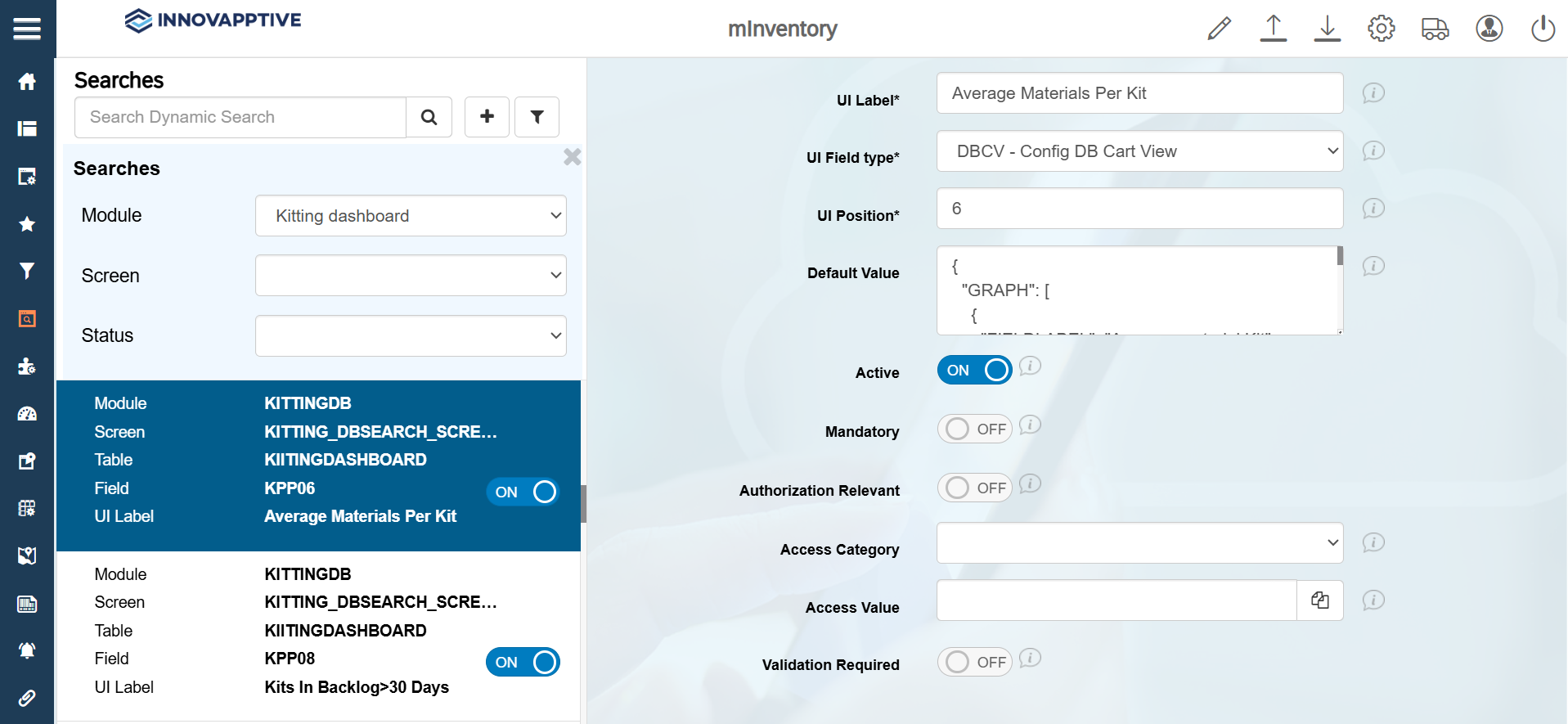
Select the record with Field name = KPP06 and make the following
changes to view the Average Materials Per Kit.
-
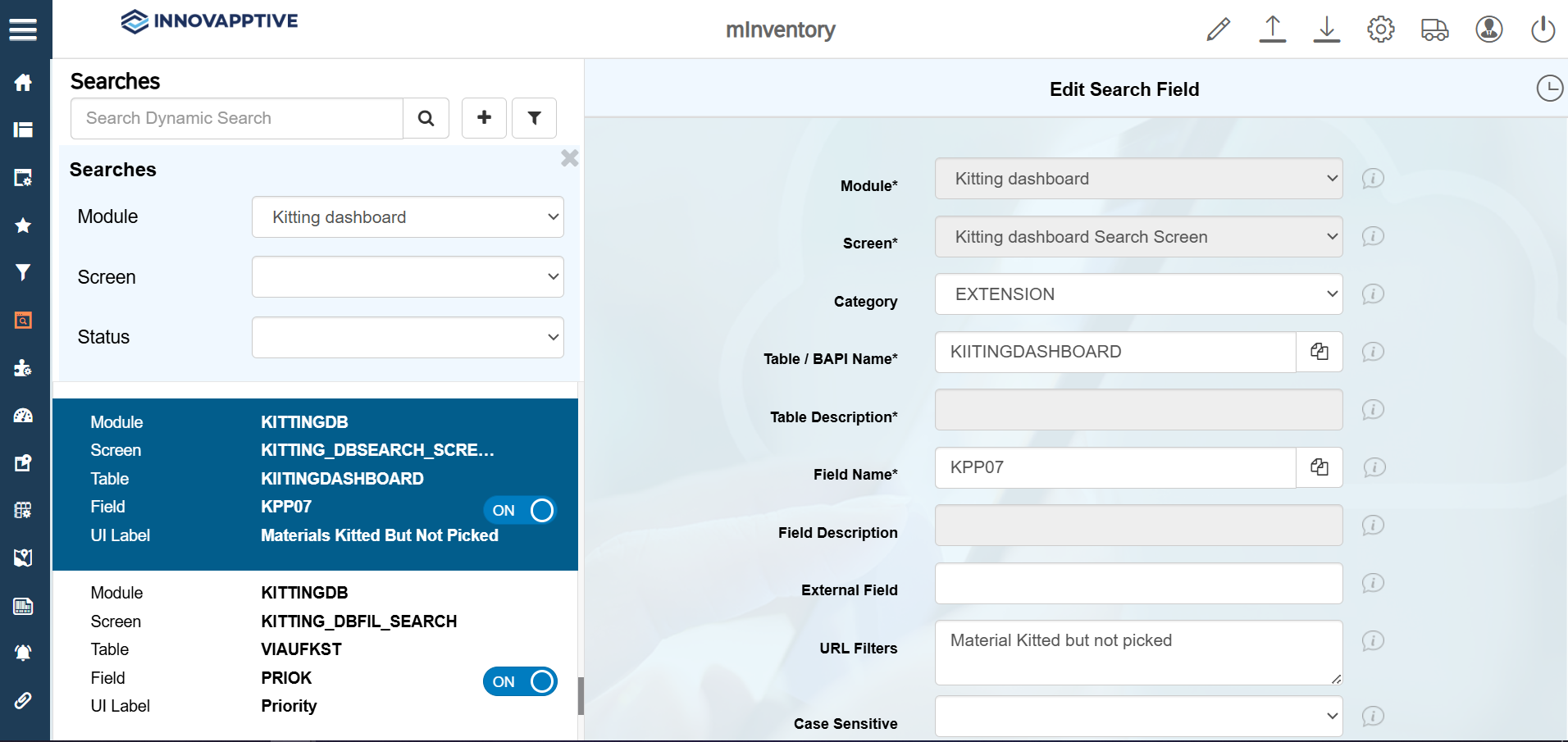
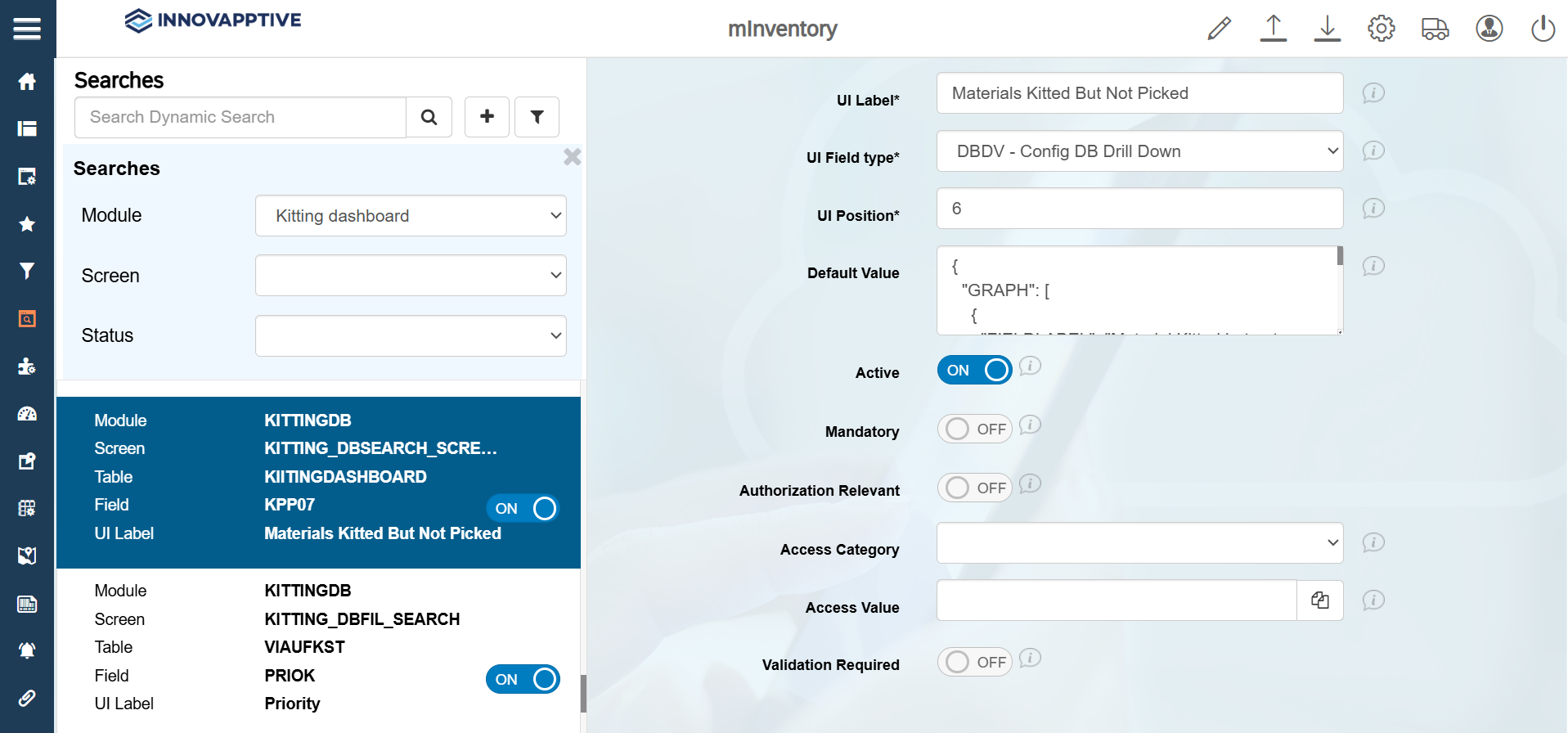
Select the record with Field name = KPP07 and make the following
changes to view the Materials Kitted But Not Picked.
-
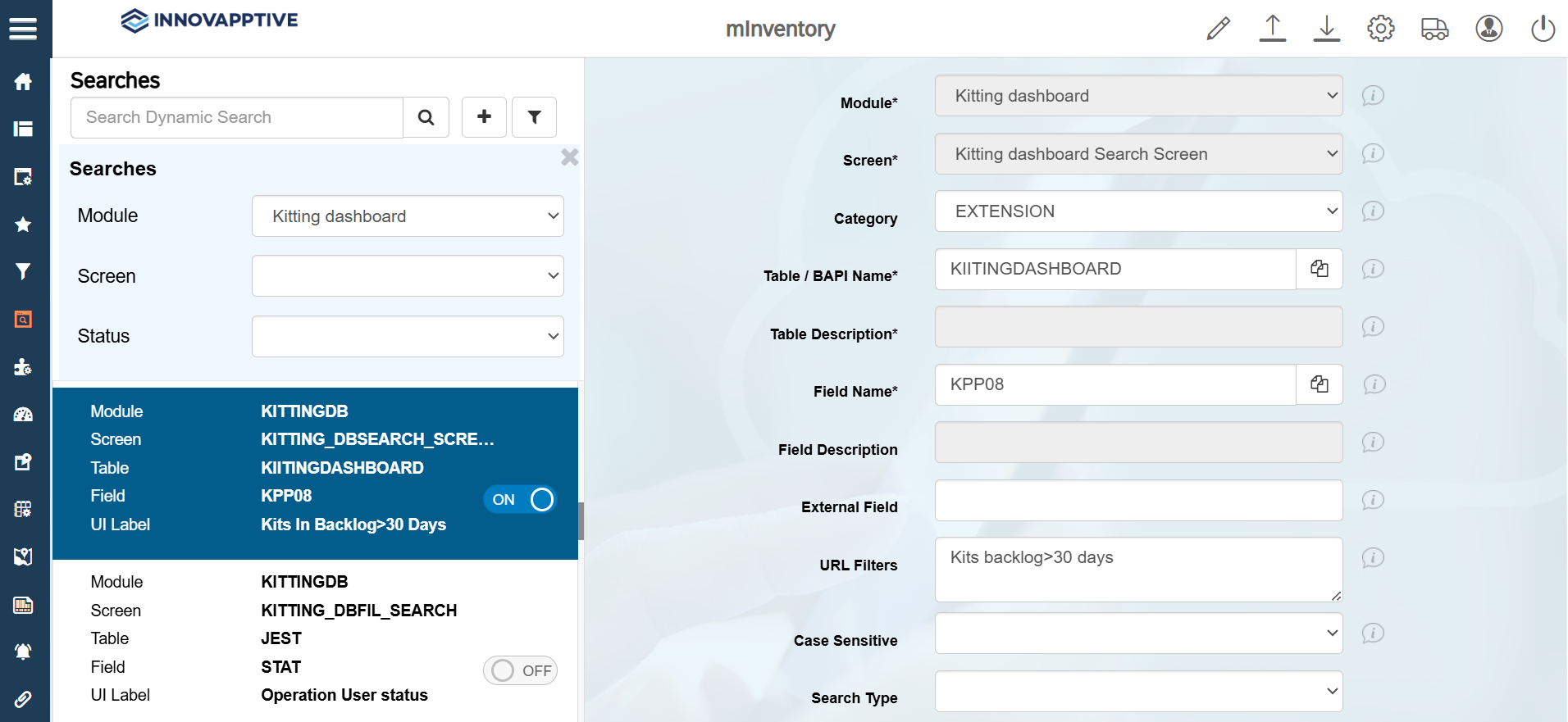
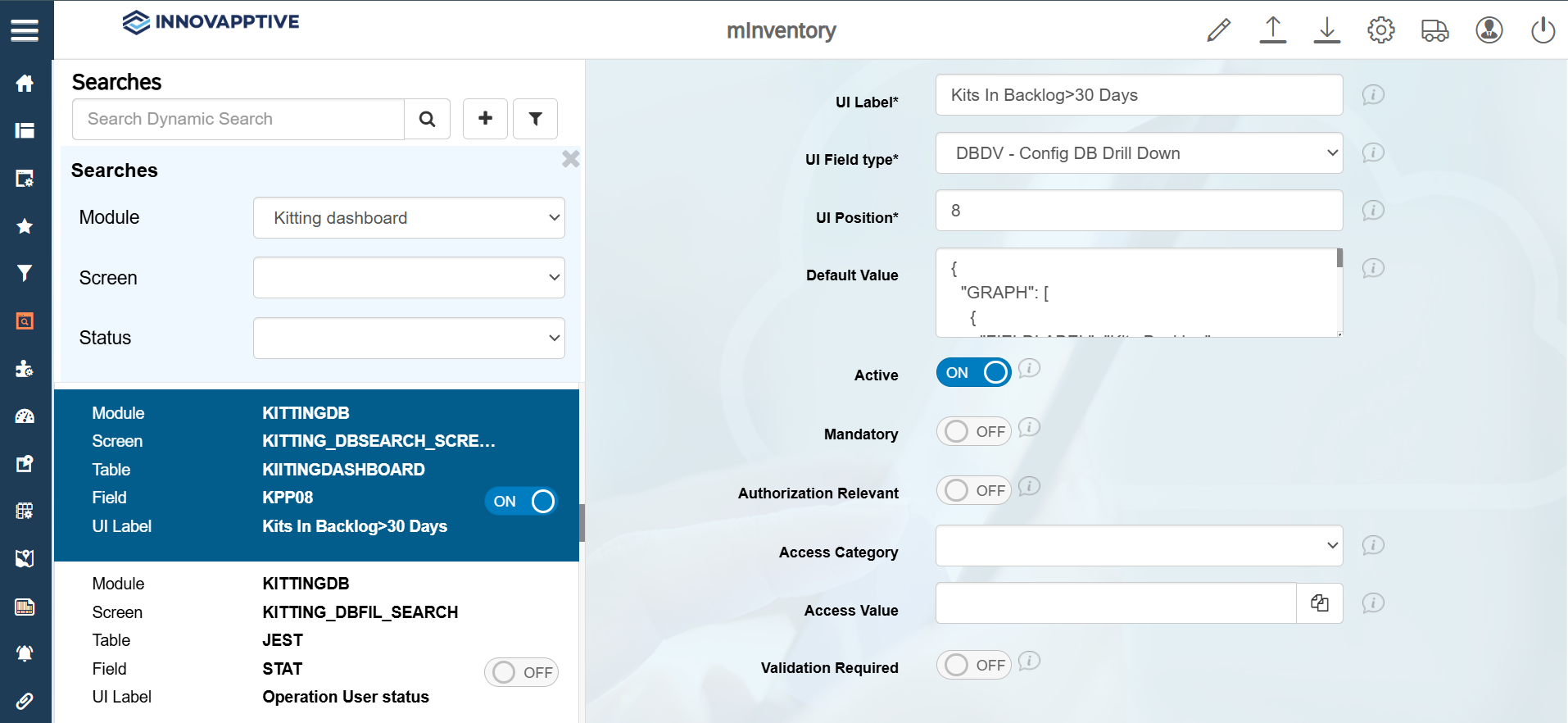
Select the record with Field name = KPP08 and make the following
changes to view the Kits In Backlog > 30 Days.
-
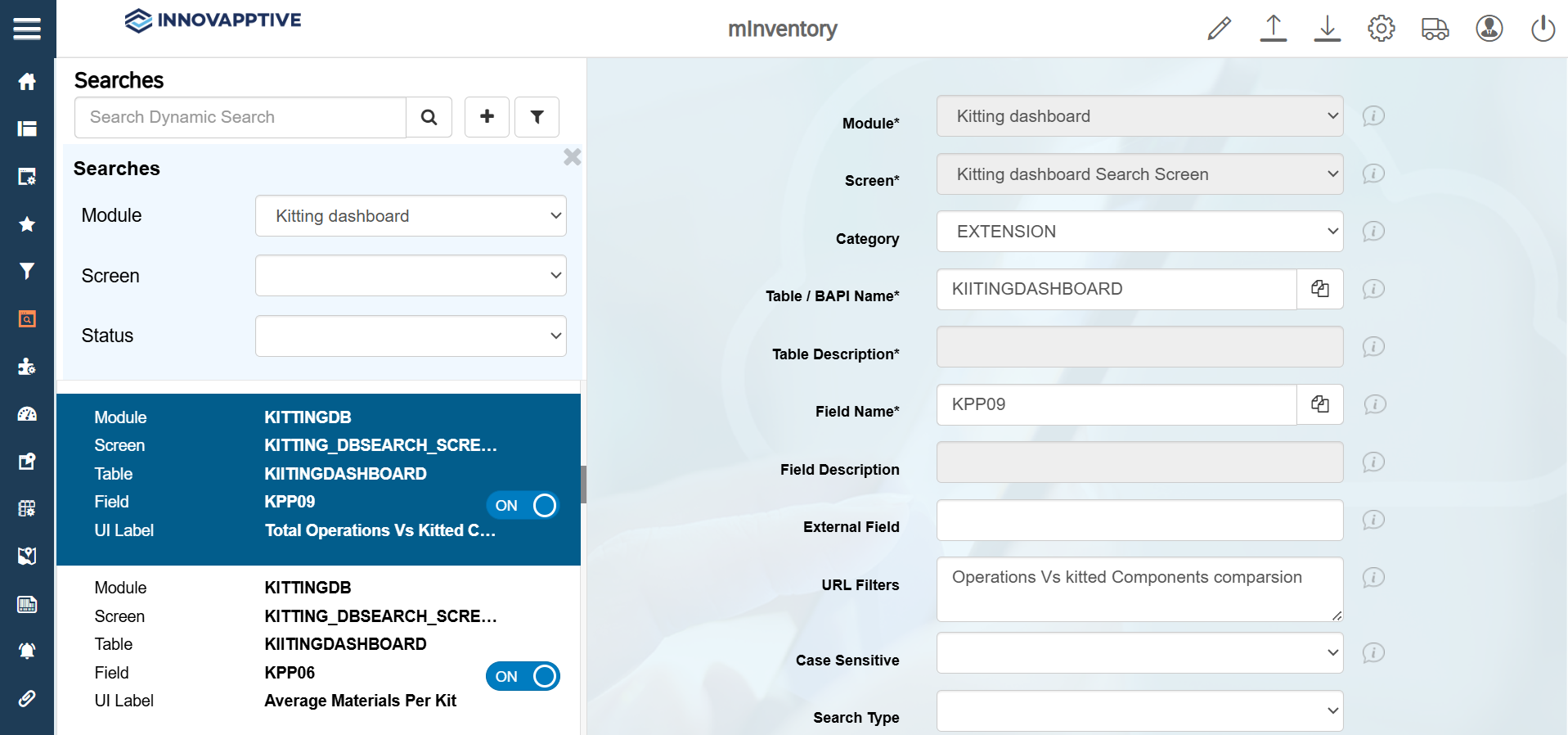
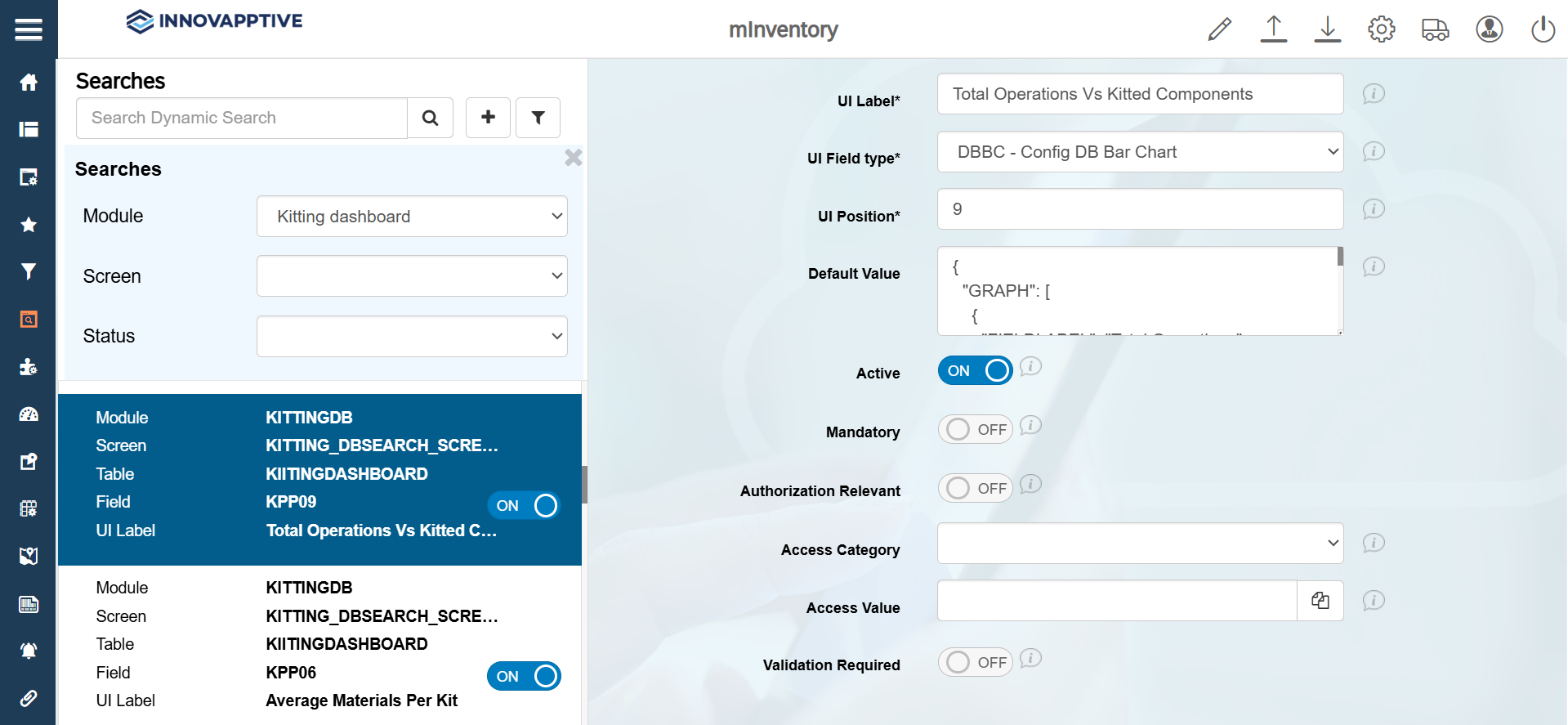
Select the record with Field name = KPP09 and make the following
changes to view the Total Operations Vs Kitted Components.