
Create Roles and Permissions
Roles control which Digital Work Instructions (DWI) modules a user can access. Each role defines what a user can view, create, review, approve, issue, or manage within the DWI system.
Roles are typically aligned with DWI personas such as Authors, Supervisors, and Operators/Technicians.
To create a role and assign permissions:
-
Navigate to User Management > Roles and Permissions.
Figure 1. Create Roles and Permissions 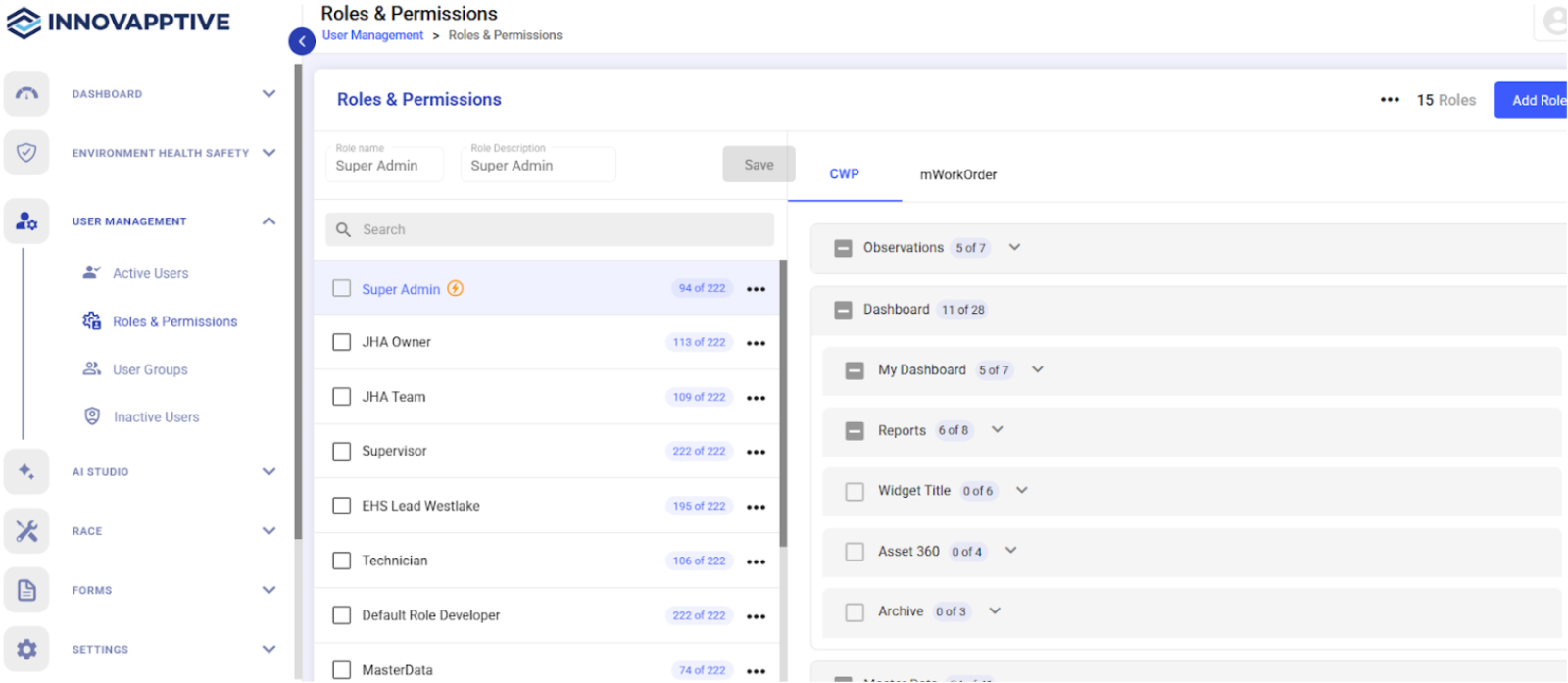
- Click Add Role.
- Enter the Role Name and Role Description.
- Click Save.
- Select the new role from the list.
- Select the modules and permissions that are required for the role or persona on the right-side.
- Click Save.