
Assign the JHA Team on Mobile
Assign the required field participants so they can review and acknowledge the JHA before approval.
Role: JHA Requestor. Platform: Mobile.
To Assign JHA:
-
The following options are available:
- Assign – Assign the JHA to a team.
- Reject – Reject the JHA if it is not required.
Figure 1. Assign / Reject JHA 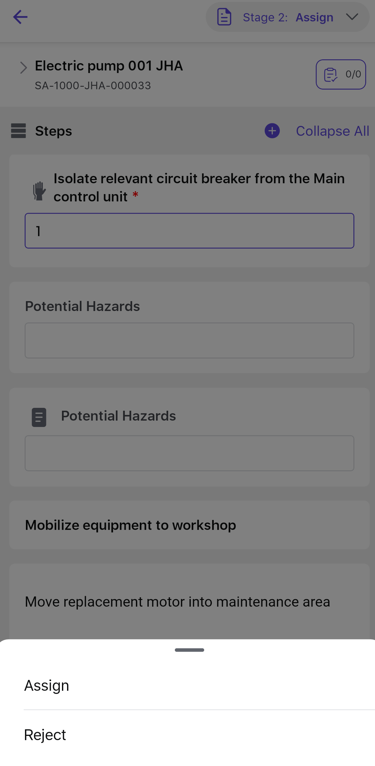
-
Tap Confirm.
Figure 2. Assign Team to JHA 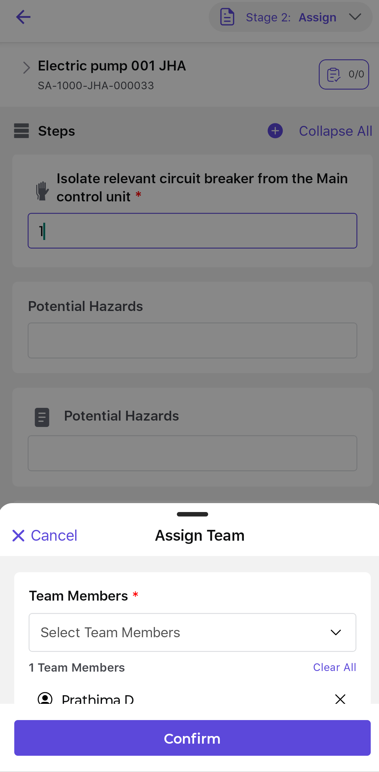
The selected JHA Team is assigned and the JHA moves to In Progress.
Next: Assigned team members now review and acknowledge the JHA.