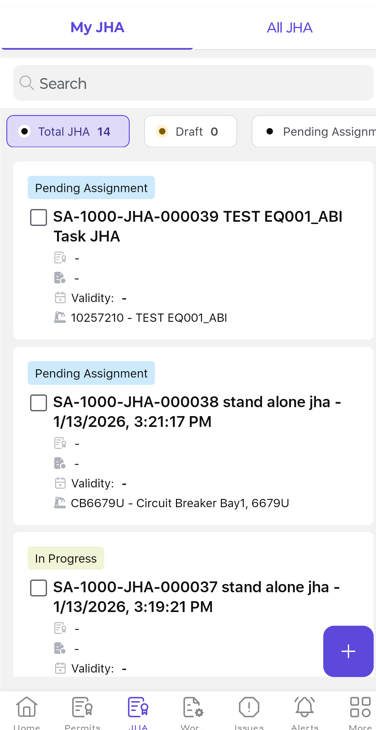
Raise a JHA from Mobile by defining the job, selecting the template, and submitting the hazards and controls for assignment.
Role: JHA Requestor. Platform: Mobile.
To raise a JHA:
-
Tap the JHA tab.
-
Tap the + icon.
-
Select Create JHA.
-
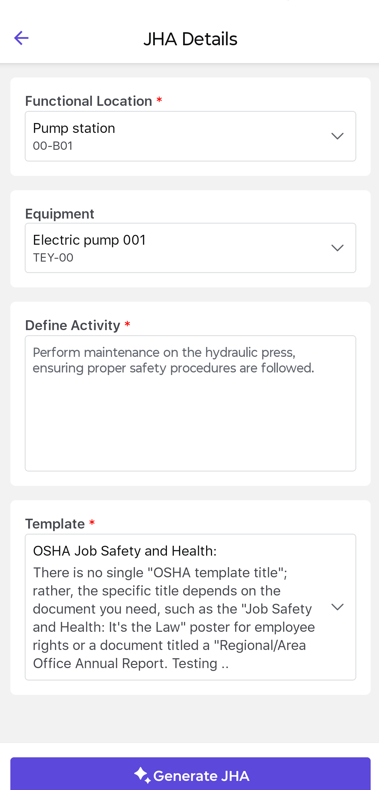
Provide the required details in the JHA Details screen:
-
Functional Location - Select the location where the work is to be
performed.
-
Equipment - Select the equipment associated with the work.
-
Define Activity - Specify the activity or task for which the JHA
is being created.
-
Select the appropriate JHA Template from the dropdown.
-
Tap Generate JHA.
-
Define Job Steps and add the predefined questions linked to each step.
-
Tap Submit Request.
The JHA is created and moves to the assignment stage.