Process Failed Offline Transactions
Correct and repost, or delete, offline transactions that failed to post when you switched back to Online mode.
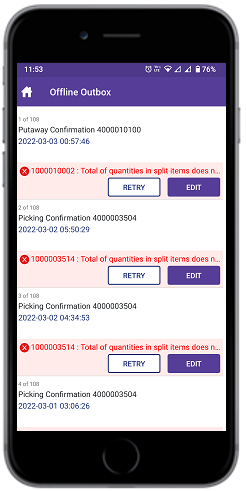
When you process transactions in offline mode, these transactions are stored in Offline Outbox. When you switch to Online mode, failed transactions remain in Offline Outbox. You can either edit the details of the failed transactions and repost them or you can swipe left to delete them.
To open the Offline Outbox, use the Data Sync Menu on the Home screen. The menu is disabled while offline sync is in progress.
When you switch from Offline to Online, mInventory posts the data that you captured offline to the back-end system, such as SAP. The back-end system validates the data and rejects the posting if the validations fail. Correct the issues identified by the back-end system and repost the transaction.