
Create Work Instructions from a Document
Use this method when you have an existing procedure document (PDF, Word, or text file). The AI extracts the procedure and converts it into structured, step-by-step instructions for you to review.
To ensure the AI captures the steps accurately, check the requirements below before you upload:
- Check Format: Ensure your source document is in PDF, .doc or .docx format.
- Clear Structure: Documents with numbered steps, bullet points, or clear headings are easier for the AI to process accurately.
To create work instructions from a document:
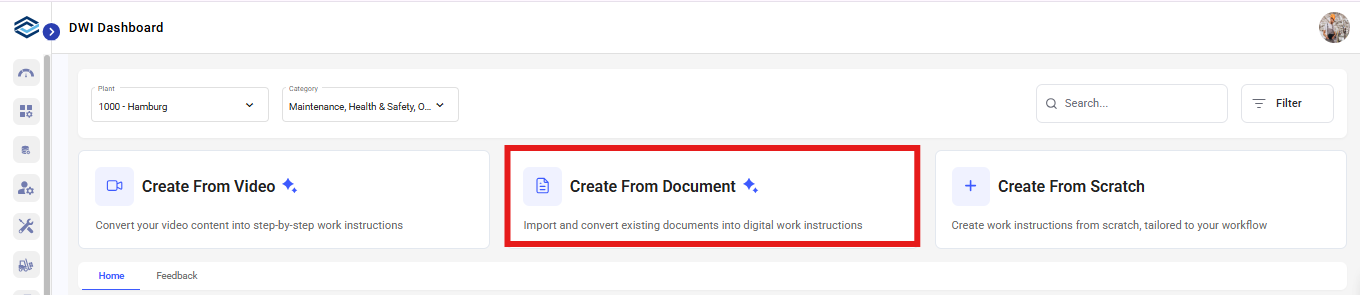
- Click on DWI Dashboard on the left-side menu.
-
Click Create From Document.
-
Click Upload and select your document.
Figure 1. Upload Document 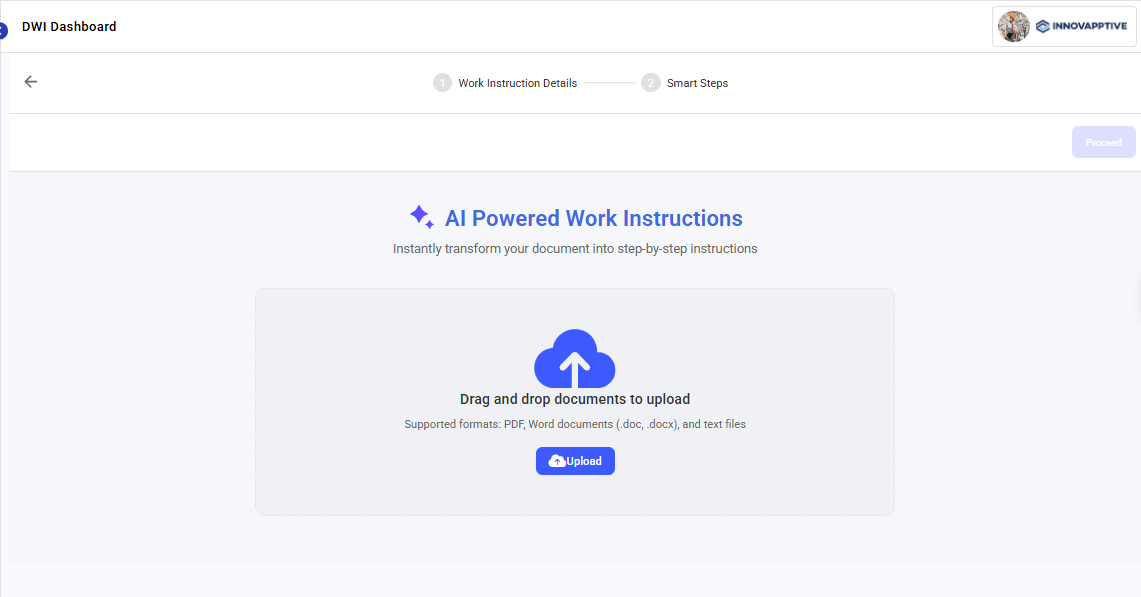
-
Click Proceed.
Once you upload your document, the AI analyzes it and generates a draft. Processing depends upon the size of the document.
-
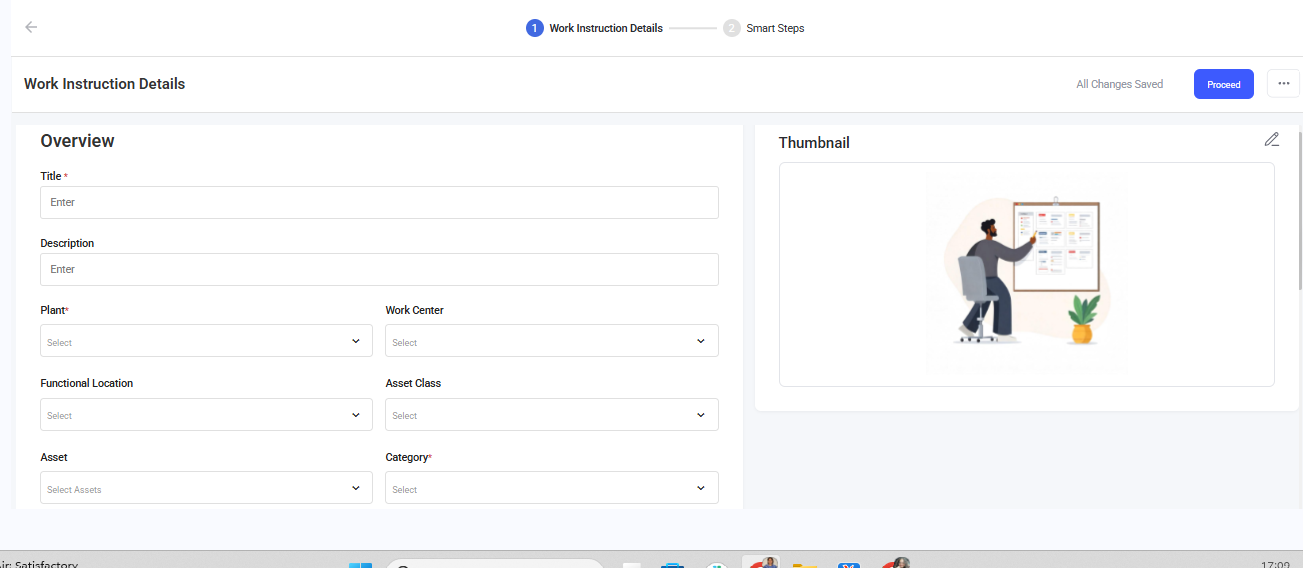
In the Overview section,
- Provide relevant Title and Description.
- Select the relevant Plant, Work Center, Functional Location, Asset
Class, Asset, Category, Task List, and Tags.Note:When a supervisor adds an operation, the associated work instructions are automatically added along with the task list.
- In the Prerequisites section, list all required Tools and Safety & PPEs including the ones that weren't explicitly mentioned in the video.
-
In the Additional Details section, add relevant details in the
Label and Value fields like Line Number,
Department, or other context-specific information.
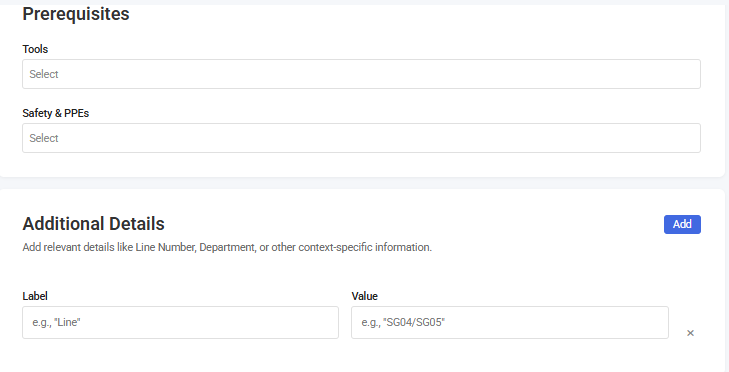
- Click Proceed.
-
Click any step to edit the Instructions.
These are core procedural steps that describe WHAT to do and HOW to do it.
- Tap on the title to modify it.
- Edit the text to reword vague descriptions or fix errors.
- If a step contains multiple tasks, click on Add Step to split
them to make it easy to understand.
Example: "Remove bolts on top and bottom of rolls, using punch, push up to remove shafts"
-
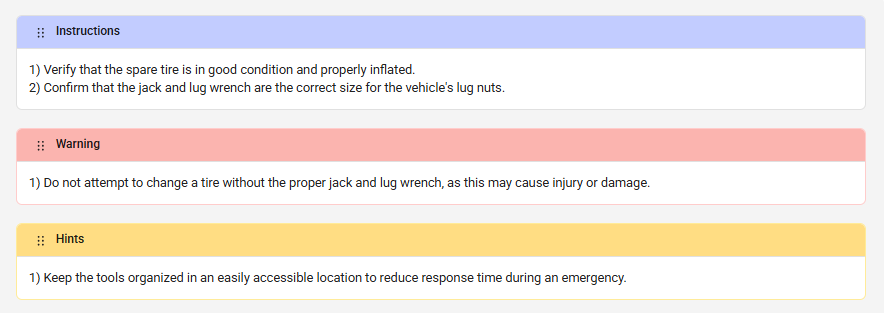
Click Add New Section to add Hints, Warnings, or Custom
Section.
- Warnings: Highlight critical safety information, hazard alerts,
and mandatory safety procedures that prevent injury, equipment damage,
or process failures.
Example: "Closely monitor these steps to prevent overfilling the tanks"
- Hints: Add helpful tips, best practices, troubleshooting
guidance, and additional context that improves execution quality,
efficiency, or success rate.
Example: "Use tie wire to tie the used rolls together and put on pallet to be redressed"
- Custom Section: Add context-specific content that doesn't fit
standard categories but serves important purposes in industrial work
instructions.
Example: VERIFICATION/TESTING for quality control checks and validating steps or TROUBLESHOOTING for problem diagnosis and solution steps.
- Warnings: Highlight critical safety information, hazard alerts,
and mandatory safety procedures that prevent injury, equipment damage,
or process failures.
- Click Preview to check how the content appears across different formats, including mobile, tablet, and PDF.
- Click Publish.