
Create Work Instructions from Scratch
Use this method when you are creating a brand-new procedure or need complete control over every detail. Instead of relying on AI extraction, you build the instruction step-by-step from scratch.
Use this method when:
- Starting Fresh: You don't have existing videos or documents to import.
- Total Control: You need to phrase specific technical steps with absolute precision.
- Simple Procedure: The procedure is short, and writing it is faster than recording a video.
To create work instructions manually:
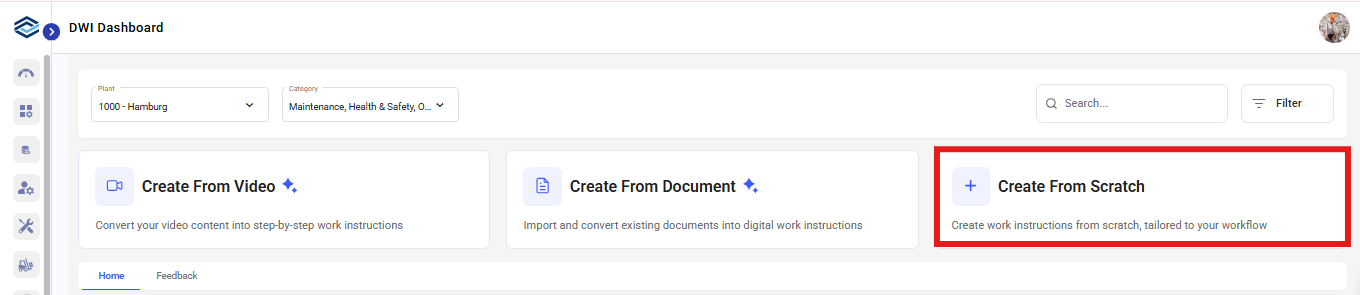
- Click on DWI Dashboard on the left-side menu.
-
Click Create From Scratch.
-
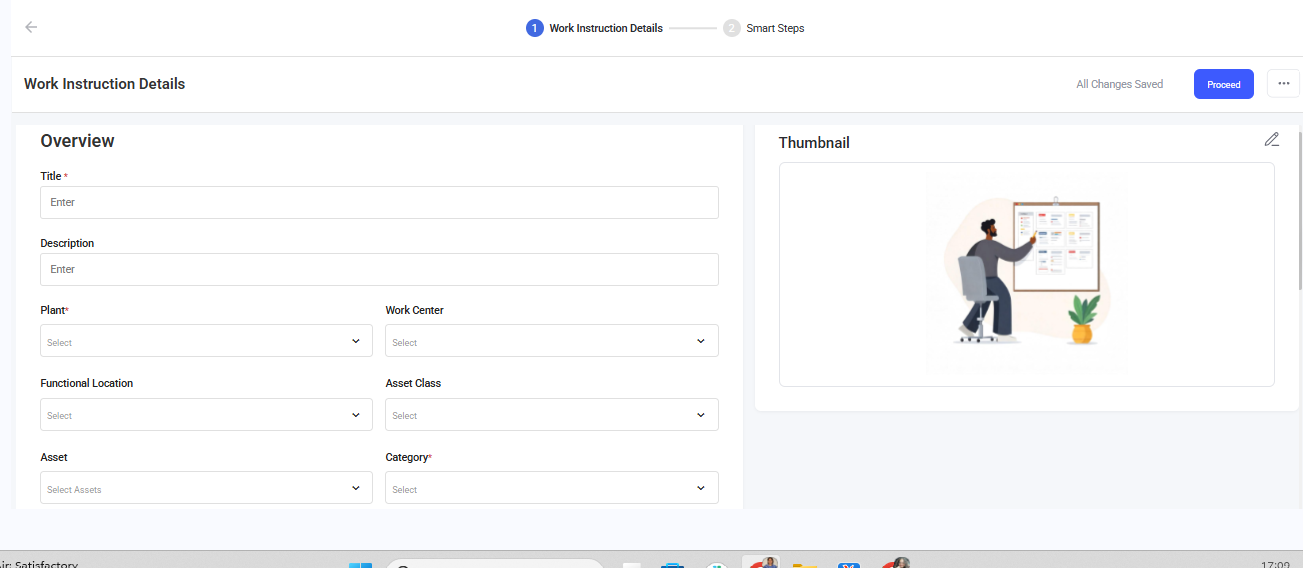
In the Overview section,
- Provide relevant Title (e.g., "Replace Hydraulic Pump" instead of just "Pump") and Description.
- Thumbnail: Add a cover image so technicians can identify the task visually in the app.
- Select the relevant Plant, Work Center, Functional Location, Asset Class, Asset, Category, Task List, and Tags.
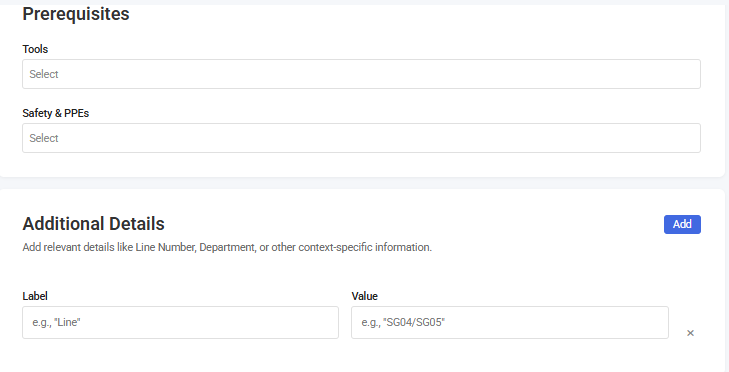
- In the Prerequisites section, list all required Tools (e.g., "Torque wrench, 10-150 ft-lbs") and Safety & PPEs (protective gear, e.g., "Cut-resistant gloves") including the ones that weren't explicitly mentioned in the video.
-
In the Additional Details section, add relevant details in the
Label and Value fields like Line Number,
Department, or other context-specific information.
- Click Proceed.
-
Click Upload to add media like, images, videos or documents. You can
also add media pieces individually by clicking on Open Editor →
Upload.
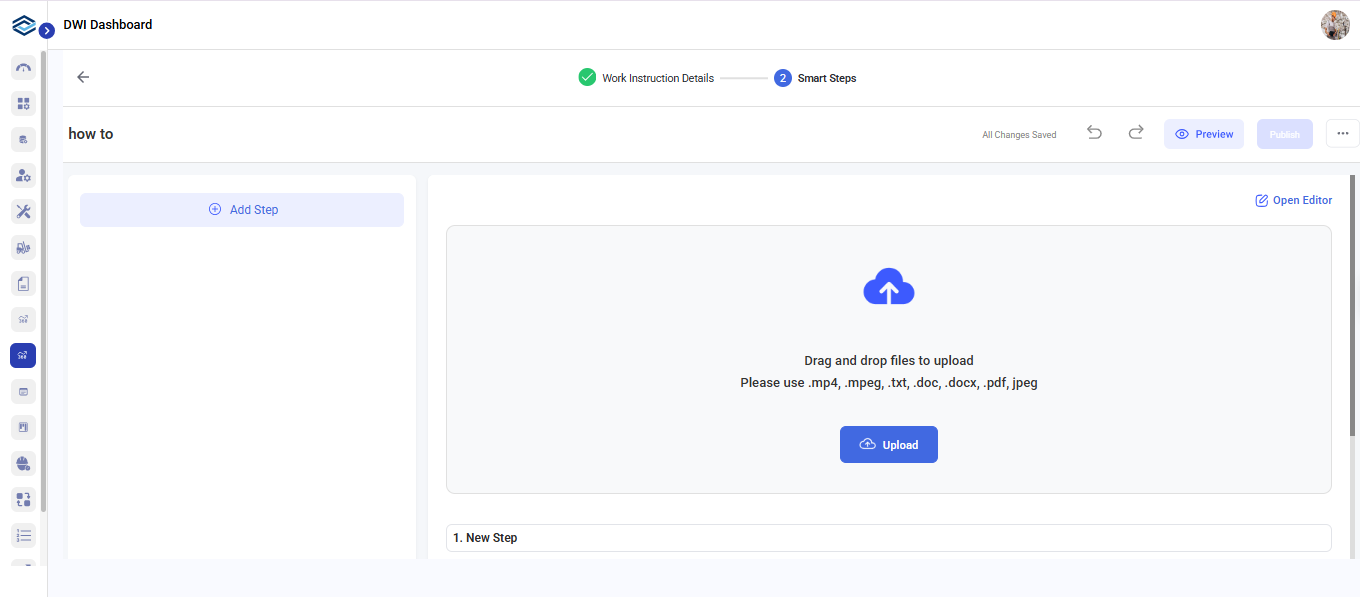
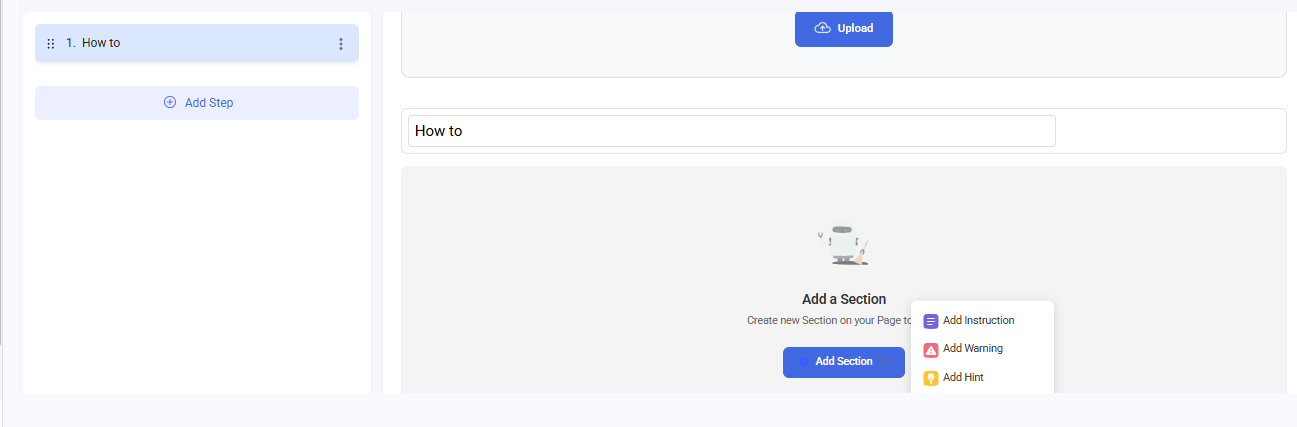
- Click Add Step to begin writing.
-
Give a Title for the instruction and click on Add Section to
add:
- Instruction: These are core procedural steps that describe WHAT to do and HOW to do it.
- Click on Add Sew Section to include Hints and Warnings, or Custom Section.
- Warnings: Highlight critical safety information, hazard alerts,
and mandatory safety procedures that prevent injury, equipment damage,
or process failures.
Example: "Closely monitor these steps to prevent overfilling the tanks"
- Hints: Add helpful tips, best practices, troubleshooting
guidance, and additional context that improves execution quality,
efficiency, or success rate.
Example: "Use tie wire to tie the used rolls together and put on pallet to be redressed"
- Custom Section: Add context-specific content that doesn't fit
standard categories but serves important purposes in industrial work
instructions.
Example: VERIFICATION/TESTING for quality control checks and validating steps or TROUBLESHOOTING for problem diagnosis and solution steps.
You can drag and drop the sections to rearrange them.
- Click Preview to check how the content appears across different formats, including mobile, tablet, and PDF.
- Click Publish.