
Accept the Shift Handover Report
As the incoming Supervisor, review and accept the previous shift’s handover before taking ownership of open rounds, exceptions, Issues, Actions, notes, and attachments.
The Outgoing Supervisor must have submitted the report. See Generate and Submit the Shift Handover Report.
To review and accept the shift handover report:
-
In the Summary tab,
- Click Start Review on top right.
- In the Instructions section, review Shift Notes, Standing Instructions, and attachments.
- Click Next.
Figure 1. SHR Review 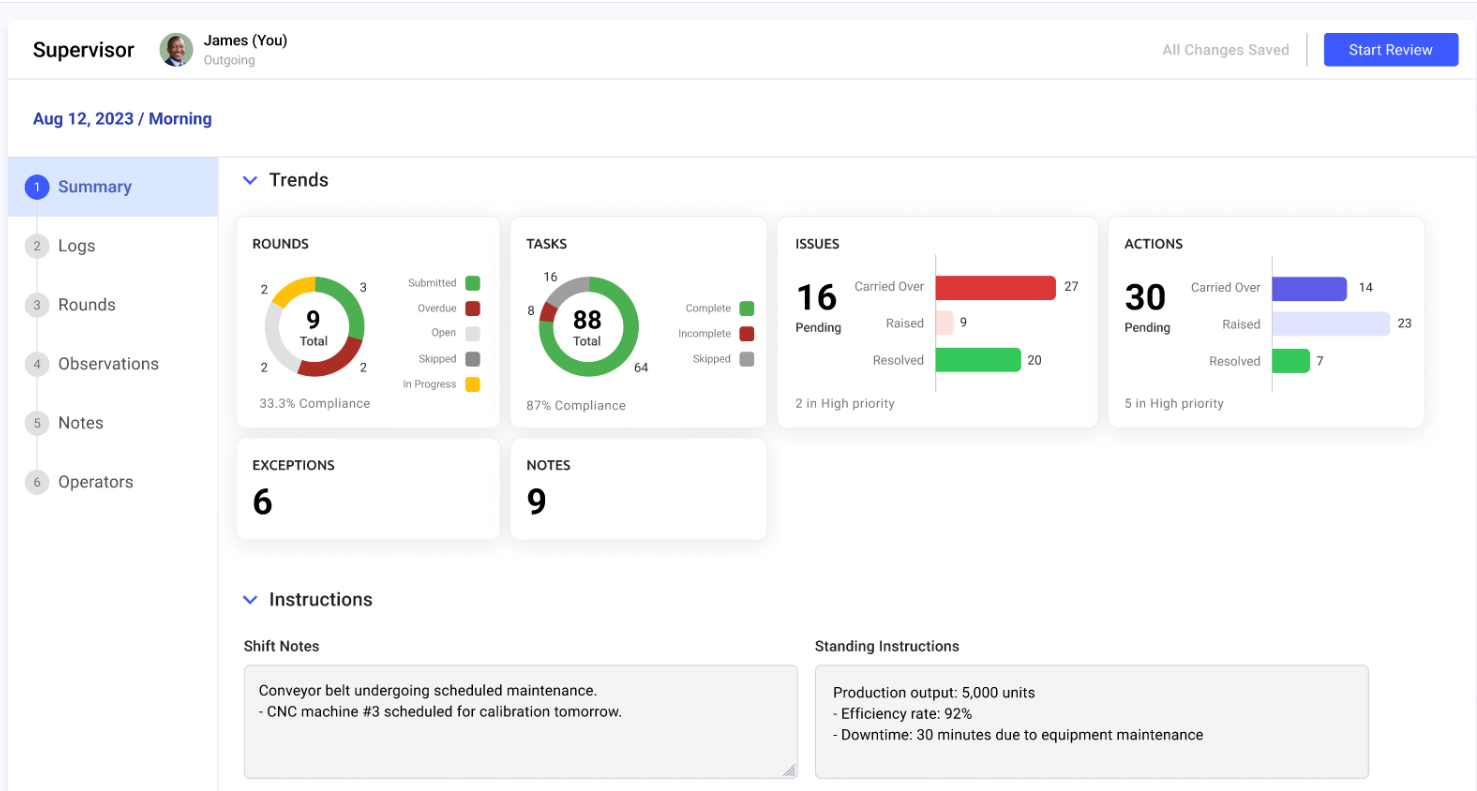
You now own any unresolved issues, actions, and open rounds carried over from the previous shift.
Next:Assess and monitor the shift, beginning with compliance and exceptions.