
View Functional Location Details
Review a functional location, its hierarchy, associated equipment, documents, history, and measuring points.
Use a functional location to review maintenance information for a fixed plant location or system. Available tabs and actions depend on configuration and permissions.
- Select the functional location from the list.
You can also use the available scan action when the location has a supported code.
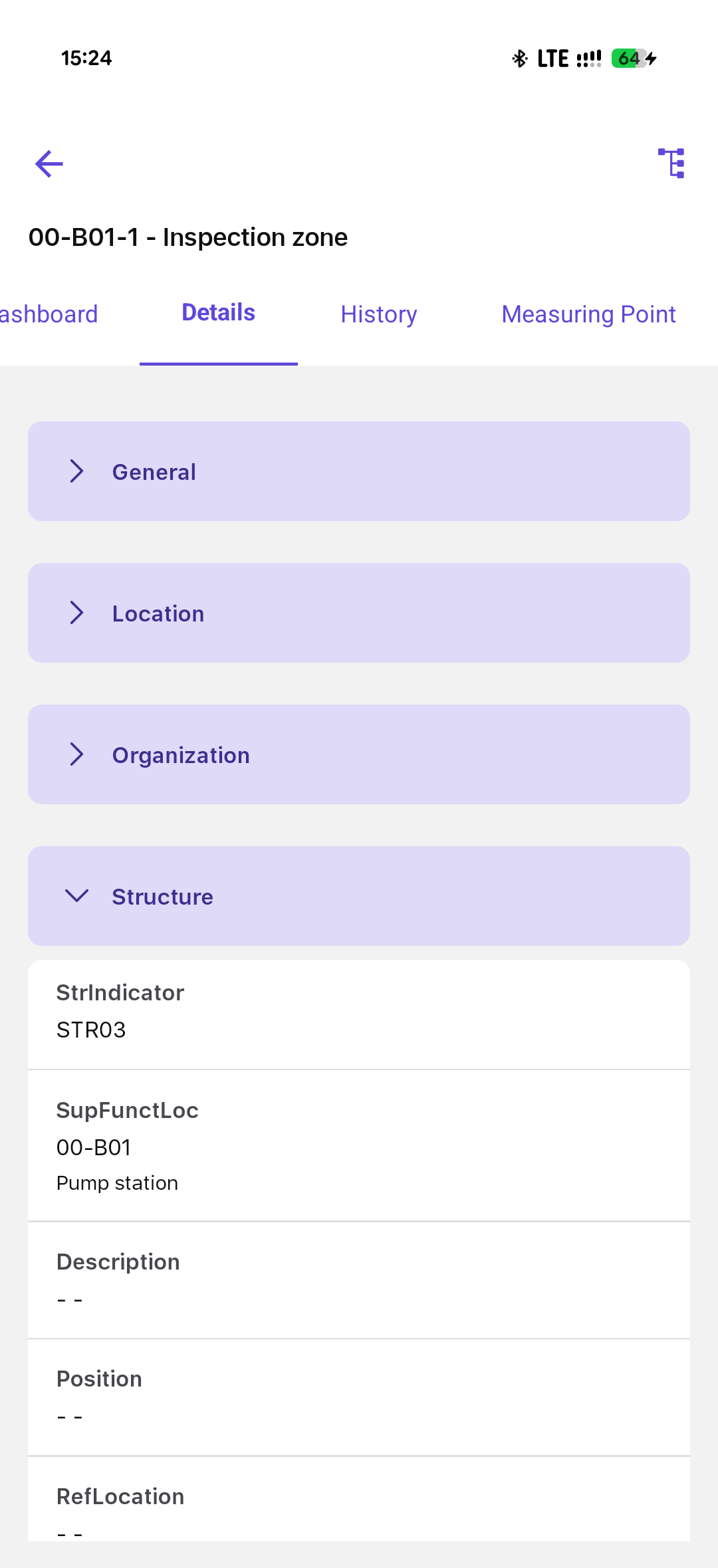
The selected functional location opens with the information and actions available to your role.
Review Functional Location Information
The Details area can include description, DMS attachments, directions, organization, associated equipment, structure, classification, warranty, and partner information.
- Open the functional location Details tab.
- Review the applicable information sections.
- Open associated equipment or supporting documents when additional context is required.
The functional-location master data and available supporting information are displayed.
Review Maintenance History
- Open the available history view for the functional location.
- Review previously associated equipment and maintenance or work-order records.
- Open the required record for details.
The selected historical maintenance record is displayed.
Review Measuring Points and Readings
The Measuring Points tab appears only when the module is enabled and your role has access.
- Open Measuring Points.
- Review the measuring-point ID, position, description, last reading, and available history.
- Open the reading history or select Take Reading when the action is available.
- Create a measuring point only when your role and site process permit master-data creation. See Create a Measuring Point.
The selected measurement history or reading-entry screen opens.