
iMaintenance Dashboard and Main Screens
Use the Dashboard and main screens to find assigned work, reported issues, alerts, and supporting tools.
The application consists of the Home (Dashboard), Work Orders, Issues, Alerts, and More screens. For the Home screen, see Home (Dashboard).
Work Orders
The Work Orders screen lists your assigned work orders and operations under separate tabs.
Work Orders tab
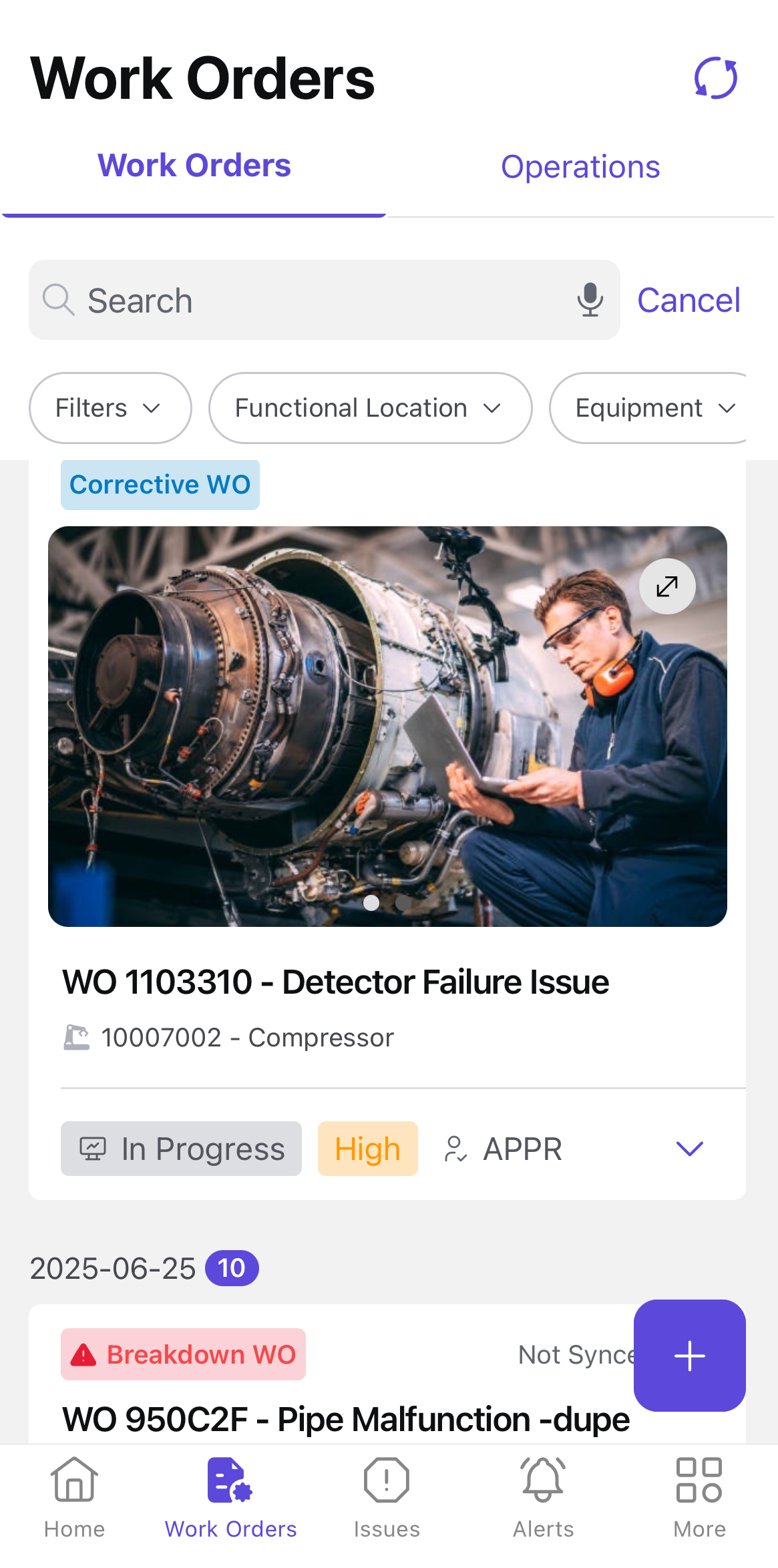
- View list of created and assigned work orders.
- Execute operations and update work order status.
- Get permits, collect components, execute operations, and fill forms.
- Add notes and attachments for better tracking.
- Log work progress to maintain task visibility.
- Filter work orders based on functional location, equipment, assignment, and other criteria.
Operations tab
The Operations tab lists the assigned operations, providing a clear breakdown of individual tasks within a work order.
Issues
The Issues screen lists reported issues with details such as description, priority, plant, location, and status.
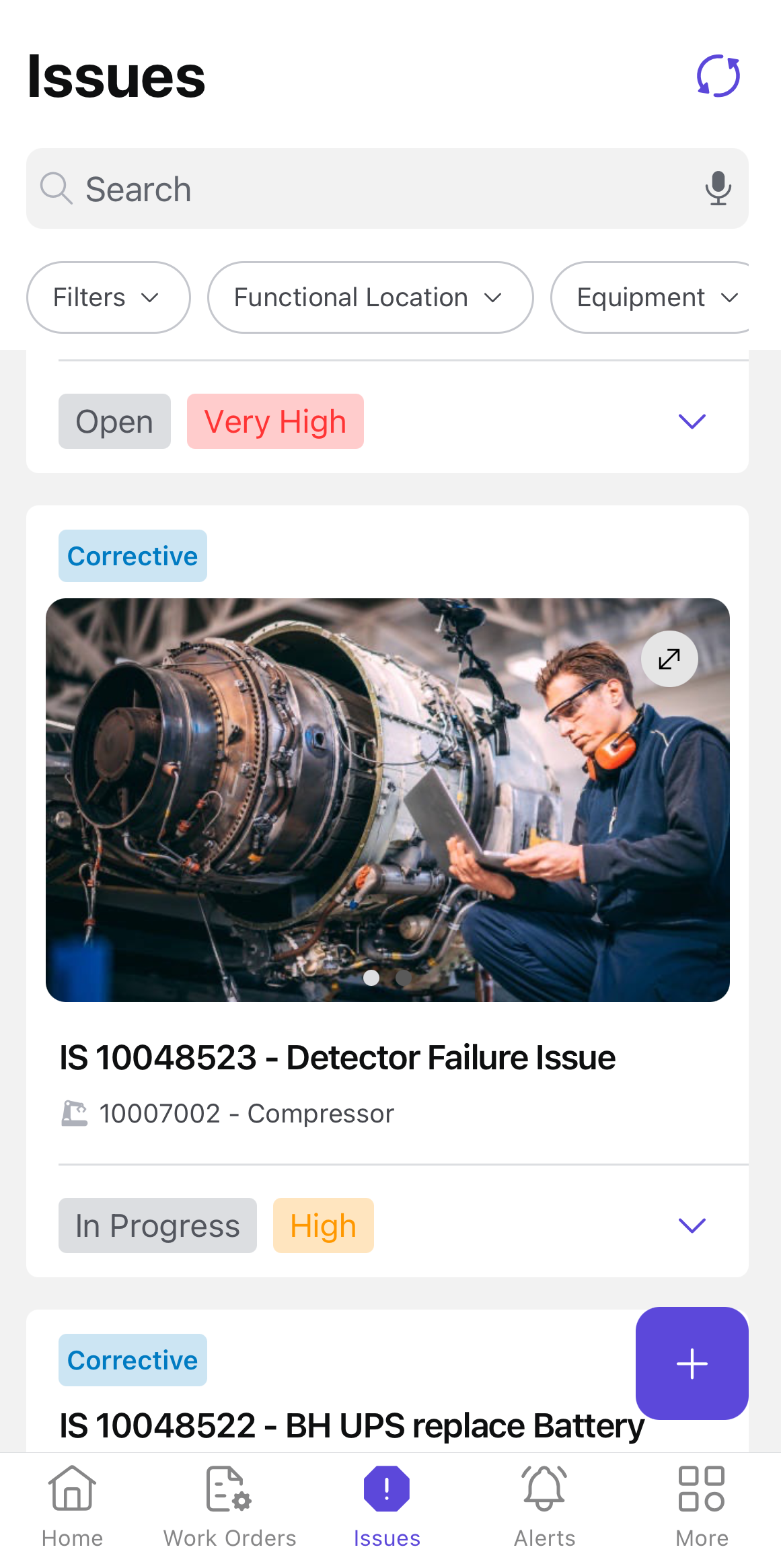
- Report, track, and manage issues related to work orders.
- Filter issues by functional location, equipment, assignment, and other criteria.
- Document problems, add supporting details, and monitor progress.
Alerts
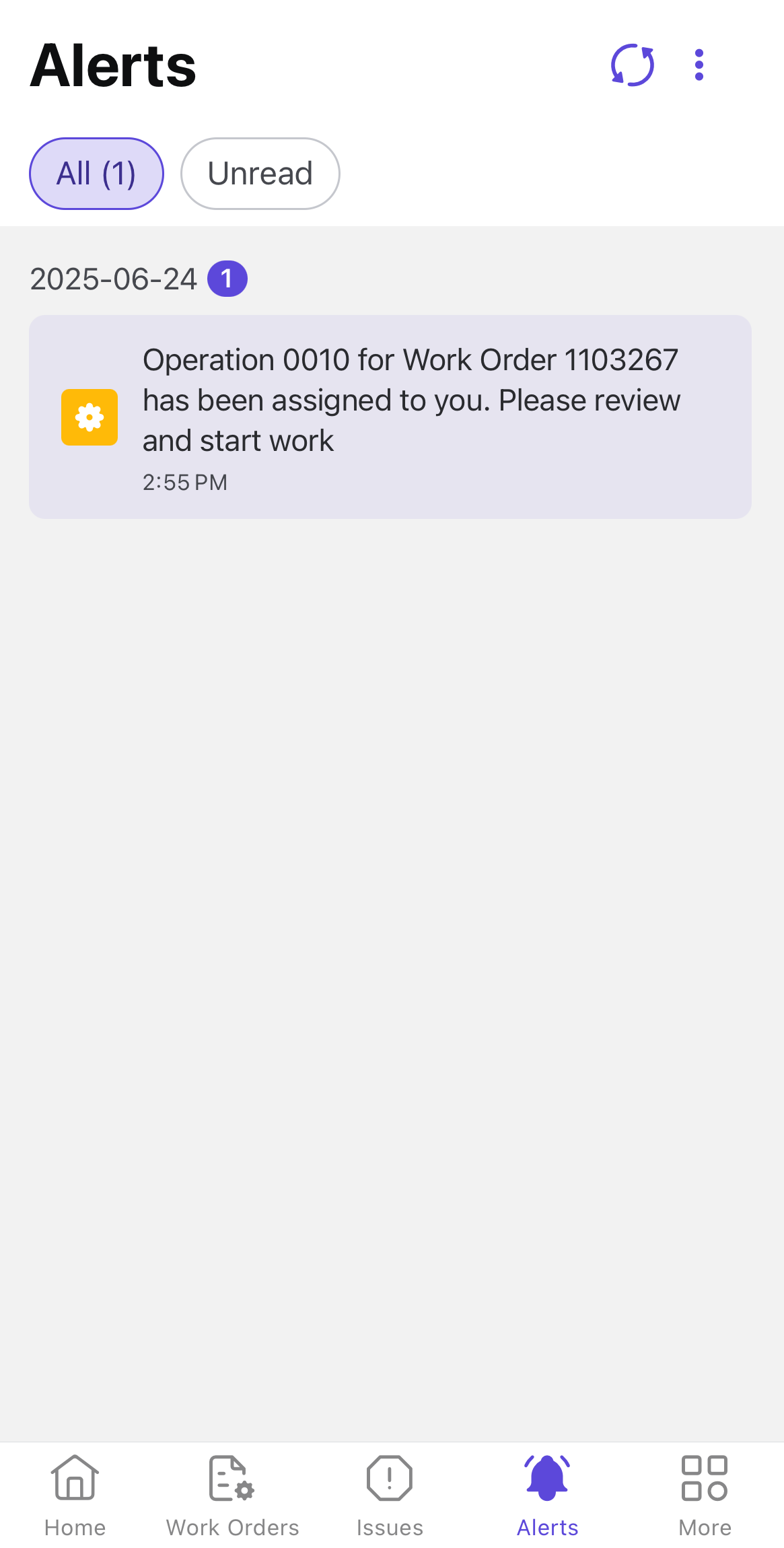
The Alerts screen shows notifications about task updates, deadlines, and high-priority items assigned to you.
More
The More screen provides access to your profile, app settings, and support resources.
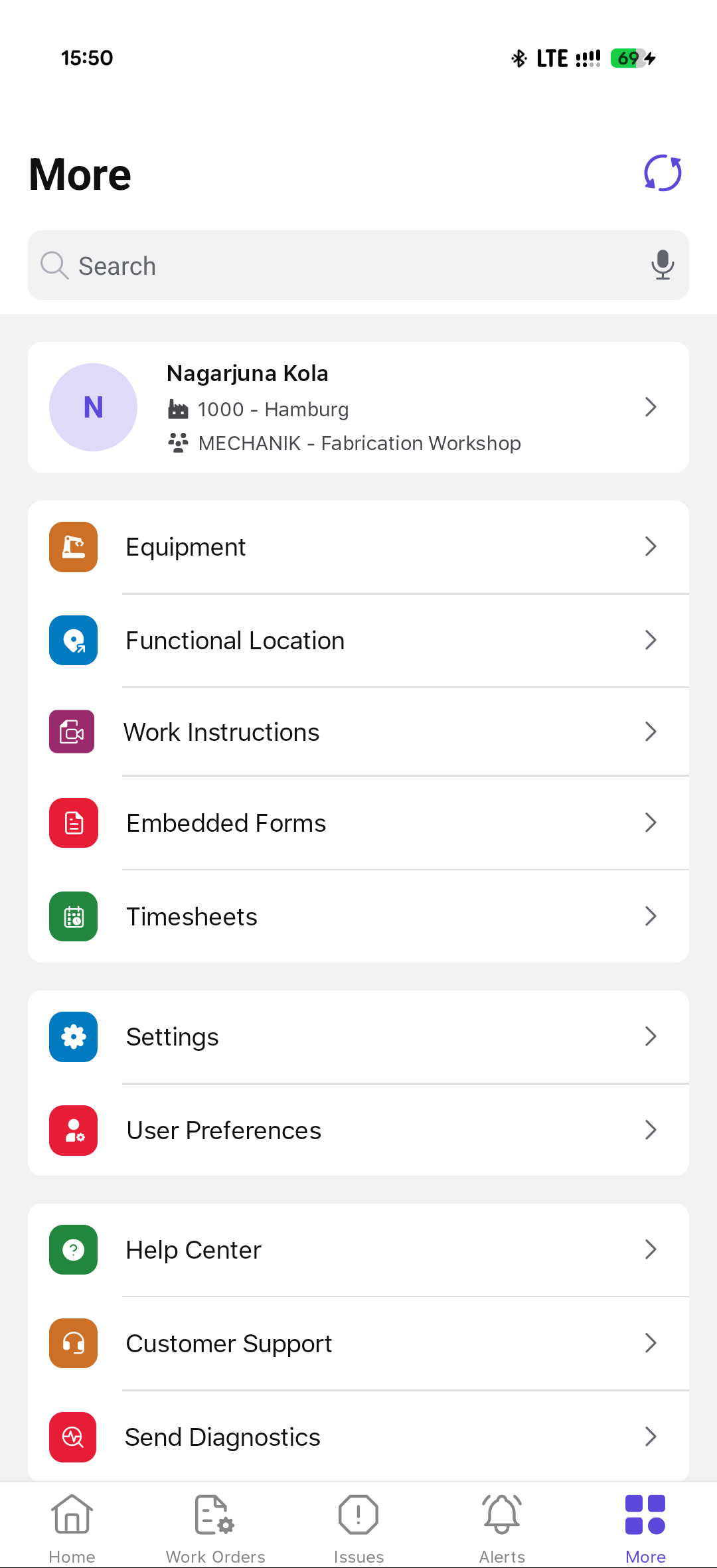
- Manage Equipment & Locations: Add and view equipment and functional locations.
- Fill Out Forms: Access embedded forms for documentation and reporting.
- Track Work Hours: Log timesheets for maintenance activities.
- Customize Settings: Adjust user preferences and application settings.
- Get Support: Access the Help Center, contact Customer Support, or send diagnostics.