
Set What Synchronizes with Smart Sync
Set the plant and date range used for synchronization before the shift begins.
Before the shift begins, set the synchronization scope, review notifications, find priority work, and confirm the required records are available. Shift preparation follows this flow:
- Set the plant and date range used for synchronization.
- Run synchronization and review notifications for new or changed work.
- Search or filter the records that need attention.
- Confirm required records are available before entering a low-connectivity area.
Begin by setting the synchronization scope:
- Tap Save.
Figure 1. User Preferences 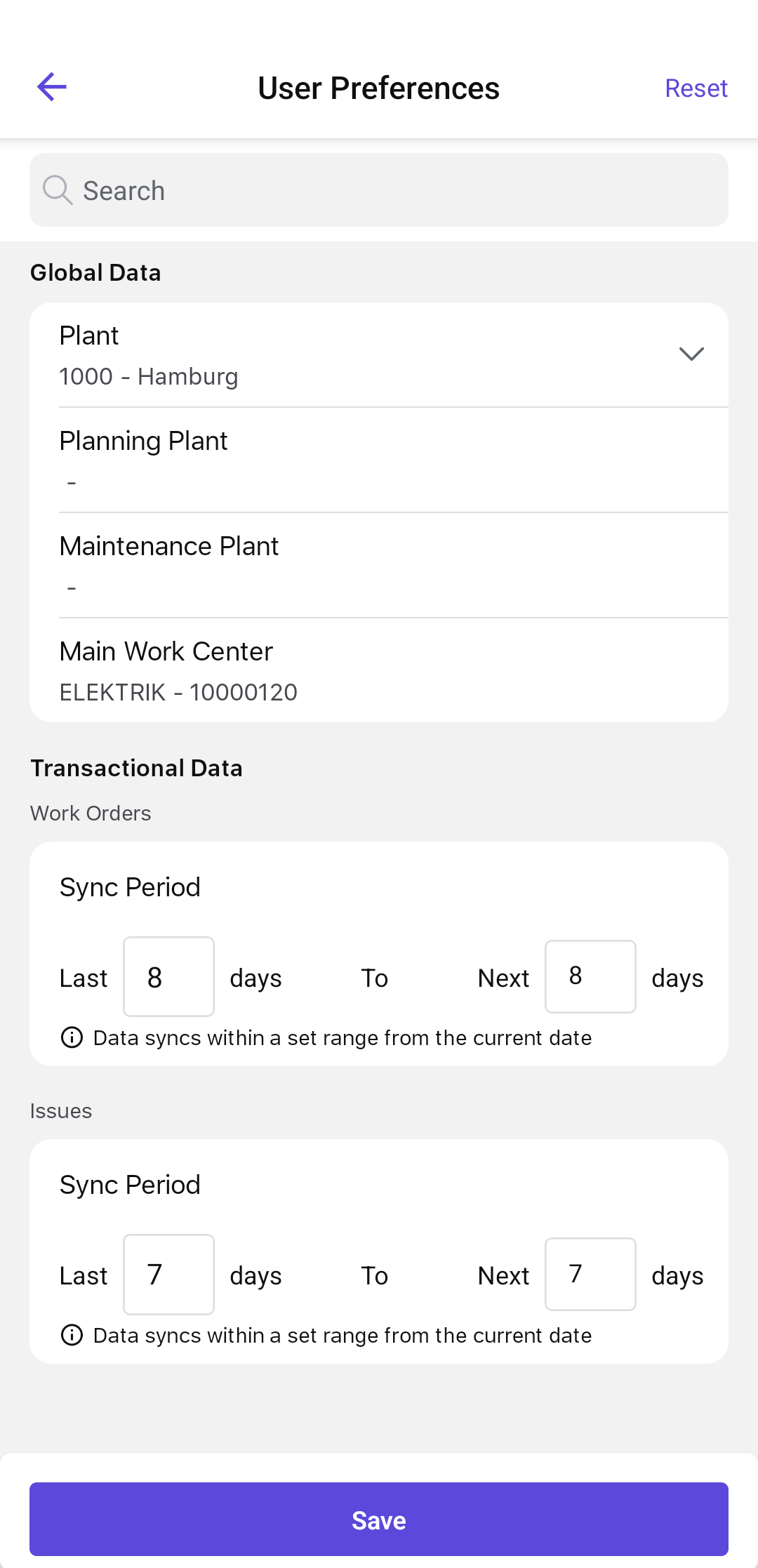
The synchronization scope is saved. Run synchronization, then review notifications for new or changed work.
Next: View Push Notifications to see the work that needs attention.