
Log Shift Activities
Use shift logs to record important events, work performed, and conditions that the next shift or Supervisor should know about.
Shift logs help your team:
- Track Progress: Monitor ongoing operations and identify problems requiring attention.
- Coordinate Teams: Ensure all team members stay informed about current priorities.
- Enable Smooth Handovers: Provide incoming shifts with clear visibility of completed work and pending issues.
- Maintain Accountability: Create a reliable record of when and how situations were addressed.
You can view and complete only the shift log entries relevant to your assigned unit. This
means:
- Filter Automatically: Access only shift logs associated with your designated unit upon login.
- Reduce Confusion: Focus solely on information relevant to your responsibilities.
- Display Tasks Conditionally: View tasks that appear, remain hidden, or become mandatory based on template configuration.
To add shift logs:
-
In the Home screen, tap the Add
 icon and select Create Shift
Log.
Note:You can also create the shift log in these other ways:
icon and select Create Shift
Log.
Note:You can also create the shift log in these other ways:- In the More screen, tap Shift Logs, select log entry, tap the Add icon to add the shift log.
- Open the round, tap Start Round, tap More
 icon next to the
asset/location name and select Create Shift
Log to add the shift log.
icon next to the
asset/location name and select Create Shift
Log to add the shift log.
-
In the Log Entry screen, record what happened.
- Add the shift log details in the pre-defined template.
Figure 1. Add Shift Log 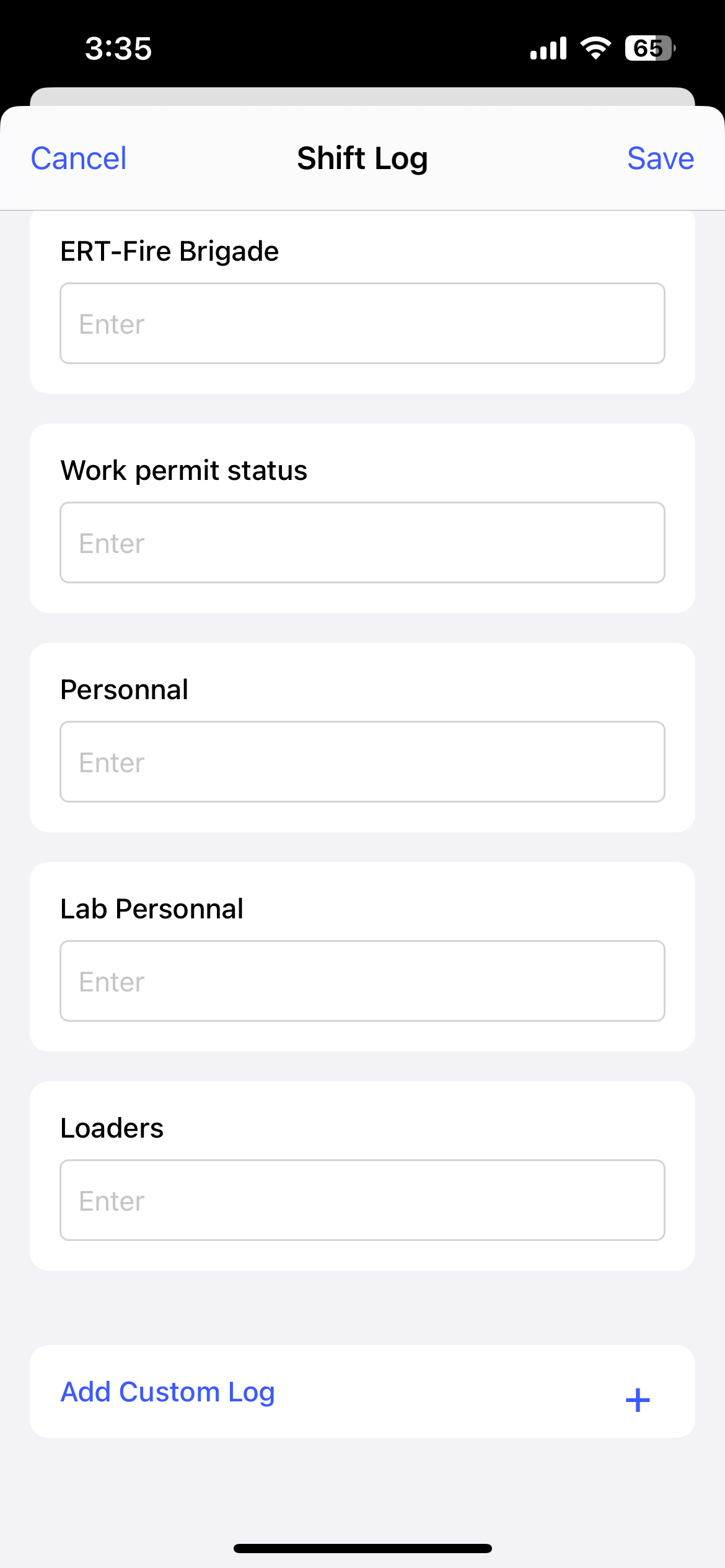
- Tap Add Custom Log, enter the
Title and Description
of the log.
Figure 2. Add Custom Log 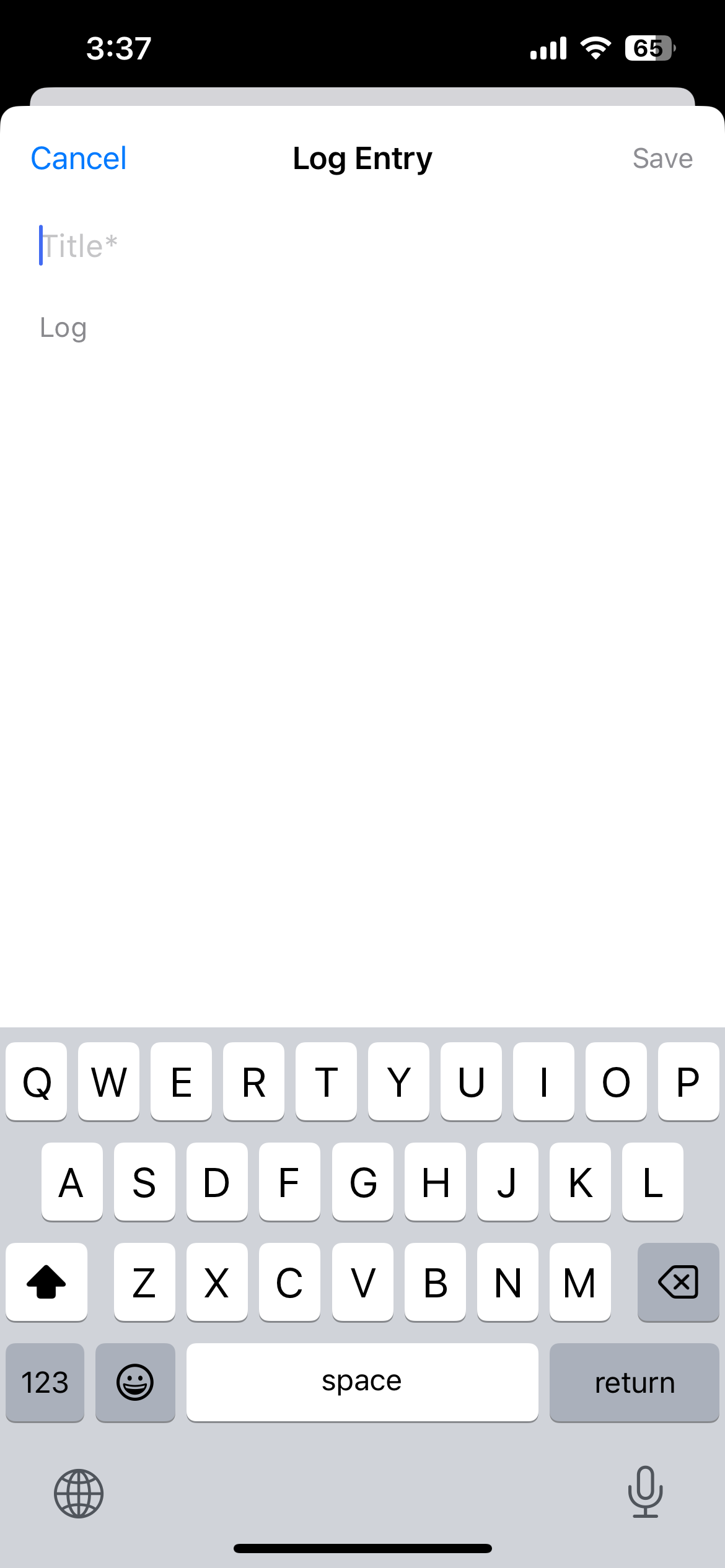
- Tap Done.
- Add the shift log details in the pre-defined template.
-
Tap Save.
Figure 3. Shift Logs Screen 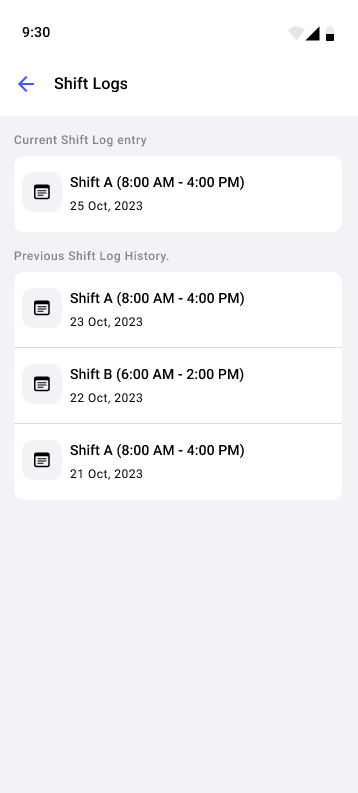
The shift log is saved and appears under Shift Logs on the More screen.
Next: Review the remaining handover information and submit your Shift Handover Report.