
Create a Custom Workflow
This section allows you to create and configure custom approval workflow for equipment inspections tailored to the specific needs of a plant.
To create a workflow:
-
Expand Workflows and select My
Workflows.
The list of predefined workflows is displayed.
Figure 1. My Workflows 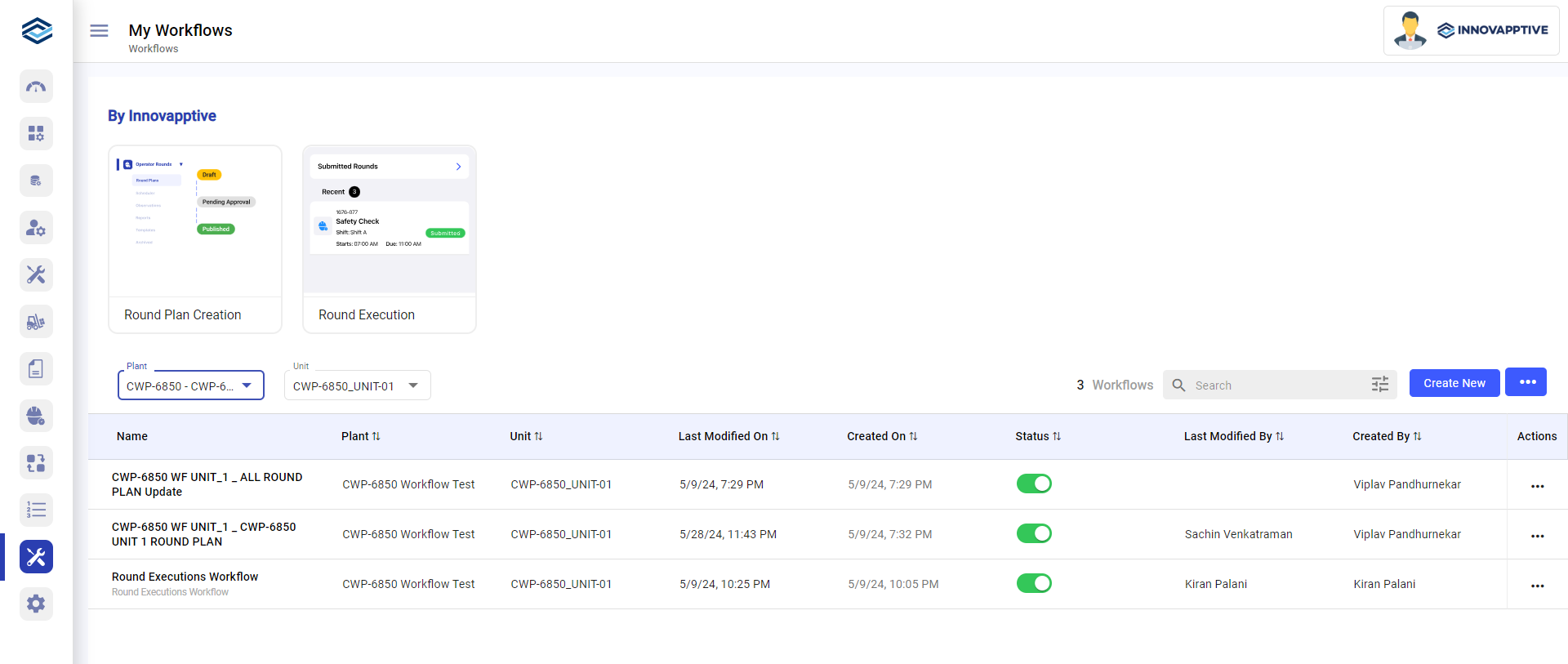
- Click Create New on the right-side.
-
In the Workflow Details screen,
Figure 2. Workflow Details Screen 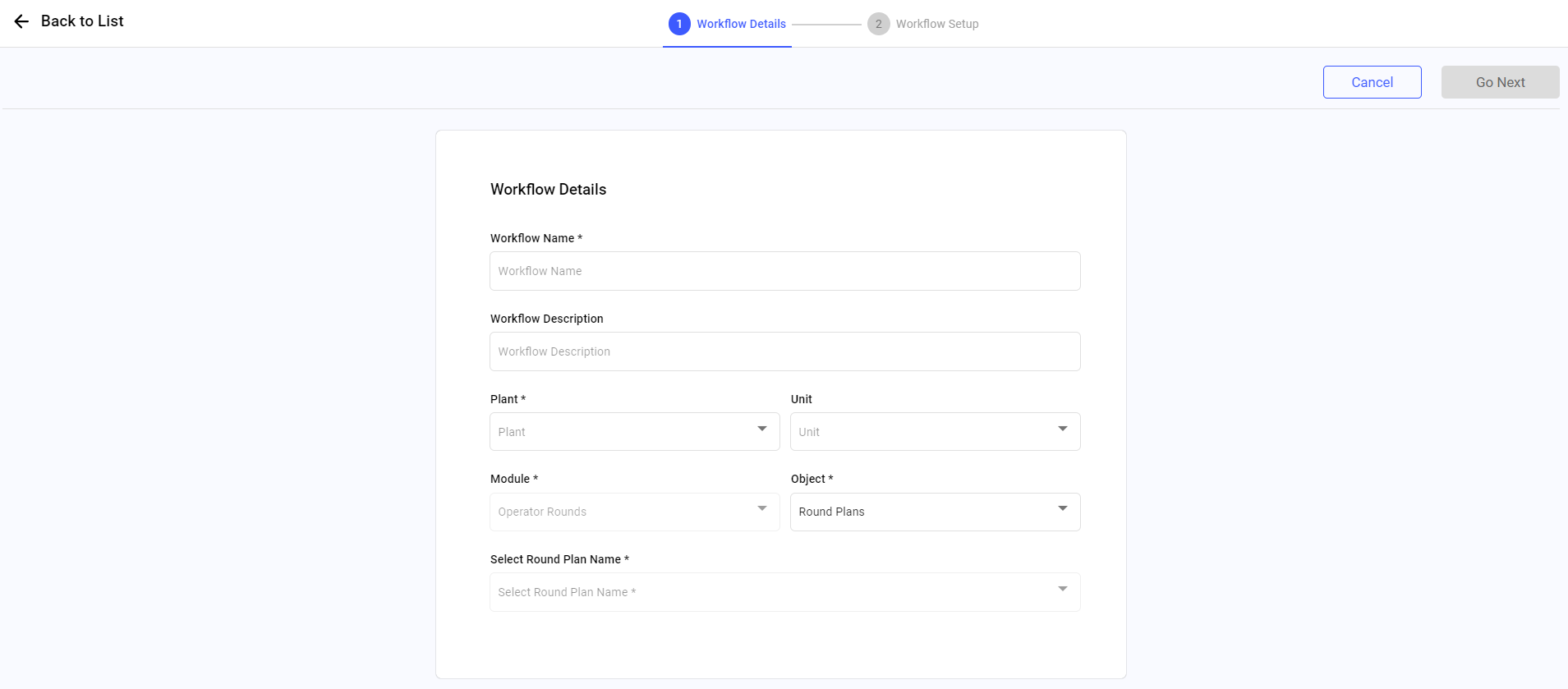
- Enter the workflow name in the Workflow Name field.
- Enter the description in the Workflow Description field.
- Select Plant, Unit, Module, and Object from the list.
- Select a round plan from the Select Round Plan Name list.
-
Click Go Next on the top right.
Figure 3. Workflow Setup Screen 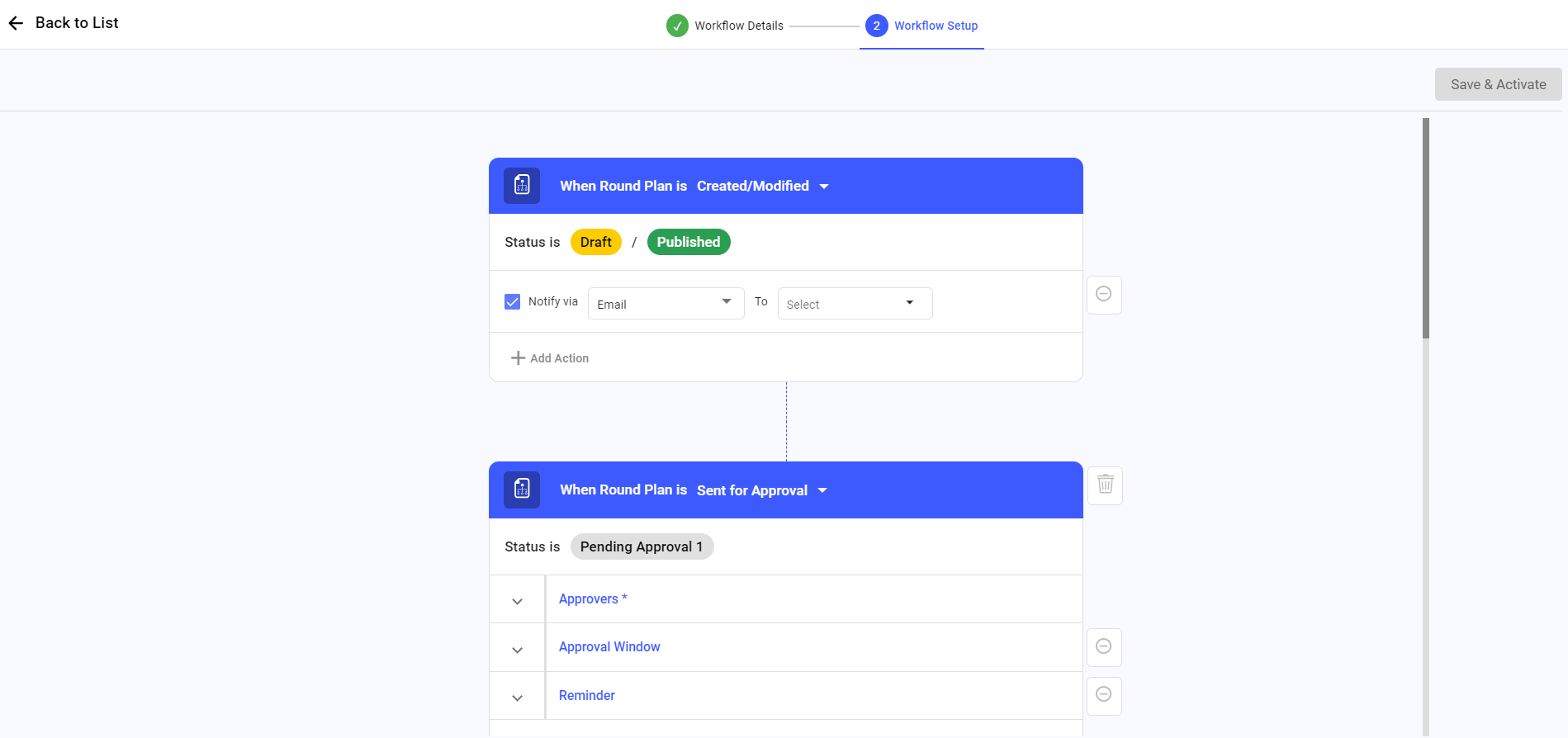
-
In the Workflow Setup screen, fill the required details
to create a flow and click Save & Activate.
The workflow is created.