
Archive Outdated Instructions
Remove an instruction from active use while preserving its history for audit and reference.
Archive an instruction when equipment is decommissioned, the procedure is replaced, or the work is no longer performed.
- Click the More icon on the instruction tile and select Archive.
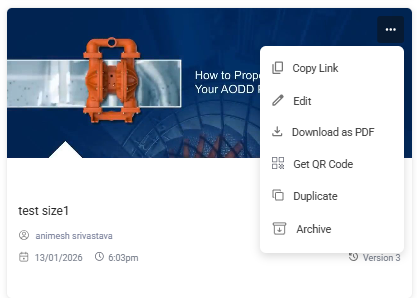
The instruction is removed from active Published availability and retained in Archive.
Next: Confirm the instruction is no longer available for new execution assignments.