
Restore Archived Instructions
Return an archived instruction to active use after confirming that its content is still valid.
Review the instruction before restoration when equipment, safety requirements, or the procedure may have changed.
- Click the More icon on the instruction tile and select Restore.
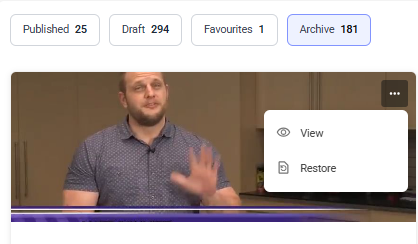
The instruction returns to its previous applicable list and status.
Next: Verify the instruction status and availability on the dashboard before assigning it.