
Create an Issue from Existing One
Use Duplicate to create a new issue from an existing one instead of creating one from scratch.
Use the Duplicate option to copy an existing issue and create a new one with minor edits, instead of entering the same details again.
To create an issue from an existing issue:
-
Tap the More
 icon on
top-right.
icon on
top-right.
-
In the Choose Option window, select
Duplicate.
Figure 1. Duplicate Issue 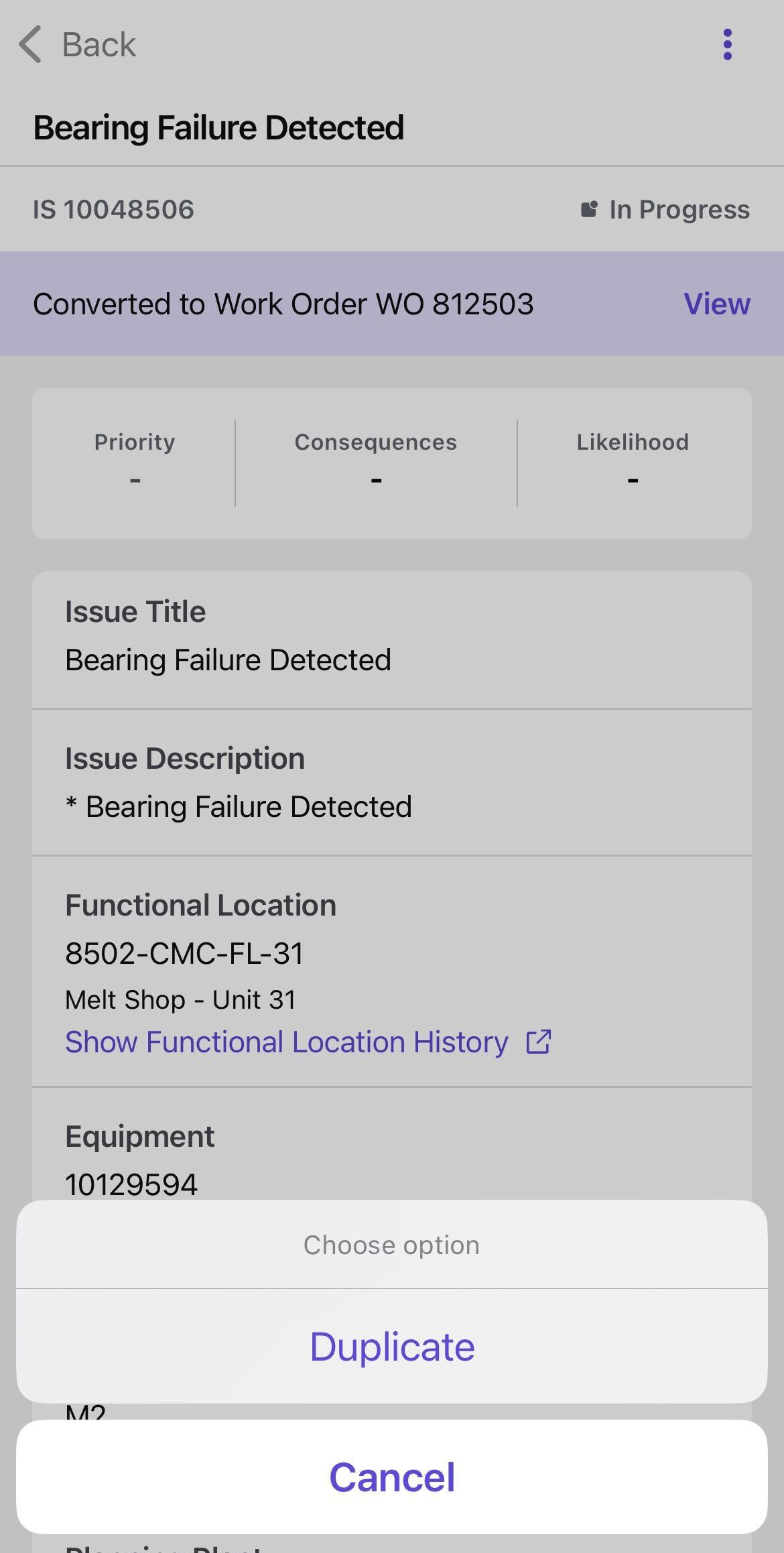
A new issue is created with the same details. Open the duplicated issue and make the necessary changes before saving.
Tip:Use this feature when logging issues that occur frequently on similar equipment or in the same functional location.
A new issue is created with copied details for review and correction. Submit it for supervisor review, then return to assigned work.