
Access Archived Records
Archived record management enables audit and compliance readiness. Access and review past permits and JHAs for traceability and analysis.
The Archived module provides records of Permits and JHAs that are no longer active. It is primarily intended for audit, compliance, and reference purposes, enabling users to review past safety approvals and complete work records.
This module focuses on records that are in Closed or Rejected status. Active or in-progress permits and JHAs are not shown here.
The Archived module is organized into two tabs:
Permits Tab:
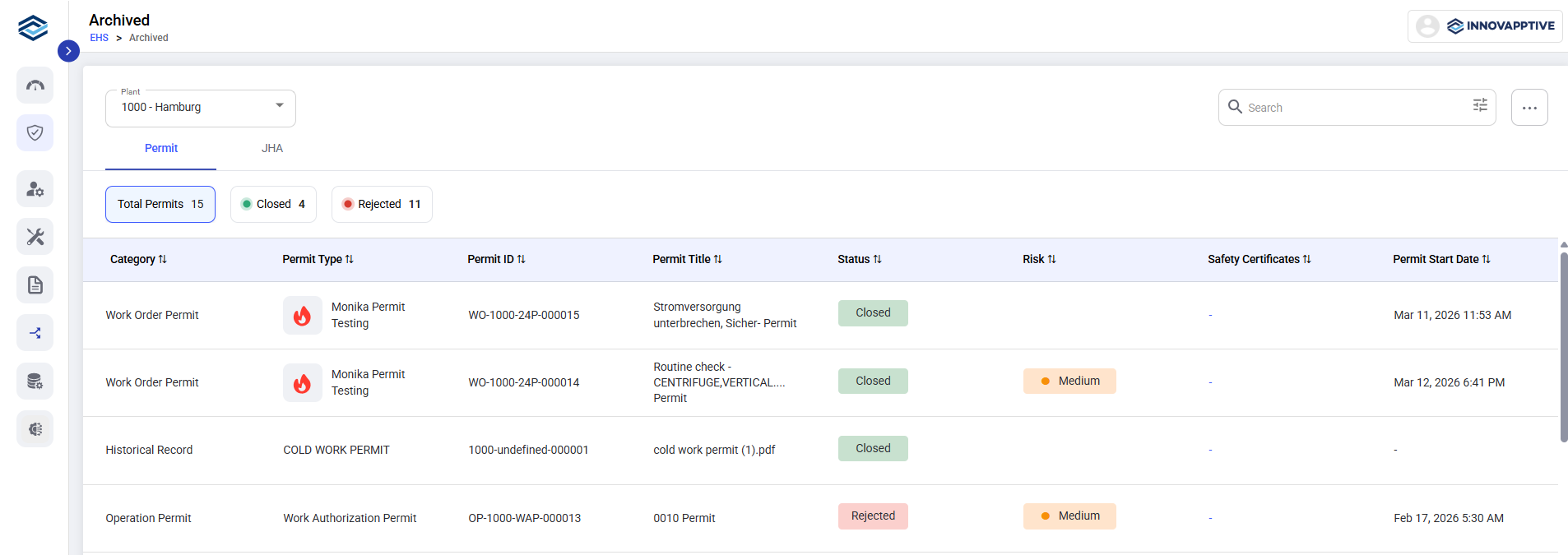
The Permits tab displays all archived permits that are in Closed or Rejected status.
From this tab, users can view key permit information, including:
-
Permit ID and Title
-
Permit Type and Category
-
Status (Closed/Rejected)
-
Risk Level
-
Safety Certificates
-
Permit Start Date
-
Related Equipment and Work Order details (if applicable)
JHA Tab
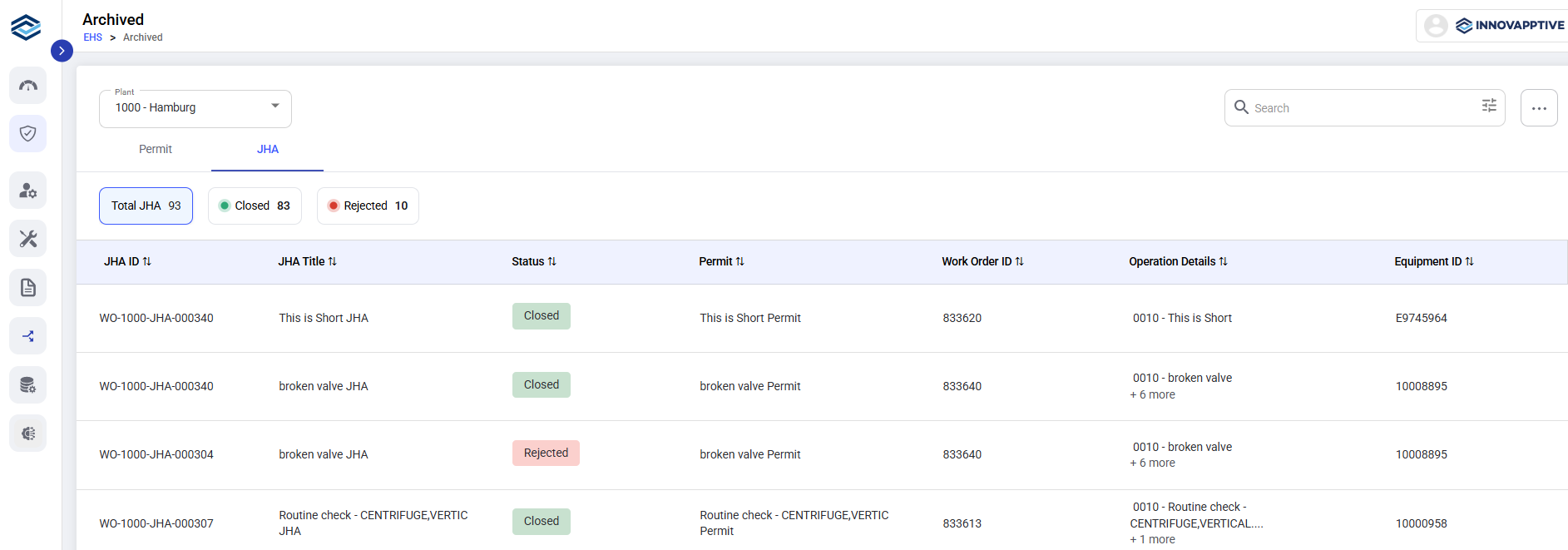
The JHA tab displays all archived JHAs that are in Closed or Rejected status.
-
JHA ID and Title
-
Status (Closed/Rejected)
-
Linked Permit (if applicable)
-
Work Order ID
-
Operation Details
-
Equipment ID
What You Can Do in Archived:
-
Browse historical Permits and JHAs separately using tabs.
-
Search, filter, and sort records to quickly locate specific archived entries.
-
Review past safety decisions for audits, inspections, and compliance reviews.