
Self-Assign an Unassigned Issue
Assign an unassigned Issue to yourself when you are responsible for investigating or resolving it during your shift.
To self-assign an unassigned issue:
-
In the Open Issues tab, open an unassigned issue.
Issue chat box or log history is displayed.
Figure 1. Issues Log History 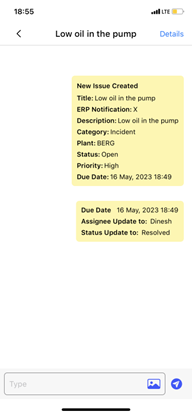
Next: Record progress as the condition is investigated. After the required work is complete, resolve and close the Issue.