
View Log History
Check the Log History to see the actions you performed during your login session and the synchronization state of each one.
-
Tap the Log History section.
The Log History screen has following two tabs:
Activity Log
This tab displays a list of actions performed by the user. Each entry includes the following details:- Object ID and Title: Indicates the specific object related to the activity (e.g., Issue, Work Order, Operation, Measuring Point, Timesheet ID).
- Activity Performed: Describes the type of action, such as Create, Update, Release, Delete, or Complete.
- Timestamp: Shows the exact time the action occurred.
- Sync Status: Reflects the current synchronization state (Not Synced, Sync in Progress, Sync Failed).
Figure 1. Activity Log 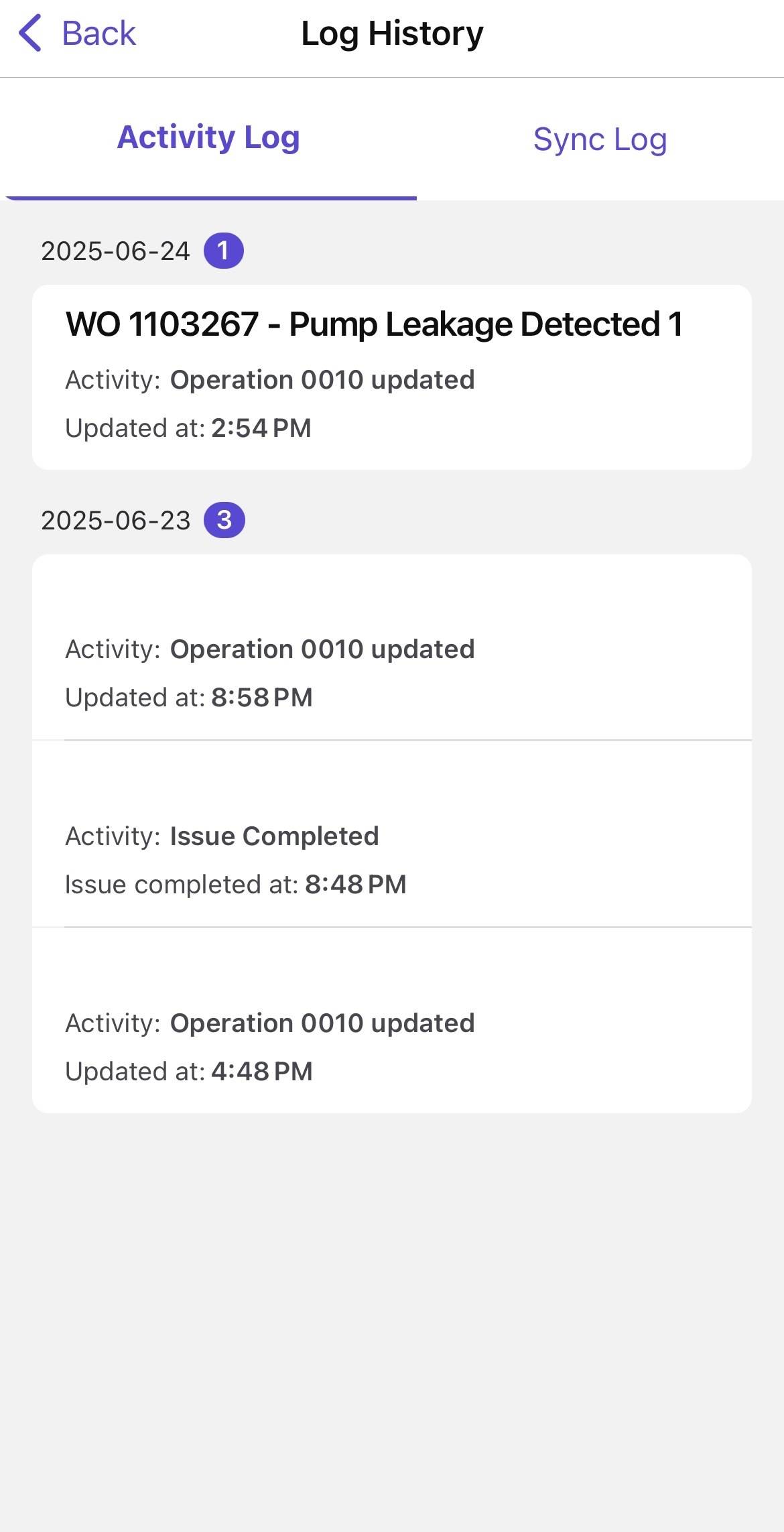
Sync Log
This tab displays the latest sync events and updates as soon as they occur. Logs update automatically, with no need to manually refresh the screen.Figure 2. Sync Log 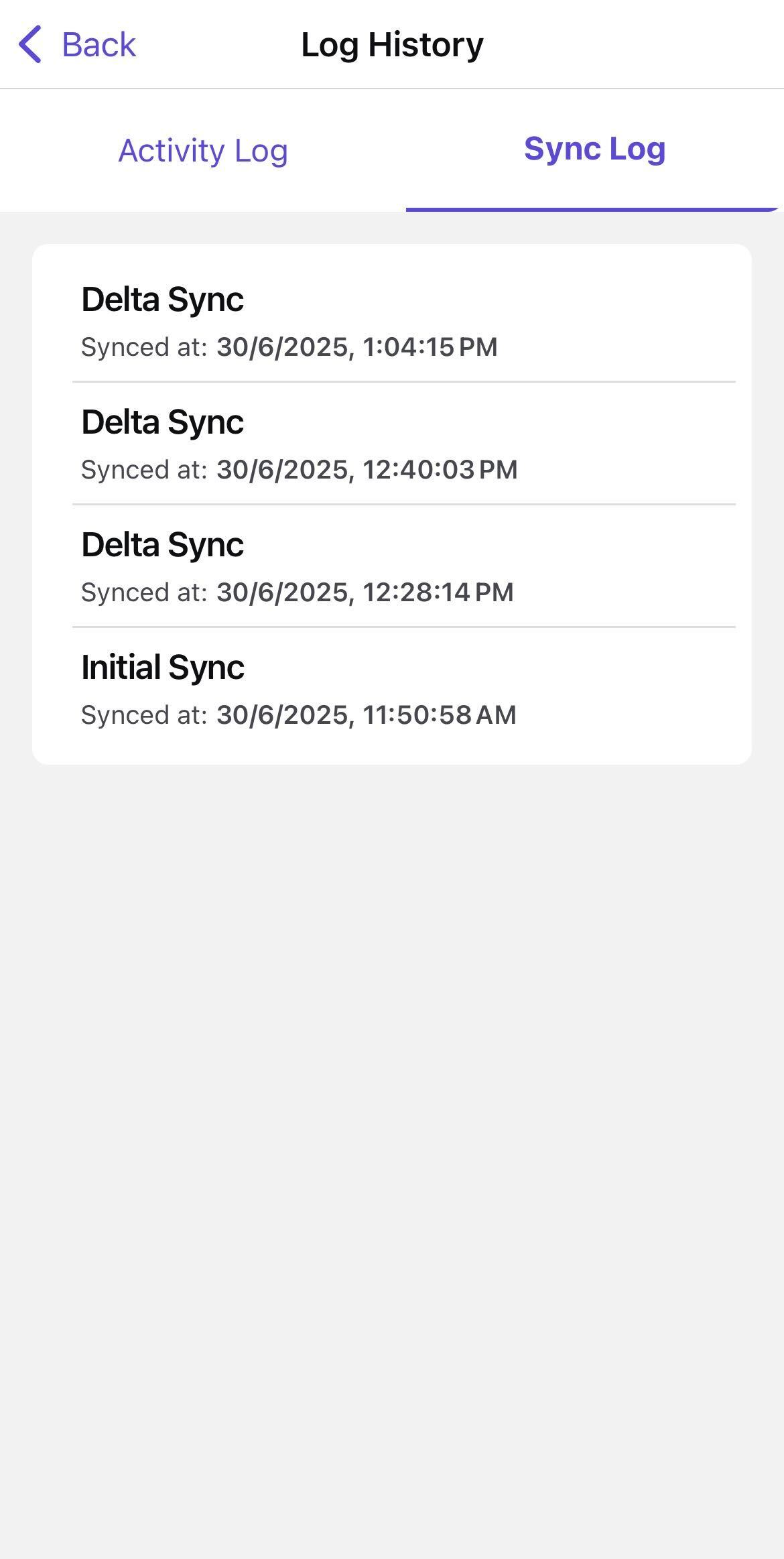
The selected activity or synchronization history is displayed.