
Map Plant Issues to Gensuite Concern Reports
Configure a real-time outbound Issues integration and map its fields and picklist values for a plant.
Add one Issues integration for each plant that sends Issues to Gensuite. Field-name mapping (step 4) and value translation (step 5) are separate settings.
- Set the header fields.
Field Value Select Integration Point Issues Data Synchronization Real-time URL Path /concern/reports (appended to the Base URL) Plant The plant whose Issues are sent Figure 1. Issues integration header fields (plant masked) 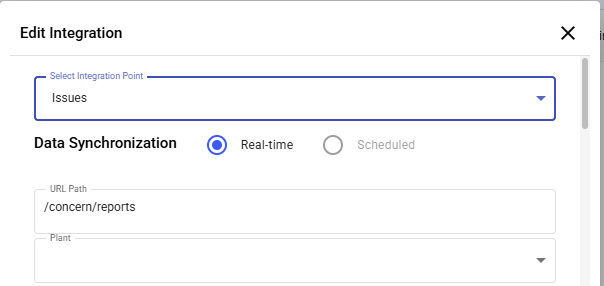
- Under Data Mapping, select each mRounds field to send and enter its Gensuite field name in Destination Data Attribute.
CBO(Source) Data Attribute (mRounds) Destination Data Attribute (Gensuite) Note Title Description Required by Gensuite (greyed, preselected) Type of ROC Type Required by Gensuite (greyed, preselected) ROC - Unit Department ROC - Closure Comment CloseComment ROC - Closure Date CloseDate Plant SiteID Must match the Gensuite Site ID Assign to Assignedto Required by Gensuite (greyed, preselected) Issue ID ExtID Created By SubmittedBy The table lists the nine field mappings confirmed for this integration. Use the Concern Report field names of your Gensuite tenant; the names above are from one configuration. Greyed, preselected rows are required by Gensuite and cannot be cleared. Any other selected row needs a Gensuite destination; if it has none, clear the row.
Figure 2. Partial view: confirmed mappings ROC - Closure Comment, ROC - Closure Date and Plant, with the ROC - Status values 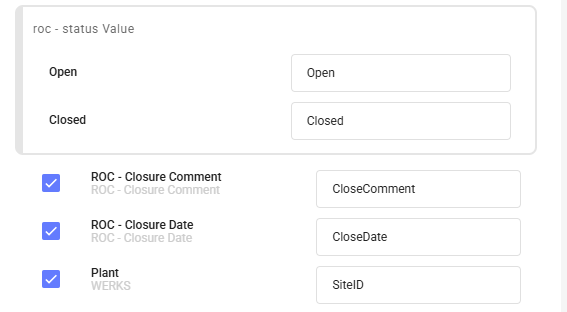
- For each picklist field, open its value panel and enter the Gensuite value for each mRounds value.
Field mRounds value (example) Gensuite value (example) Type of ROC → Type Psip - 52 Weeks Of Ehs Psip - 52 Weeks Of Ehs Type of ROC → Type Psip - Gelled Reactor Psip - Gelled Reactor Type of ROC → Type Ehs - Recognition Ehs - Recognition ROC - Unit → Department Leading Indicators Leading Indicators ROC - Unit → Department Lxf LXF ROC - Unit → Department Test Unit 1 Test Unit 1 ROC - Status Open Open ROC - Status Closed Closed Values are case-sensitive (for example, Lxf maps to LXF). The values above are examples from one plant. Map the standard Status values (Open, In-progress, Resolved) as agreed for the deployment.
Figure 3. Example value mappings for Type of ROC and ROC - Unit 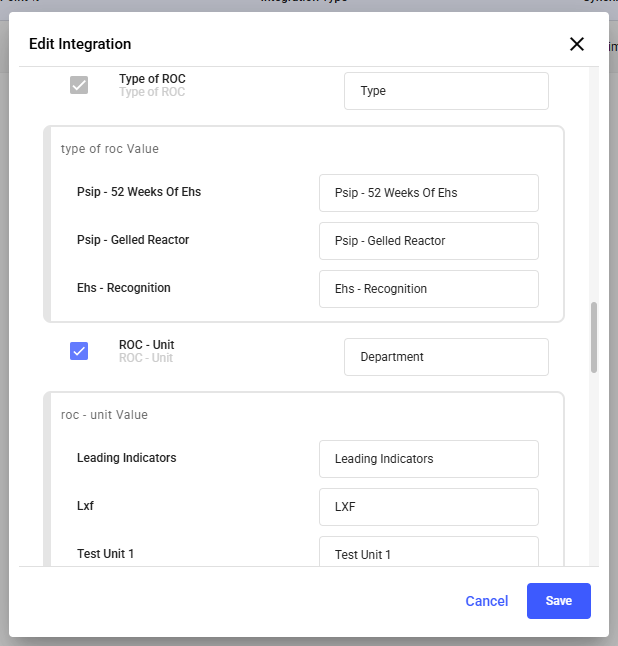
- Click Save.
The integration appears as Issue, Outbound, Real-time.
Figure 4. Saved integration: Issue, Outbound, Real-time 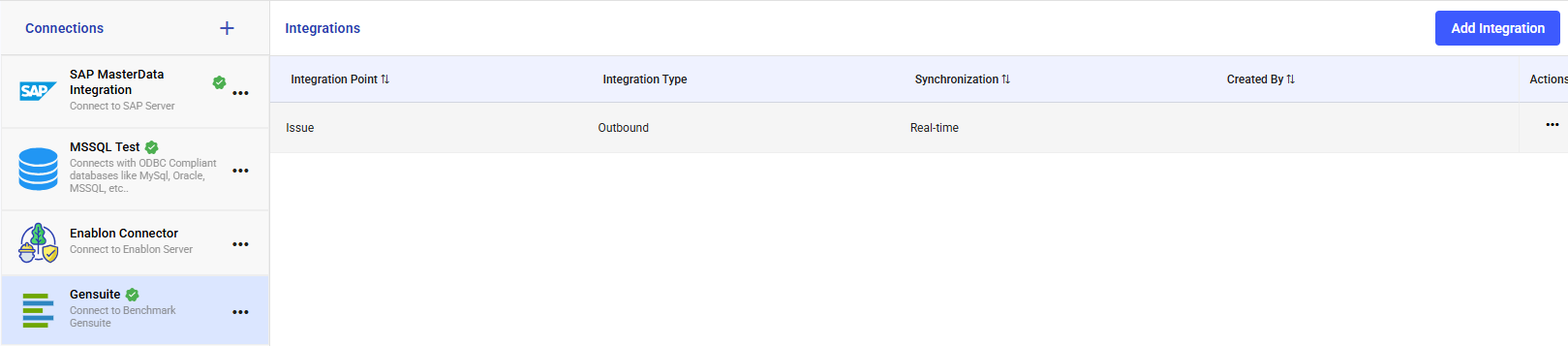
To change an integration, click the More icon (…) in the Actions column and select Edit.
The green check on the connection confirms the connection test only. Confirm that a test Issue creates a Concern Report in Gensuite before go-live.